

How do I add impact to a volunteer event or project?
Want your volunteer events and projects to count toward your impact totals? Add Impact Indicators to the event or project, set a target before it happens, and enter the realized value, the actual result, afterward.
Impact Measurement must be enabled, and the indicator must exist first.
Step 1: Open the event or project
In Organizer, go to Manage Deeds and open the volunteer event or project. To create a new one, select New Deed, then Volunteer Event or Project.
Step 2: Add indicators and target values
On the Impact Indicators step, add one or more indicators and enter a target value for each, such as 500 meals. You can add several indicators, but each indicator only once.
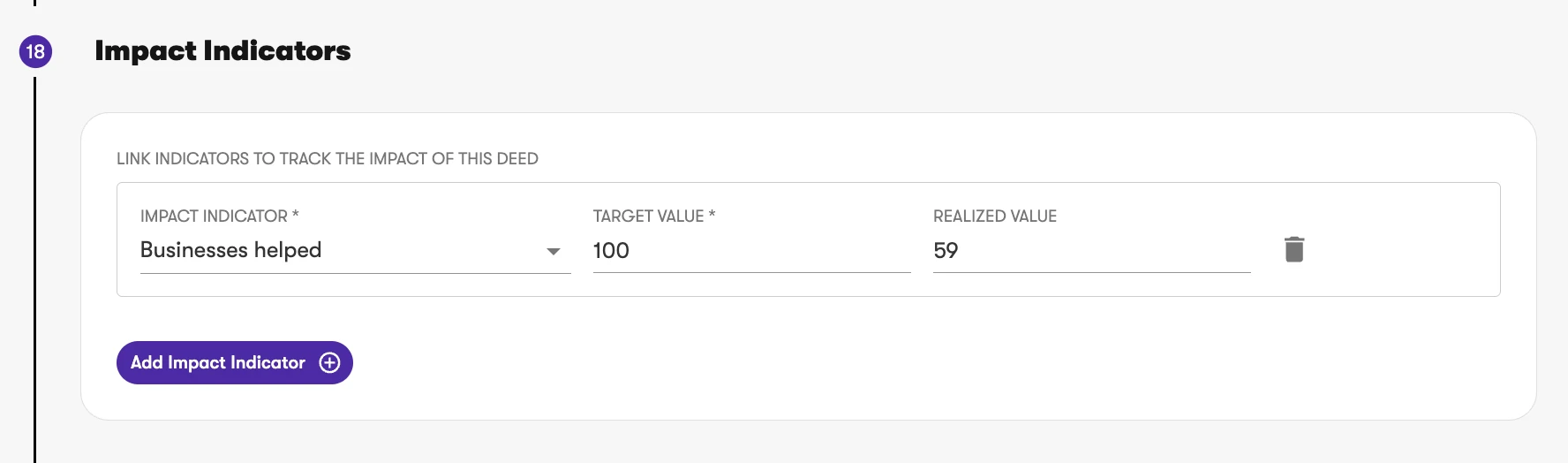
Step 3: Enter the realized value after the event
Once the event or project is complete, return to the Impact Indicators step and enter the realized value for each indicator.
Note: Realized values aren't entered automatically, and nothing reminds anyone to enter them. Indicator goals only reflect events and projects that have one. If a nonprofit partner runs the event, they can enter the realized value instead.
What else do you need help with?
- How do I create an Impact Indicator?
- How do I link an Action to an Impact Indicator?
- How do I create an Impact Goal?
- How do I choose which Impact Goals employees see?
Not what you’re looking for? Navigate to Understanding Impact Measurement
How do I add an Impact Indicator to a volunteer event? | How do I track impact on a volunteer project? | What is the difference between a target value and a realized value? | How do I enter a realized value? | Why isn't my event counting toward my Impact Goal? | Can a nonprofit enter impact results for my event? | Can I add more than one Impact Indicator to an event?