


How do I generate Donor Segments with Create-a-List in Que?
Looking to quickly identify strategic donor segments without building complex queries? Que’s Donor Segmentation skill helps you generate prebuilt, insight-driven donor lists using industry-proven models, no advanced filters or data analysis required.
Follow these steps below to generate usable donor segments with Que.
Step 1: Launch Que from your Dashboard
- Navigate to your EveryAction dashboard.
- Click the “Ask Que” button to activate your assistant.
- A chat window will appear on the right side of your screen.

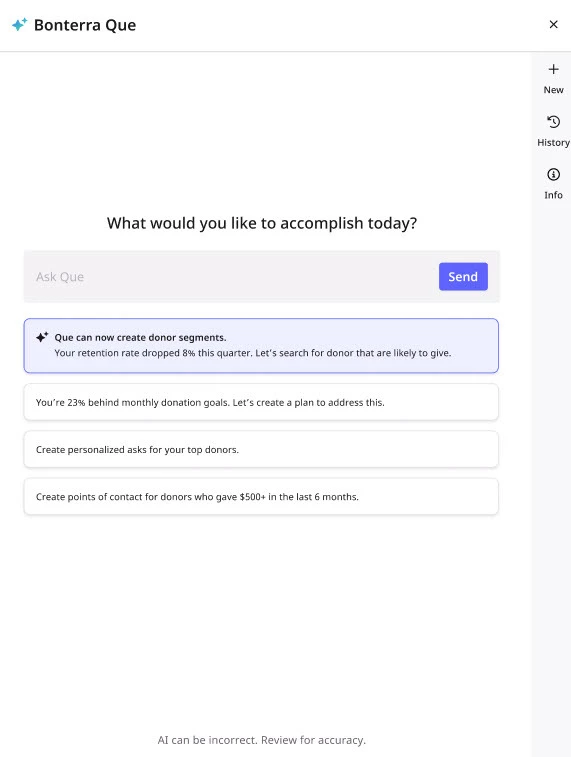
Step 2: Ask Que to Generate a Donor Segment
In the Que chat, you can:
-
Use a suggested prompt, or
-
Type your own request in plain language
Examples:
-
Model-based segment:
“Create a list of lapsed donors most likely to reconvert.” -
Custom segment:
-
“Show me donors who gave more than $100 this year in Texas.”
-
“Show me people whose total gifts were greater than $5,000 in 2025.”
-
"Show me people who have a subscribed email address who live in Boston."
-
"Find everyone on my Major Donor Saved List but only show those who live in Boston."
-
Que will:
-
Use DonorTrends models for predictive, prebuilt audiences, or
-
Translate your request into Create a List filters to build a custom segment
Step 3: Review Suggested Segment Stats
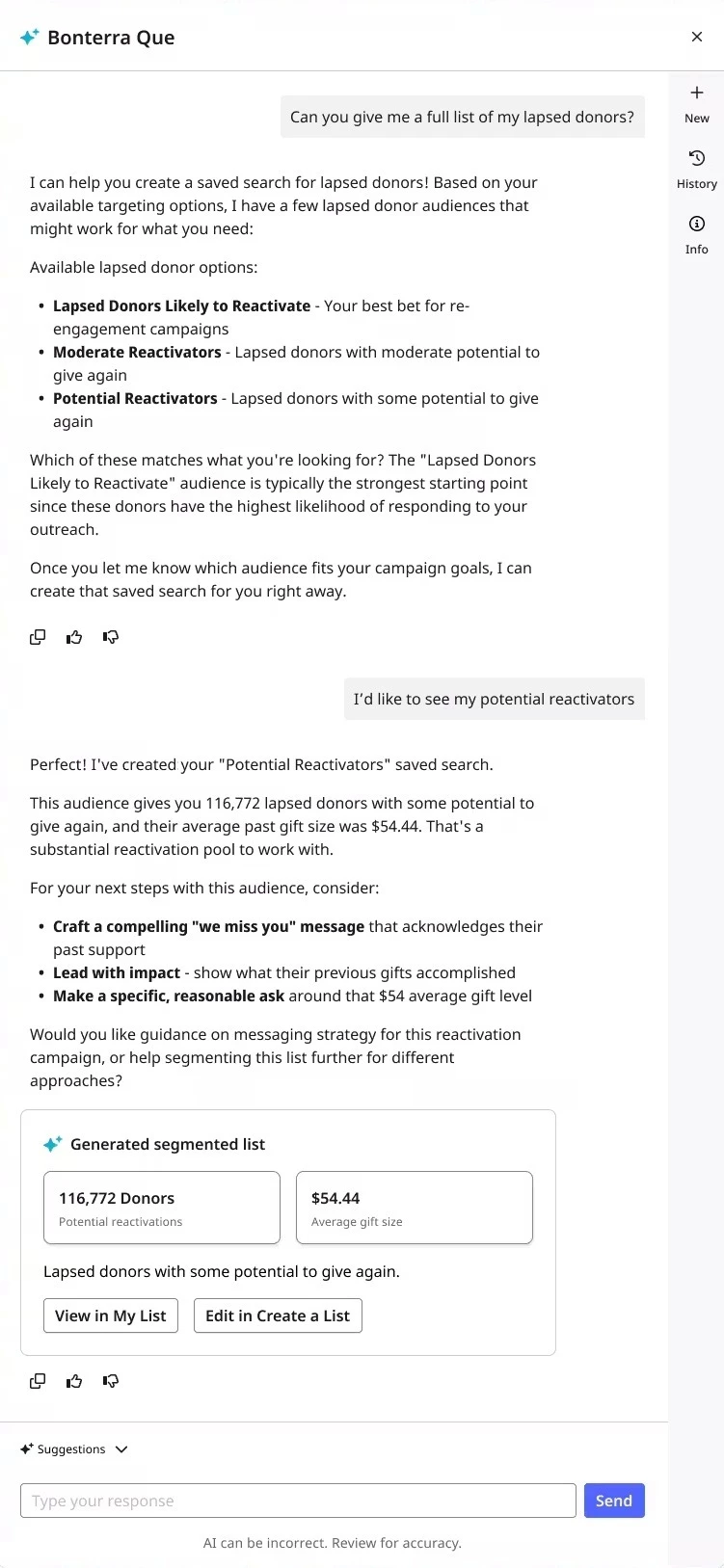
Que displays an overview of the segment directly in the chat, including:
-
The number of contacts
-
Key metrics (e.g., average gift, giving behavior)
-
A summary of the filters and logic used
-
A button to View the segment in My List
-
A button to Edit the segment in Create a List
You can also preview the audience before saving to ensure it meets your needs.
Step 4: Accept and Refine the Segment
You can refine your segment in two ways:
Option A: Refine in Chat
Continue the conversation to adjust your audience:
-
“Only include donors in California.”
-
“Exclude anyone who gave in the last 3 months.”
-
"Exclude anyone who gave in the last 3 months but not those on my Major Donor Saved List."
Que will update the segment in real time.
Option B: Edit in Create a List
Once finalized, your segment:
-
Can be saved as a Saved Search or Saved List
-
Is available across workflows, including:
-
Targeted email audiences
-
Reporting
-
Mobile messaging
-
-
Remains accessible from your My List view
Tips for Best Results
-
Be as specific as needed, Que can handle multiple criteria in one request
-
If your request is unclear or incomplete, Que may ask follow-up questions
-
Available filters depend on your Create a List permissions; email address and saved list filters are now also supported
What do you want to do next?
Interested in learning how Bonterra keeps your data safe? Read more about Bonterra's AI Responsibility and Data Security Practices here.
Ready to dive into Donor Segmentation now? Access these ‘How do I’ articles:
Want to learn more about Que Skills? Check out the Que Skill Index here.
Not what you are looking for? Return to Understanding Que here.
How do I start using Que? | How does start using Que work in EveryAction? | Why can't I start using Que? | Where do I start using Que in EveryAction? | What is start using Que in EveryAction? | How to start using Que? | Can I start using Que in EveryAction?