

Bonterra Que: Best Practices & Prompt Guide for Donor Segmentation
Bonterra Que is your fundraising assistant, built directly into Network for Good. Powered by Bonterra's fundraising benchmarks and 10+ years of nonprofit data, Que helps small and midsize nonprofits fundraise more strategically with less effort.
With just a simple prompt, you can find the right donors for your next outreach—whether you’re re-engaging lapsed supporters, building a monthly giving program, or planning for Giving Tuesday. Que makes it easy to generate donor lists, view audience summaries like estimated size and average gift, and save your segments for use in emails or reports. You can also create custom segments using natural language filters tailored to your goals.
Whether you’re an Executive Director juggling multiple roles or a part-time Development Manager, Que gives you the clarity and confidence to take action faster.
Getting Started with Donor Segmentation in Bonterra Que
Step 1: Open Que
From your Network for Good dashboard, click the Ask Que button to launch the assistant.
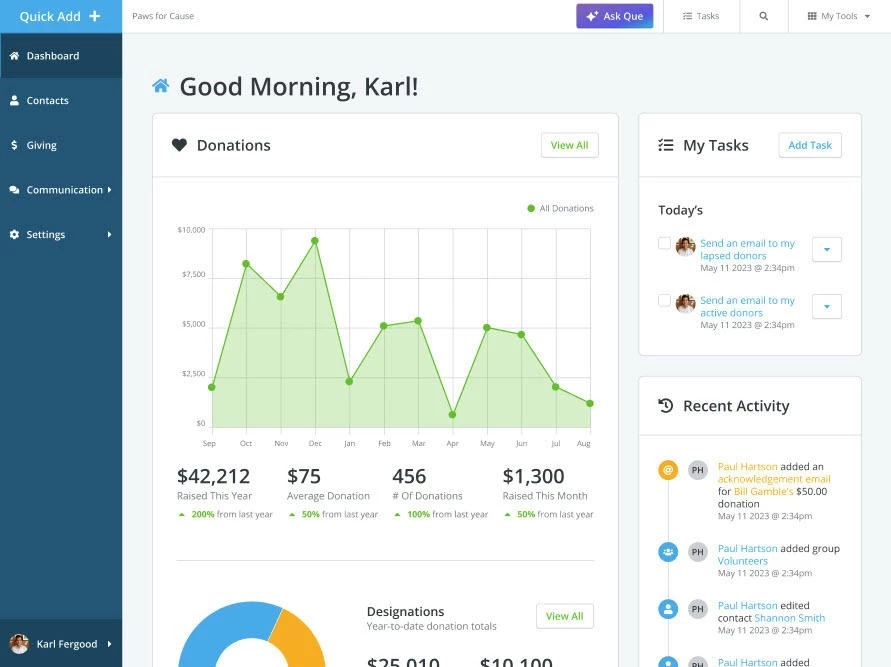
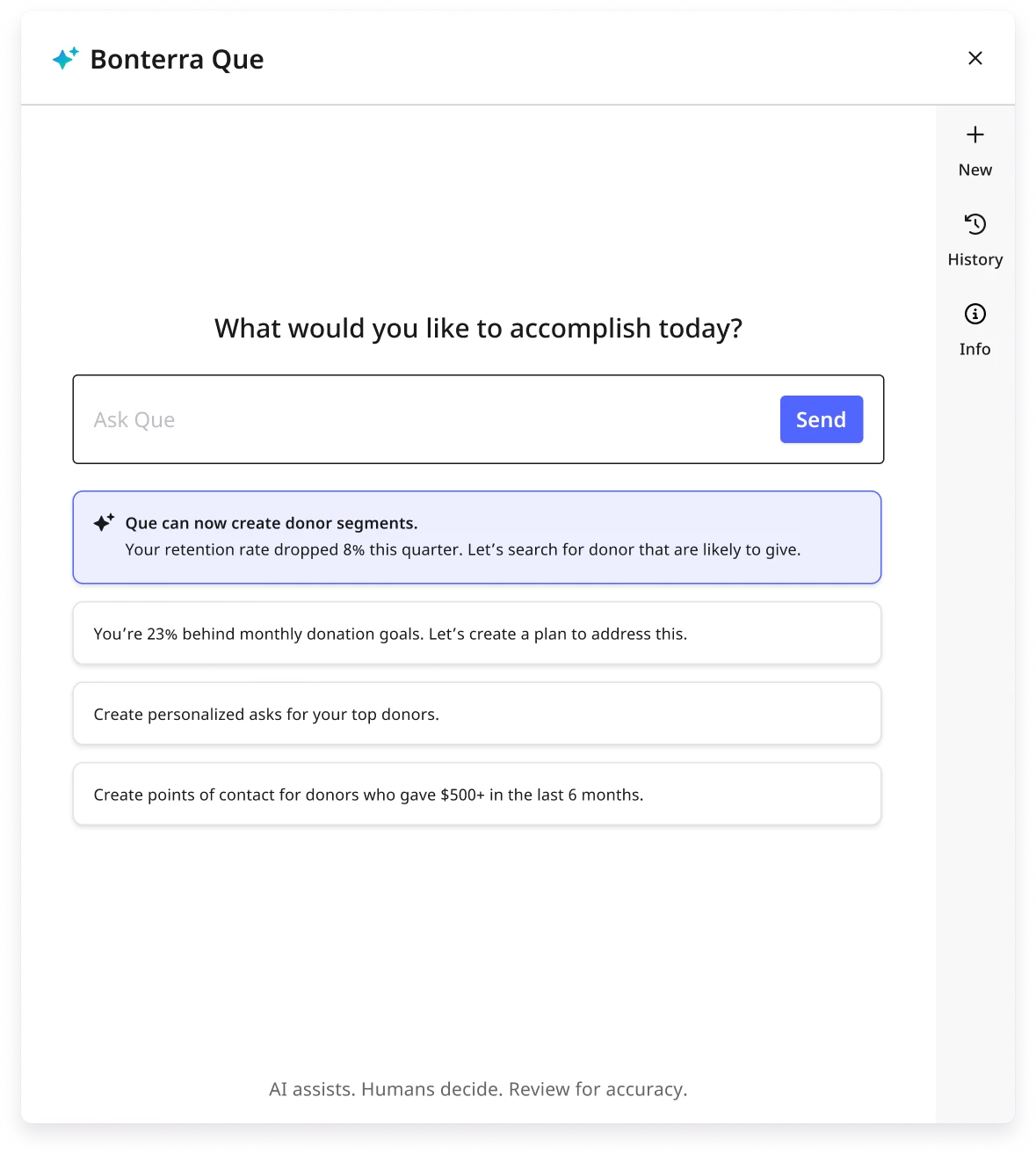
Step 2: Use a Suggested Prompt or Type Your Own
Try prompts like:
-
"Find lapsed donors most likely to return"
-
"Show me donors who gave under $250 but more than once"
-
"Create a list of monthly giving prospects"
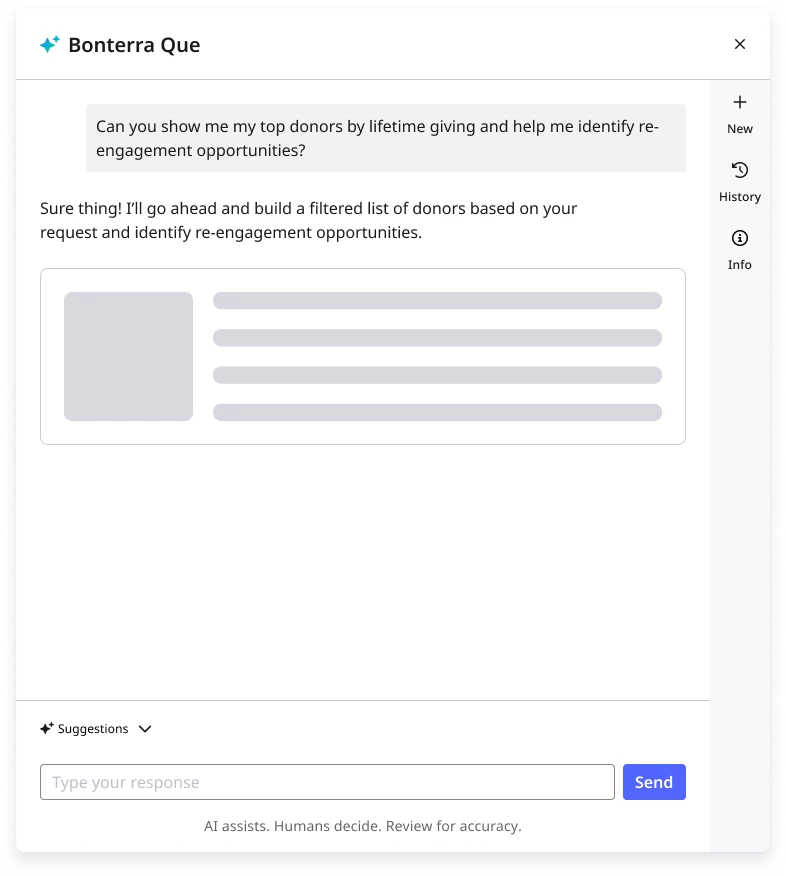
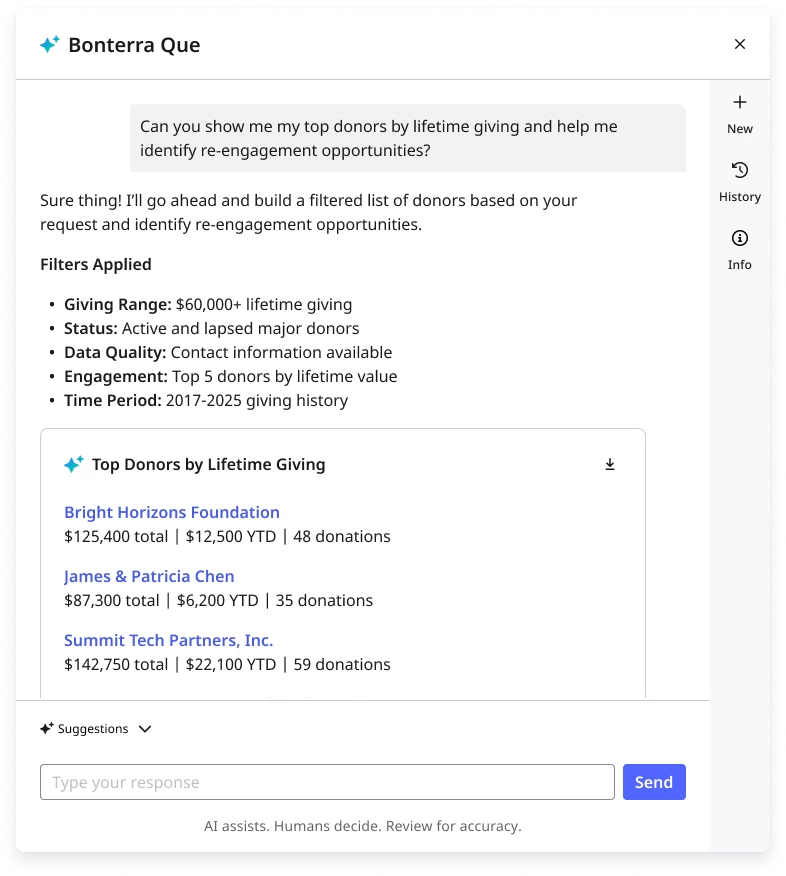
Step 3: Review the Suggested Segment
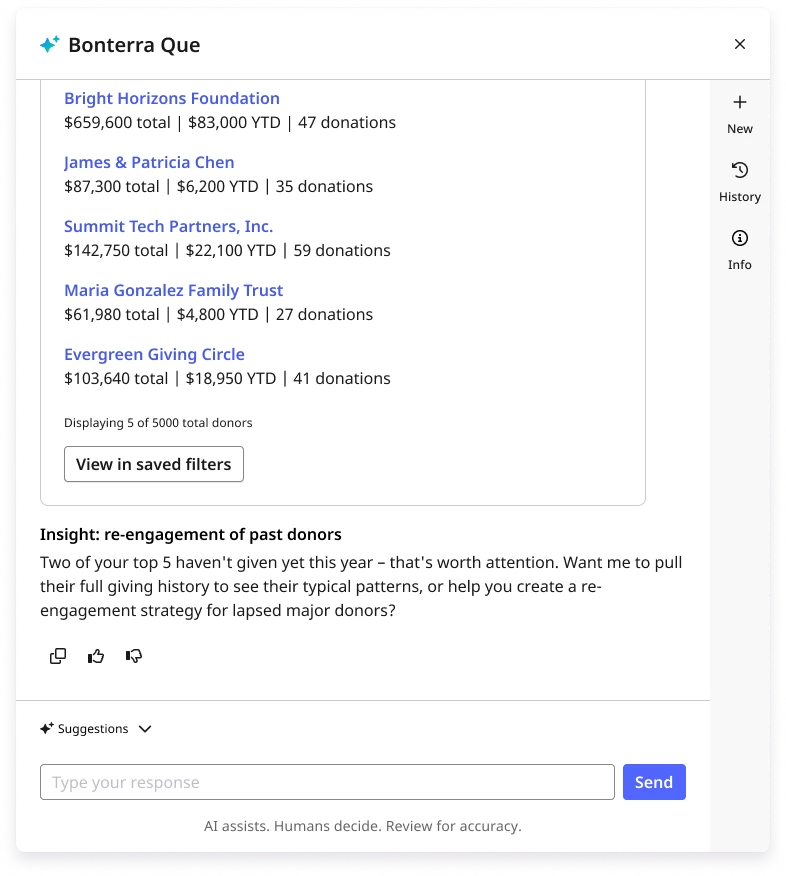
Que will return a suggested segment based on your organization’s data and Bonterra's proprietary donor scoring models. This includes insights about the segment, such as the estimated number of contacts and average gift size.. You can choose to save the segment for reuse in email, reporting, or outreach, or export the results as a CSV file for additional use.
Example Use Cases for Donor Segmentation
Not sure where to start? Just ask Que to help you come up with the right donor segmentation strategy based on your fundraising performance. Que can recommend the best audience to focus on depending on your goals, such as reactivating lapsed supporters, boosting retention, or increasing gift size.
| Scenario | How Que Helps | Example Prompts |
| Lapsed Donor Re-engagement | Builds a segment of donors who haven’t given in over 12 months but are likely to return. | “Find lapsed donors likely to give again”
“Show me donors who gave in 2022 but not since” |
| Recurring Giving Growth | Identifies donors with multiple small gifts who may be ready to become monthly donors. | “Who are the best candidates for monthly giving?”
“Find donors who give regularly but aren’t sustainers” |
| Local Outreach | Filters donors based on location to support community-specific campaigns. | “Pull donors in California who gave last year”
“Find local donors near our headquarters” |
| Mid-Level Outreach | Surfaces donors in the $250-$999 range for targeted mid-level asks. | “Create a segment of donors who gave $250+”
“Show me supporters in the mid-level giving range” |
| Recruit Event Attendees | Finds loyal, local supporters likely to increase their gift or give again. | “Find supporters near who I should invite to attend future events” |
What do you want to do next?
Interested in learning how Bonterra keeps your data safe? Read more about Bonterra's AI Responsibility and Data Security Practices here.
Ready to dive into Donor Segmentation now? Access these “How do I” articles:
- How do I use Donor Segmentation in Bonterra Que?
- How do I refine or edit a Donor Segment in Bonterra Que?
Want to learn more about Bonterra Que Skills in Network for Good? Check out the Bonterra Que Skill Index here.
Not what you’re looking for? Navigate to Understanding Bonterra Que.
What are the best prompts for donor segmentation in Bonterra Que? | How do I find lapsed donors likely to return? | Can Bonterra Que create a monthly giving prospect list? | How do I segment donors by gift amount in Network for Good? | Can I export a donor segment to CSV? | How do I build a local donor list by location? | How do I identify mid-level donors for a targeted ask?