Adding shifts to events

  • November 4, 2025
  • 5 replies
  • 27 views

Forum|alt.badge.img

How do you add a shift after you have created an event?

November 5, 2025

Hi ​@jweber 

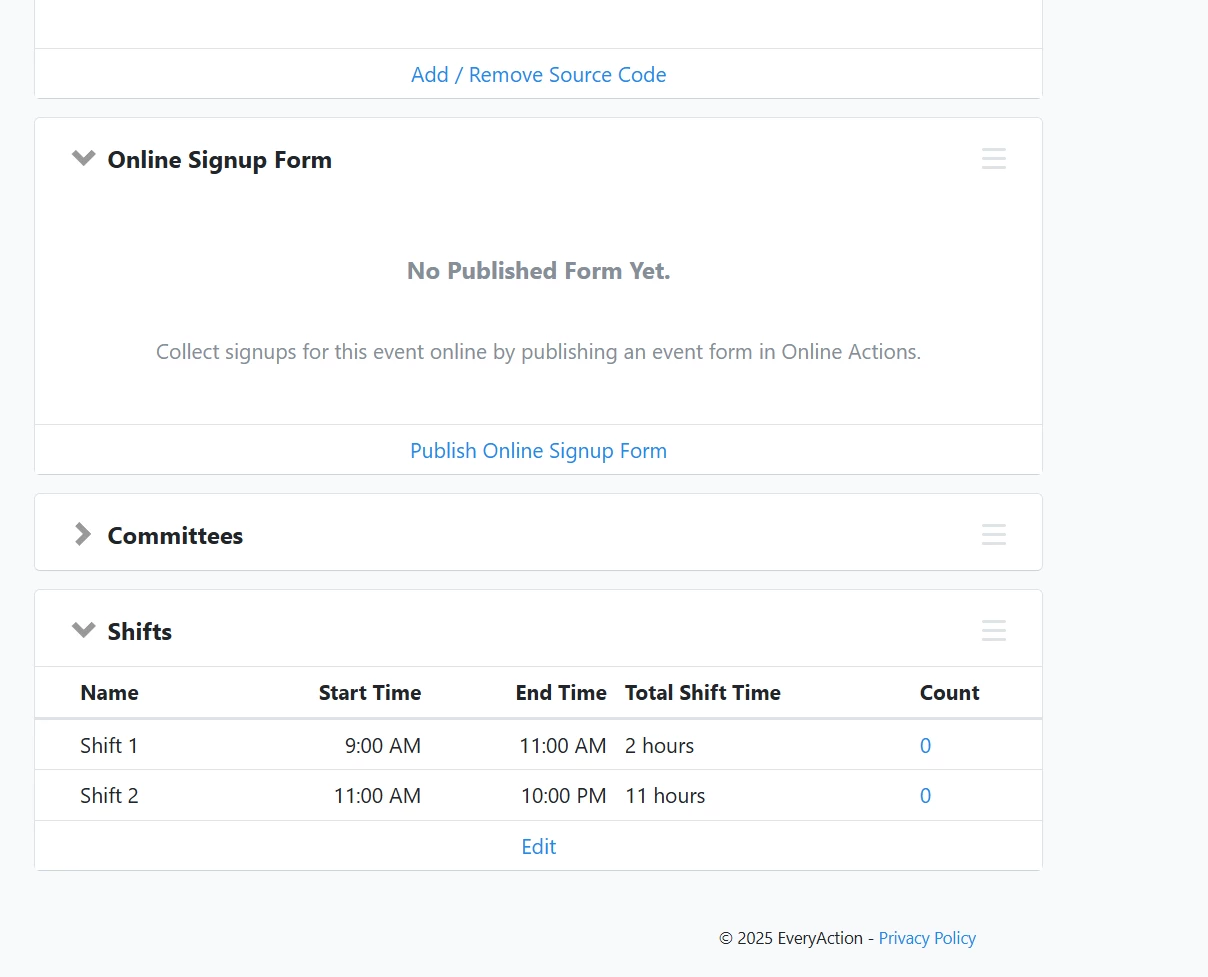
Great question. You’ll want to locate the event you want to update and then go to the “Shifts” page section and then select “Edit” from there you can update the shifts for that event. It is worth calling out that you can ADD additional shifts but not REMOVE shifts from an event. Thanks!


5 replies

torvic vardamis
Forum|alt.badge.img+2

Hi ​@jweber 

Great question. You’ll want to locate the event you want to update and then go to the “Shifts” page section and then select “Edit” from there you can update the shifts for that event. It is worth calling out that you can ADD additional shifts but not REMOVE shifts from an event. Thanks!


Forum|alt.badge.img
  • Author
  • First Timer
  • November 6, 2025

Yeah so... I don’t actually have the interface you have. See below.

Any ideas? Thank you for humoring me!


torvic vardamis
Forum|alt.badge.img+2

Hi Jacki,

One important thing to note, and I believe it to be the case here, is that the Event Type used to create the event needs to have “Can be multi-shift event” enabled at the time of the event creation in order for those to be available for that event. You’ll need to update the Event Type and then refresh the event and the Shift section should appear. Have a look and let me know if you have any questions. Thanks. 

Torvic


Forum|alt.badge.img
  • Author
  • First Timer
  • November 6, 2025

Hi Torvic,


I’m not seeing anywhere, even when creating an event, the place to designate shifts. What am I missing?


torvic vardamis
Forum|alt.badge.img+2

Hi Jacki,

You’ll want to do the following update first. Locate the “Event Type” page where you’ll see your existing Event Types. Think of these as the feature that creates the settings for the evens. Find the “Training” Event Type and then toggle the check box I mentioned. 

Once you’ve made the updates there, the Event you’re trying to update shifts for will have the Shift section available. Have a look at this and let me know if you have any further questions. 

Thanks,

Torvic