

How do I share my form?
Here are three ways you can share your form with your network!
1) Copy the URL from your web browser
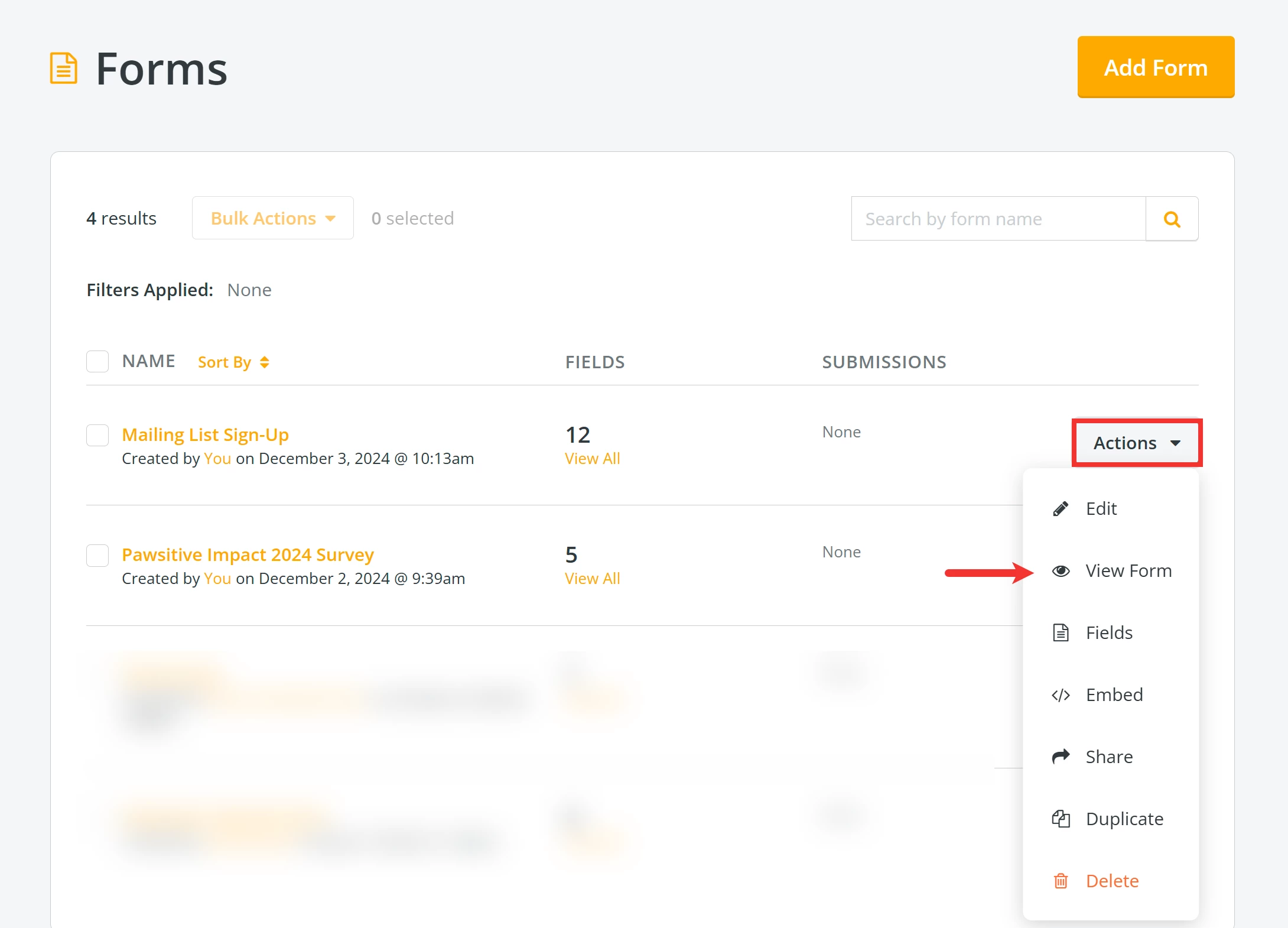
Click the 'Actions' button next to the form you want to share and select 'View Form' from the drop-down list of options.
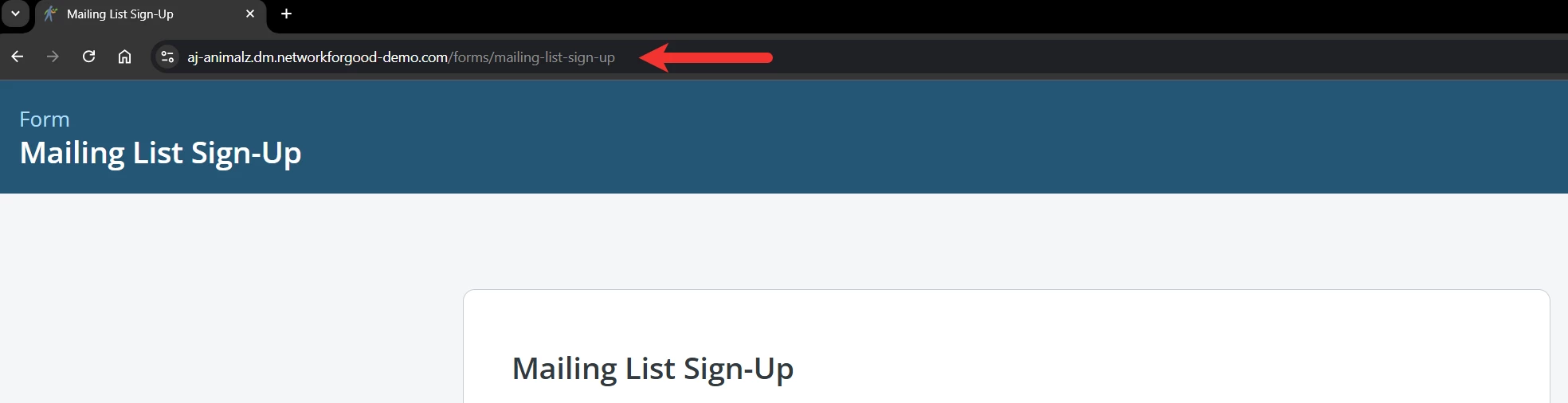
Copy and paste the URL from your web browser and share it as a direct link with your network! You can create a hyperlink on your website, include it in e-mail blasts and social media posts, or even add it to your e-mail signature!
2) Embed the form into your website
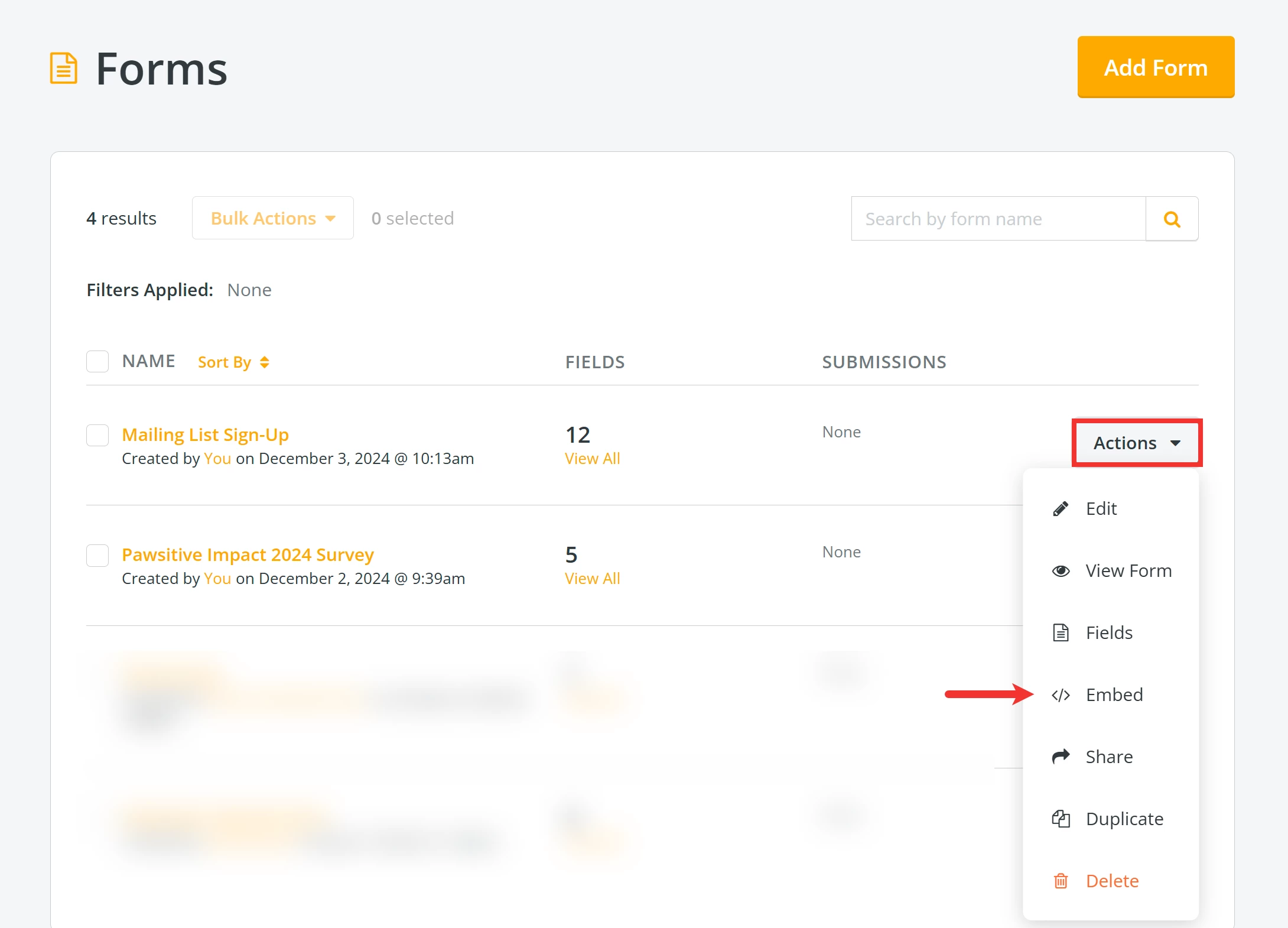
Click the 'Actions' button next to the form you want to embed and select 'Embed' from the drop-down list of options.
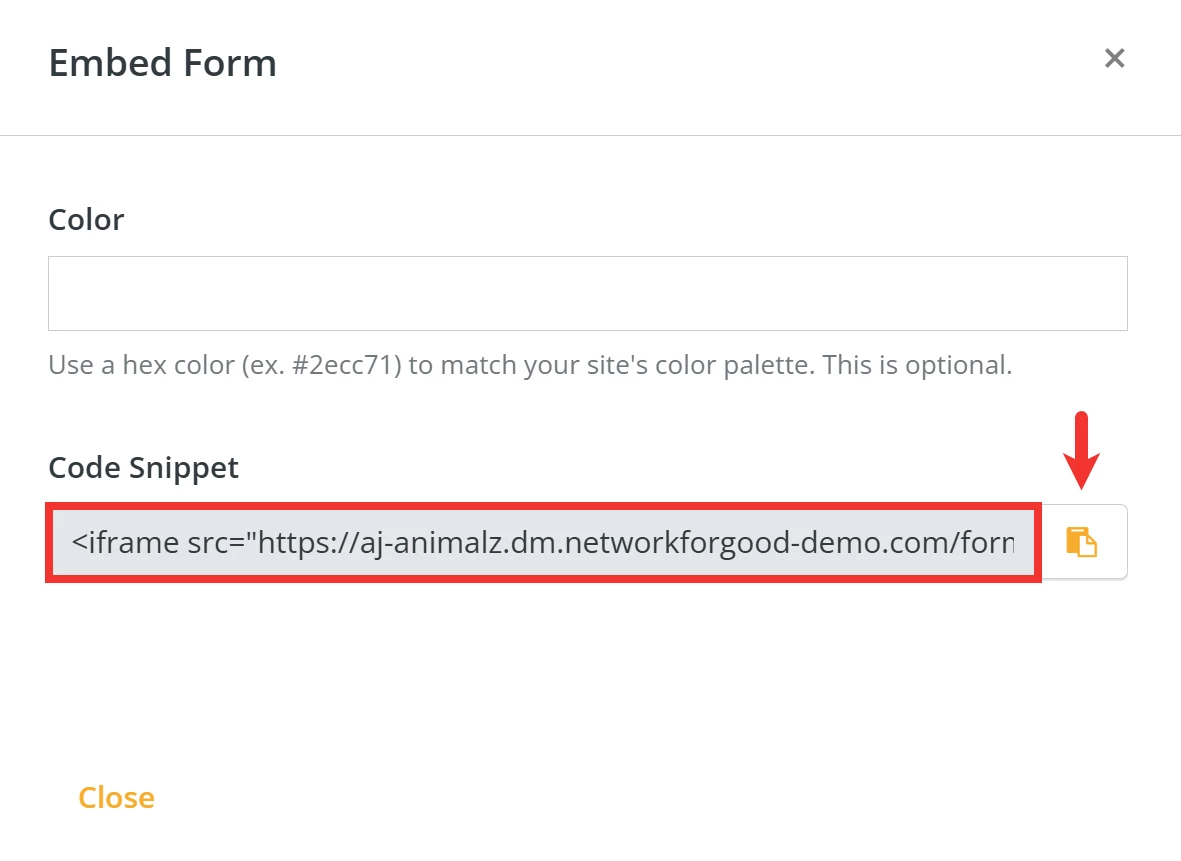
A pop-up window will appear where you can click the 'Copy to clipboard' button next to the 'Code Snippet' to embed into the source code of your website.
3) Share a link
Click the 'Actions' button next to the form you want to share and select 'Share'.
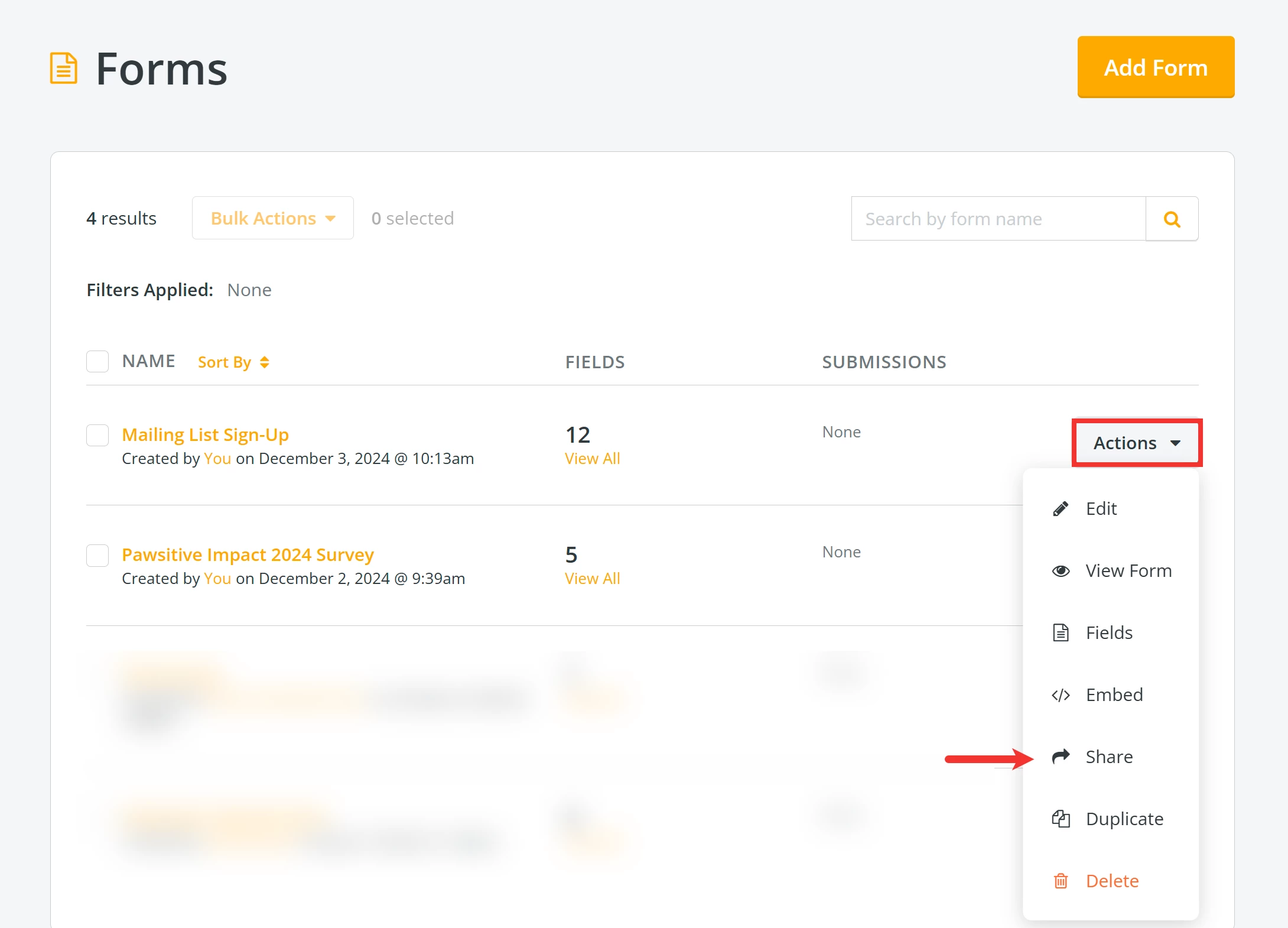
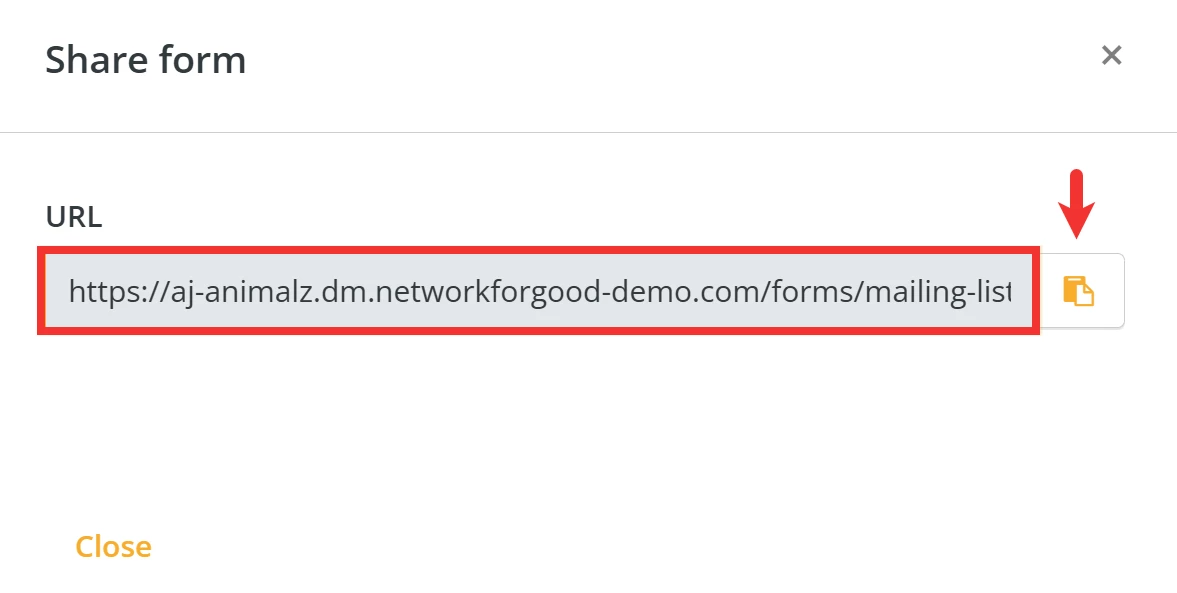
A pop-up window will appear where you can click the 'Copy to clipboard' button to share your form's unique URL.
What else do you need help with?
How do I manage responses to my form?
How do I add an image to my form?
How do I add reCAPTCHA to my form?
Not quite what you were searching for?
Navigate back to the Feature Overview.
How do I share a form link in Network for Good? | How do I embed a form on my website? | Where do I find the URL for my form? | How do I copy the embed code for a form? | Can I post my form on social media? | What is the difference between View Form and Share? | How do I send my form to supporters?
How do I identify top prospects with donortrends? | How does identify top prospects with donortrends work in EveryAction? | Why can't I identify top prospects with donortrends? | Where do I identify top prospects with donortrends in EveryAction? | What is identify top prospects with donortrends in EveryAction? | How to identify top prospects with donortrends? | Can I identify top prospects with donortrends in EveryAction?