


How to: Manage SMS Opt-in in My Voters
Reaching out to voters via SMS text messaging can be one of the best ways to notify supporters of important developments in your campaign and is one of the most important tools for Get Out the Vote efforts. But, it’s crucial to make sure that you comply with all SMS regulations and standards when using this channel, including allowing voters to opt out of receiving text messages from you.
You can add the SMS opt-in status to the phone numbers you have in My Voters to help you understand when supporters definitely want to hear from you - or when they don’t. The SMS status is phone number specific and committee specific, which means:
-
If you have both My Voters and My Campaign, the phone number in both databases will share the same SMS status.
-
The SMS opt-in status will be the same for the phone number on all records it appears on.
-
Since SMS status is committee-specific, the phone number may have different opt-in statuses in different committees.
Updating the SMS status on the contact record
For each of the voters in your file, you can view and manually update the SMS status from the Phones section on their details page.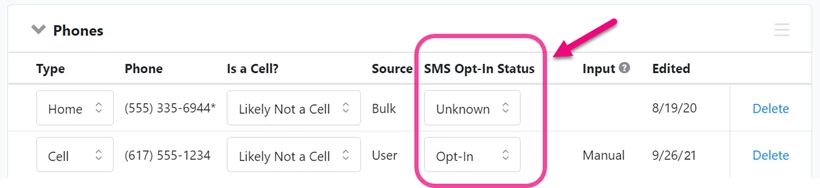
Whenever the SMS status changes, you will see the change listed in the Activity Stream on the Overview page in the contact record.
Using Bulk Upload and Bulk Apply
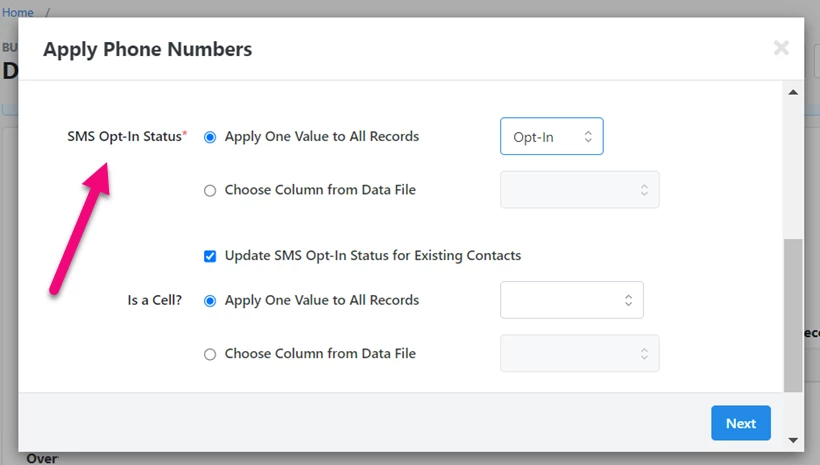
You can apply the SMS status to phone numbers when Bulk Uploading a file or Bulk Applying results by using the mapping available in Apply Phone Numbers or Apply Canvass Responses.
Read more about Bulk Uploader and Bulk Apply
Using APIs to set SMS status
If you use the Canvass Responses API or Bulk Import API, you will also be able to set or import the opt-in status for phone numbers.
 Read more about using the Canvass Response API
 Read more about using the Bulk Import API
Allowing voters to select their SMS status
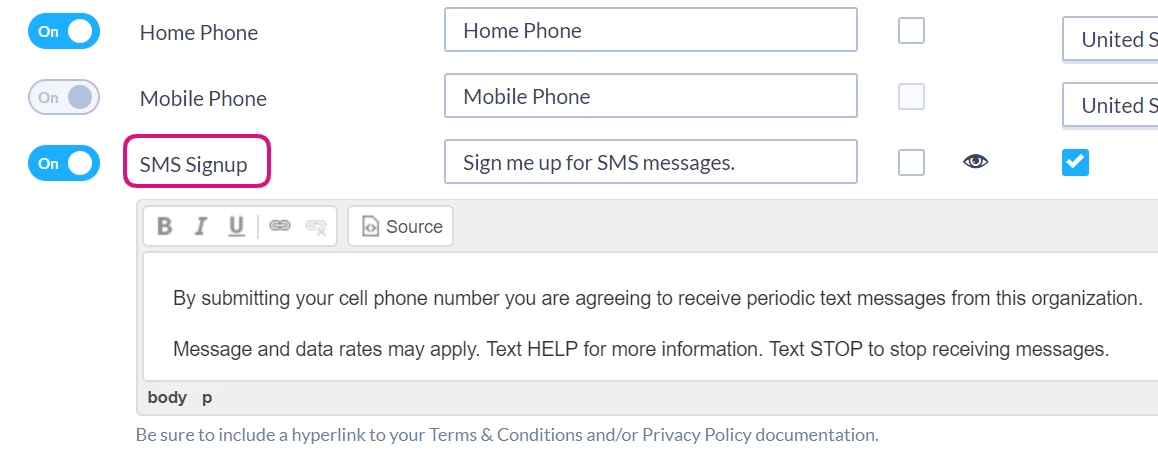
If you have access to Online Actions, you can include an SMS opt-in option on your forms
Read more about creating Online Actions forms
Updating SMS status with canvass results
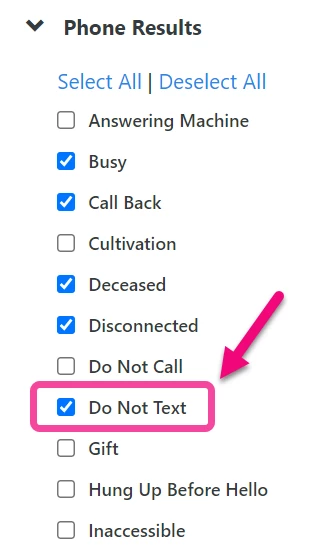
When a phone number is included in your canvassing efforts, selecting the Do Not Text canvass result will set the SMS opt-in status to Opt-Out on the phone number. This is also true when you use the Canvass Response API to apply your results.
Read more about setting up a canvass
Searching and reporting on SMS status
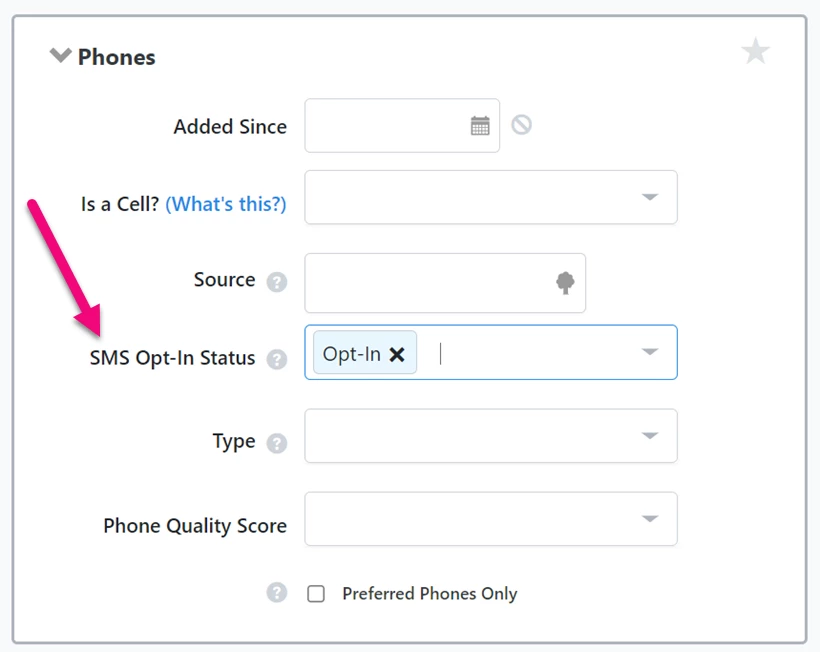
You can use the SMS status to Create a List by using the Phones section.
You can use the SMS status to choose which phone numbers to include in your Phone Type List export from My List by checking the options under Opt-In Status.
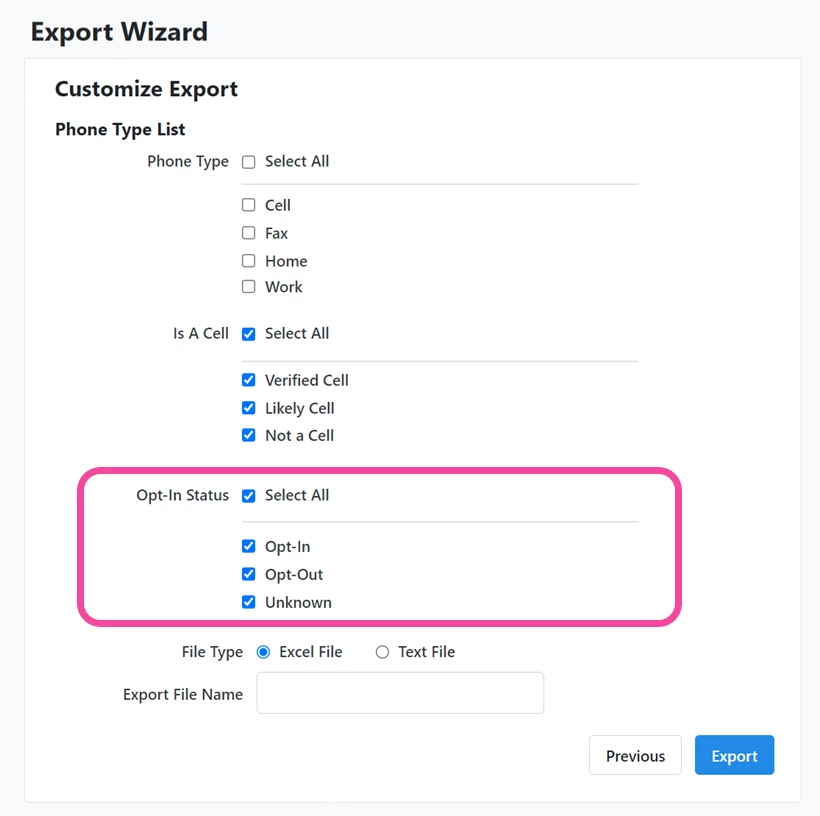
If you have the SMS vendors integration for My List, your exports will include columns for SMS status.
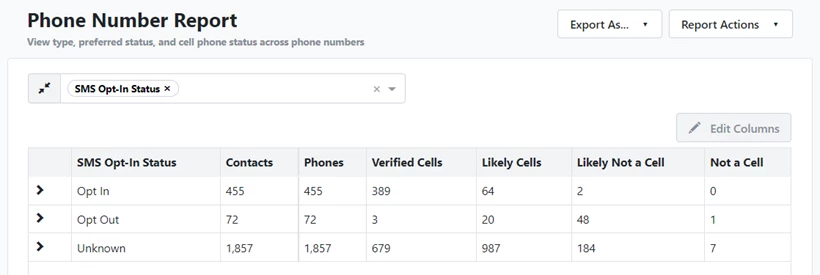
You can also add the SMS Opt-In Status column to many reports and filter or Group by the opt-in status, including the Phone Numbers report.
How do I how to: manage sms opt-in in my voters? | How does how to: manage sms opt-in in my voters work in EveryAction? | Why can't I how to: manage sms opt-in in my voters? | Where do I how to: manage sms opt-in in my voters in EveryAction? | What is how to: manage sms opt-in in my voters in EveryAction? | How to how to: manage sms opt-in in my voters? | Can I how to: manage sms opt-in in my voters in EveryAction?