


How do I explore grant opportunities with Bonterra’s GrantMatch?
GrantMatch is a grant discovery tool built into the Bonterra Nonprofit Hub that helps you find funding opportunities tailored to your organization's profile, with help from Bonterra Que. The following walks you through accessing GrantMatch, finding matches, saving opportunities, and preparing to evaluate and apply.
Step 1: Access GrantMatch from the Nonprofit Hub home page
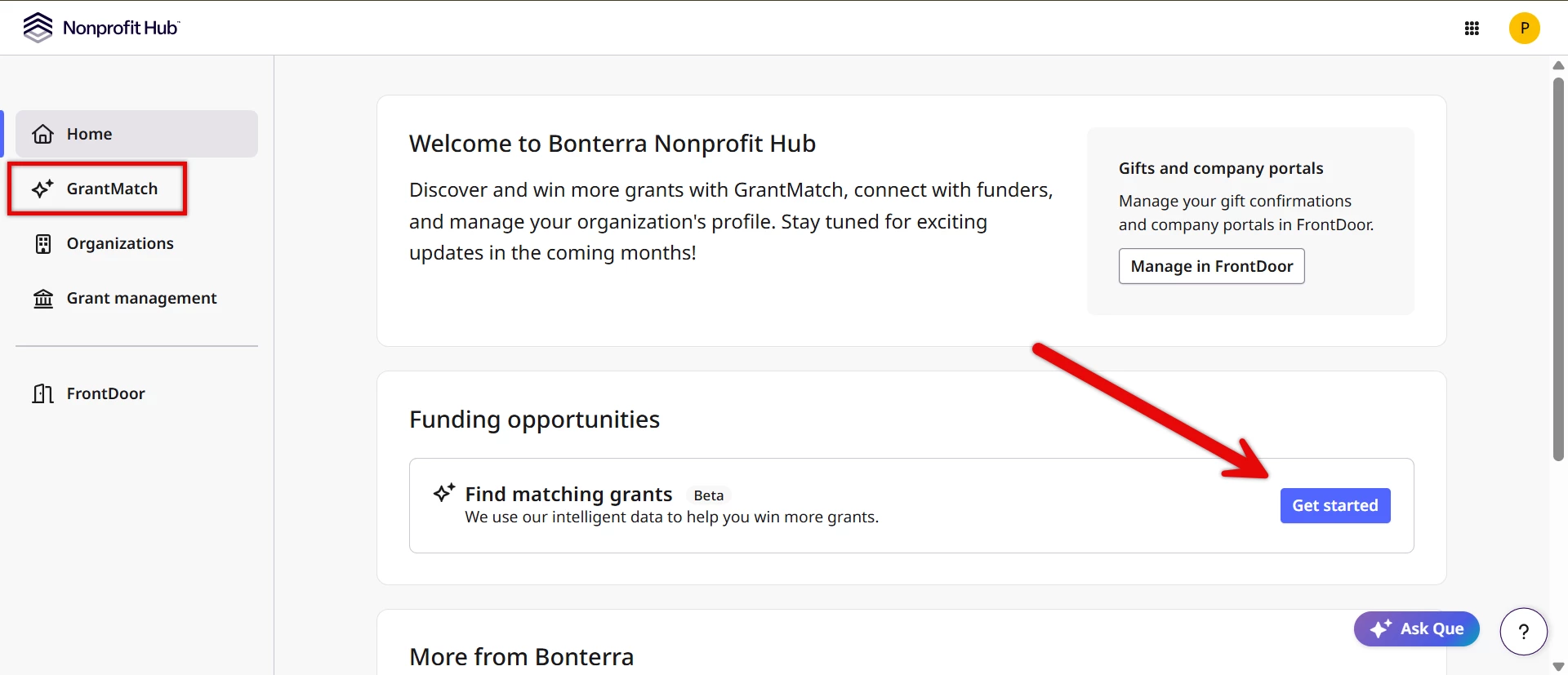
Sign in to the Nonprofit Hub using your Bonterra credentials. From the home dashboard, locate and select “Get started” or GrantMatch from the left side navigation bar.
Step 2: Ensure your organization profile is complete and current
Your organization profile is the foundation of GrantMatch. The system uses this information to find grants aligned with your mission, programs, and service areas. The more accurate and complete your profile, the better your matches will be.
Note: Only your account's verified owner or members on the account with permission to update the profile can make edits. All members linked to your account can view your organization’s profile and use GrantMatch on behalf of your organization.
Below are some key profile details that should be completed and reviewed before using GrantMatch:
- Mission statement - Describe your organization's primary mission and values. Be specific about the populations or issues your organization focuses on.
- Program focus areas - Provide details on the specific programs your organization operates and areas of primary focus, such as education, health care, youth development, housing, or emergency services.
- Populations served - Specify the groups your organization serves, such as age groups, geographic communities, or socioeconomic segments.
- Geographic service area - Indicate where your organization provides services. You can specify one location or multiple locations. The enhanced location field includes mapping technology to help you visualize and confirm your selections.
More current, robust profile information means more precise matches. If your organization has changed locations, added programs, or shifted focus areas, update your profile before searching.
Step 3: Select your organization and programs (if applicable)
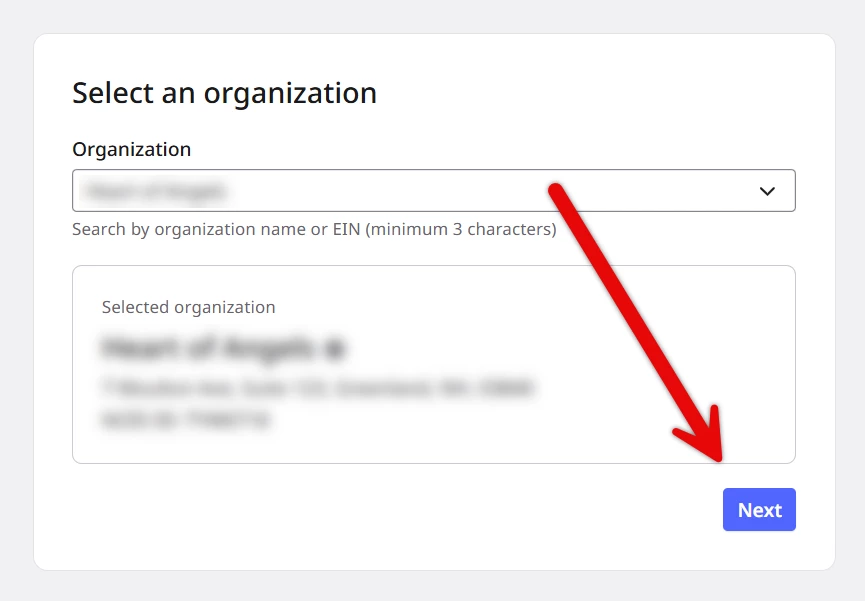
A search or dropdown list will appear in case you manage multiple organizations in the Nonprofit Hub, prompting you to select the organization for which you want to find grants.
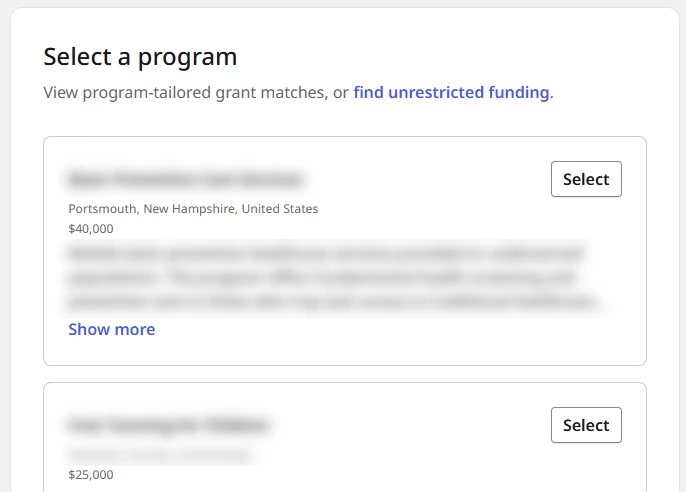
If your profile includes programs, you'll be prompted to select one or more. You can see and use suggested programs directly in the GrantMatch flow—these recommendations come from Bonterra Que and are based on your organization's profile. Program selection is optional; GrantMatch will search and analyze grants using all available profile information, whether or not you select specific programs. However, selecting programs can help you focus on results if you're searching for opportunities for a particular initiative.
Programs are managed by your organization's Verified Owner or members with permission to make updates. If you need to add or update programs, contact your organization’s Verified Owner for guidance, who can contact support if further guidance is needed.
Step 4: Review matching grants
GrantMatch displays a list of grants that match your organization. Each result includes:
- Grant title and funder name
- Eligibility requirements
- Application deadline
- Award amount (if available)
- Alignment indicator - A visual signal showing how well the grant fits your organization's profile
Review each result carefully, paying particular attention to eligibility requirements and any geographic or organizational type restrictions.
Step 5: Evaluate whether each opportunity is right for your organization
Not every grant in your results will be right for your organization, even if it meets basic matching criteria. As you review results, consider:
- Eligibility - Confirm your organization meets all stated requirements, including organization type, geographic service area, annual budget, and years in operation.
- Mission alignment - Consider whether the grant's stated priorities genuinely align with your work. Strong mission alignment typically leads to stronger applications.
- Timeline - Review the application deadline and assess whether your team has the capacity to develop a competitive application in time.
- Award amount - Consider whether the grant amount is meaningful for your organization and whether it could support your planned work.
Once you've identified grants that meet your criteria, the next step is saving them so you can evaluate and track them further.
Step 6: Save grants you want to pursue
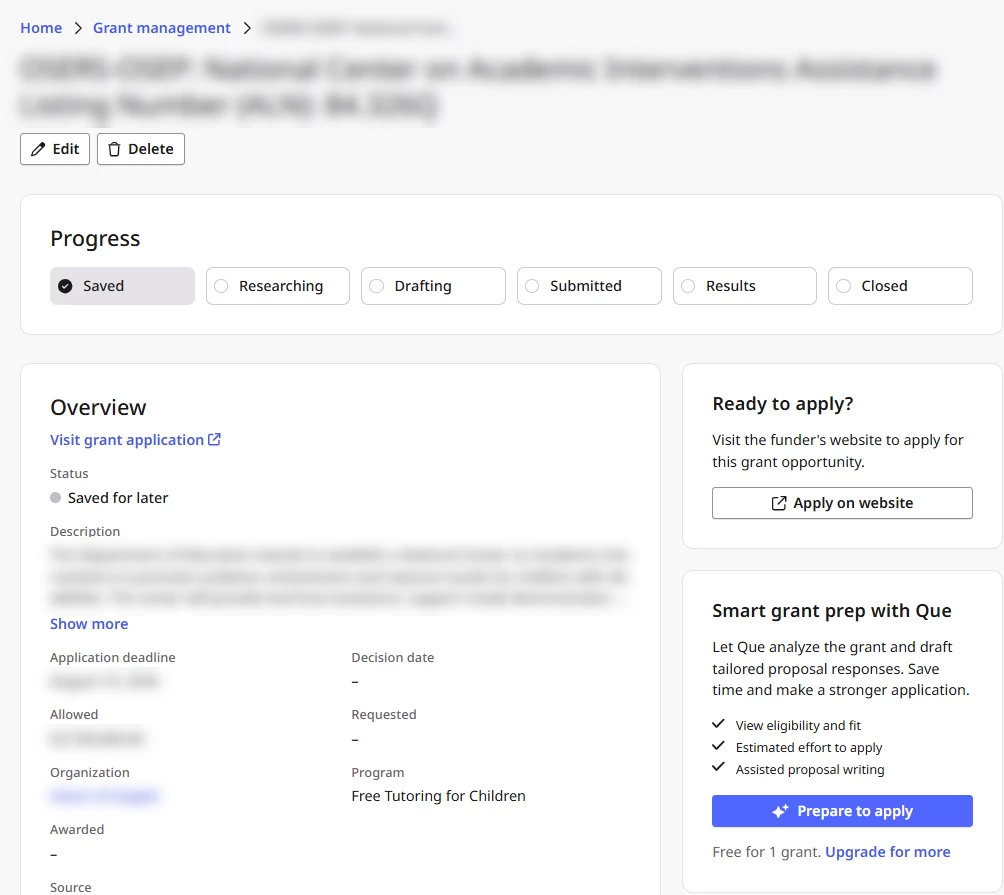
When you find a grant worth pursuing, save it directly from GrantMatch. Saving adds the grant to your account so you can return to it later, track your application progress, and access it when you're ready to apply. Select the save option displayed with each grant result. Saved grants appear in your account dashboard and in Grant management.
What comes next?
Explore premium grant insights and proposal tools.
Once you've saved a grant and are ready to move forward, Bonterra offers powerful premium tools to help you evaluate opportunities and prepare stronger applications:
- Grant Analysis - Get a detailed assessment of each opportunity against your organization's profile. Grant Analysis evaluates eligibility, effort to apply, and award profile, plus flags important logistics and obligations so you can make informed decisions about which grants to pursue.
- Funder Analysis - Understand the funders behind the opportunities. Learn about their priorities, past funding patterns, and what they look for in competitive applications—giving you valuable context as you prepare to apply.
- Grant Proposal Drafting - Get a head start on your application. Use the proposal drafting tool to develop compelling narratives and responses tailored to each grant's requirements, saving time while strengthening your applications.
These tools are designed to make grant research, evaluation, and writing faster and more strategic.
Ready to dive deeper? Explore these features to maximize your grant success.
What else do you need help with?
- How does Grant Analysis work?
- How do I interpret my Grant Evaluation?
- How do I make a Go/No-Go Grant decision?
- What is grant proposal drafting in the Nonprofit Hub?
- How do I generate and refine a Grant proposal?
Not what you’re looking for? Navigate to Understanding Grant Discovery and Readiness in the Nonprofit Hub