


How do I search on different source code types?
Searching on different source code types is essential for a comprehensive view of donor activity and revenue streams. By analyzing various sources - such as online donations, direct mail, events, and peer-to-peer fundraising, you can track trends, measure campaign effectiveness, and identify opportunities for growth. This allows for more accurate reporting, strategic decision-making, and overall better donor engagement.
Step 1: Create a List
- Starting from the homepage, navigate to the left-hand menu. Click Contacts > Create a List.
- Or use the Search for a Page field and type Create a List.
Step 2: Scroll to the section related to the data you need
The 'Create A New Search' page offers a wide range of other search criteria you can use to pull the data you need.
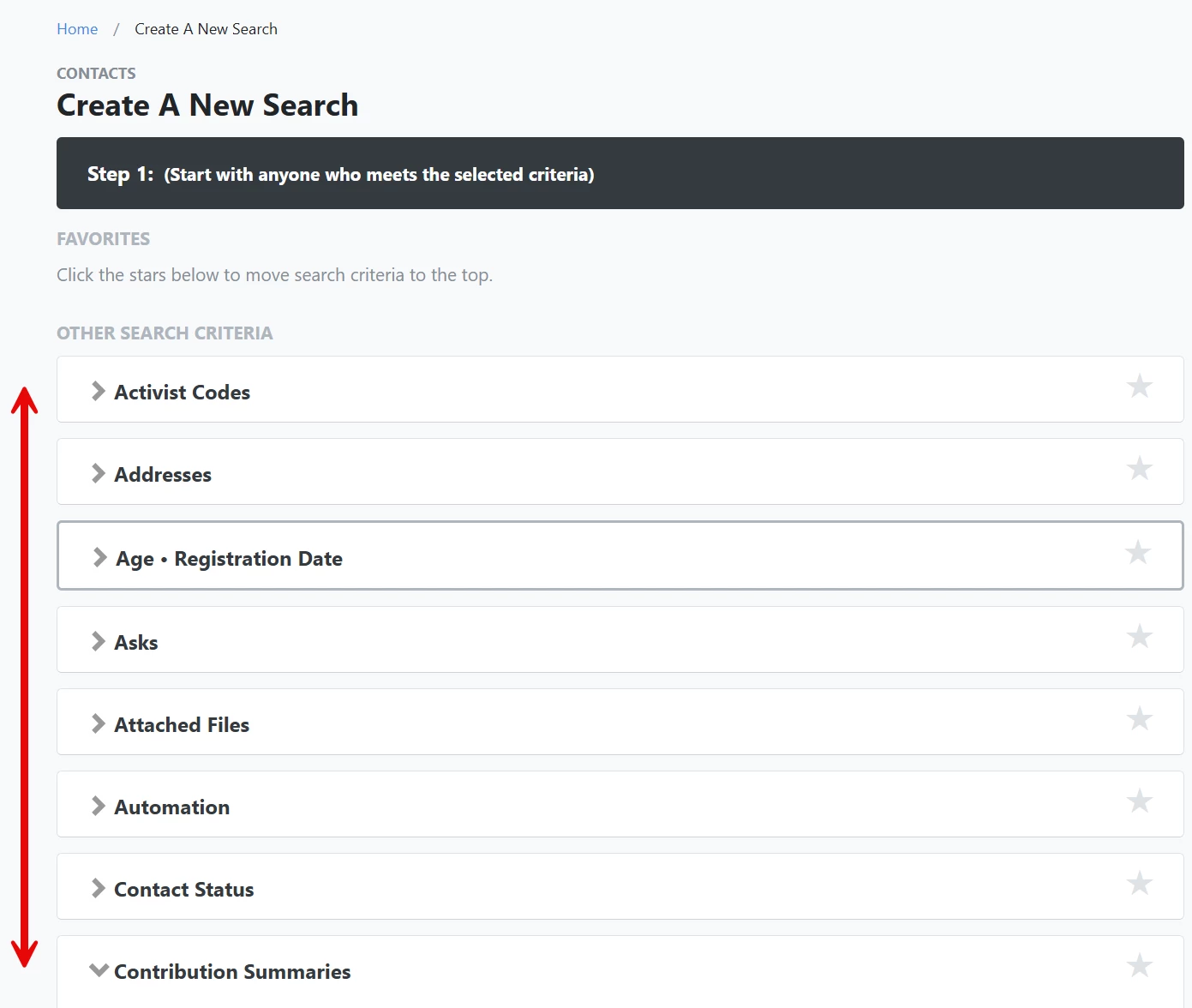
Common Source Code Types
a) Contribution Source Codes
Selecting a source code in the 'Contributions' section will return all contact records with a contribution with that source code associated with it. You can choose multiple source codes to expand your search to contributions from more than one campaign or effort.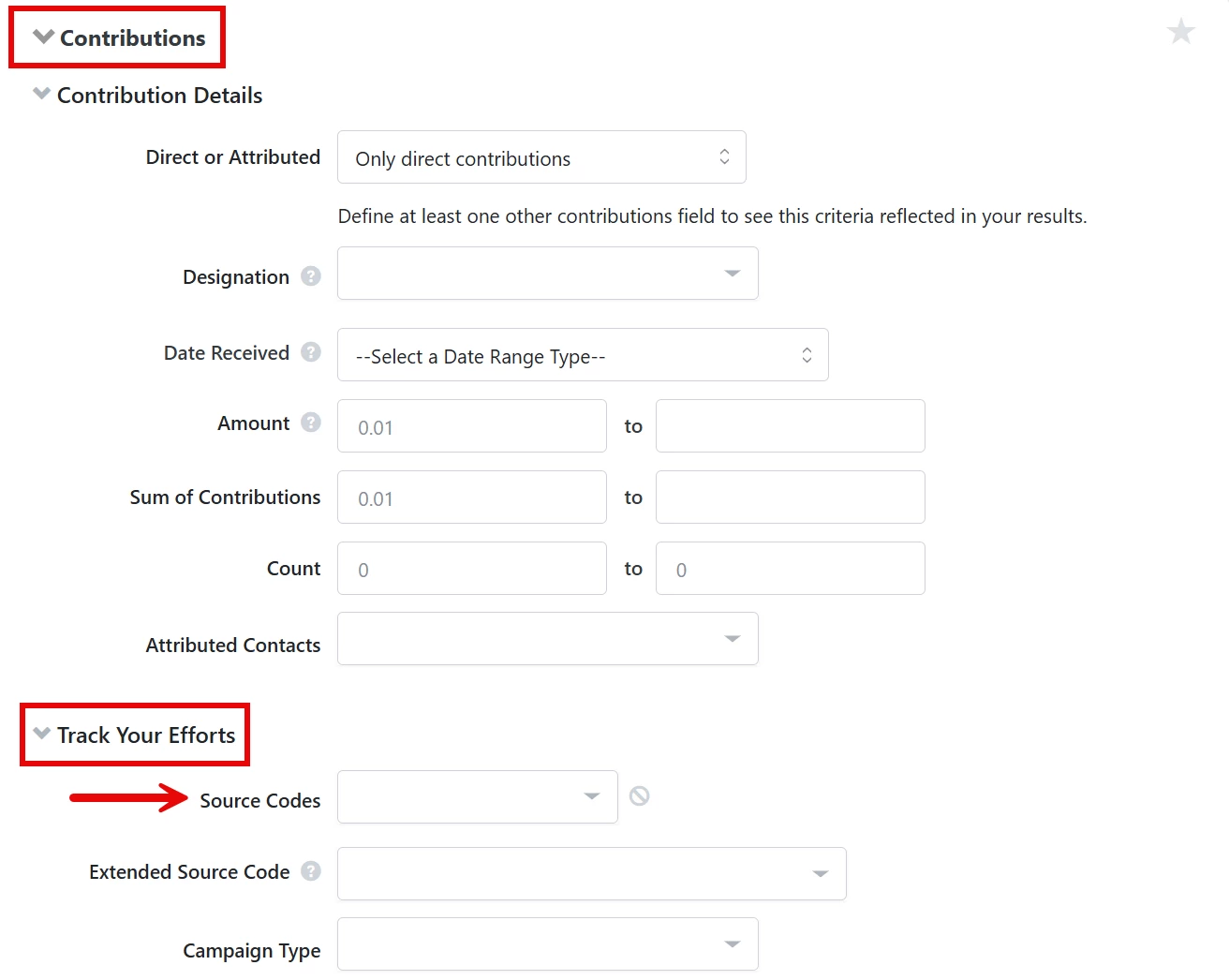
Note: You can use a wildcard character (% or *) to filter on a broader range of source codes. Wildcards let you dynamically select all current and future children of a Parent source code for creating things like 'Saved Searches'.
Source codes automatically created from query string links to your forms will appear under the Parent code 'Forms Autogenerated'.
| If you have partners or affiliates who forward your messages and use their own source= as part of their outreach efforts, you may see their codes appear in your records. If you want to disable this default behavior in your committee, contact Support. |
b) Event Source Codes
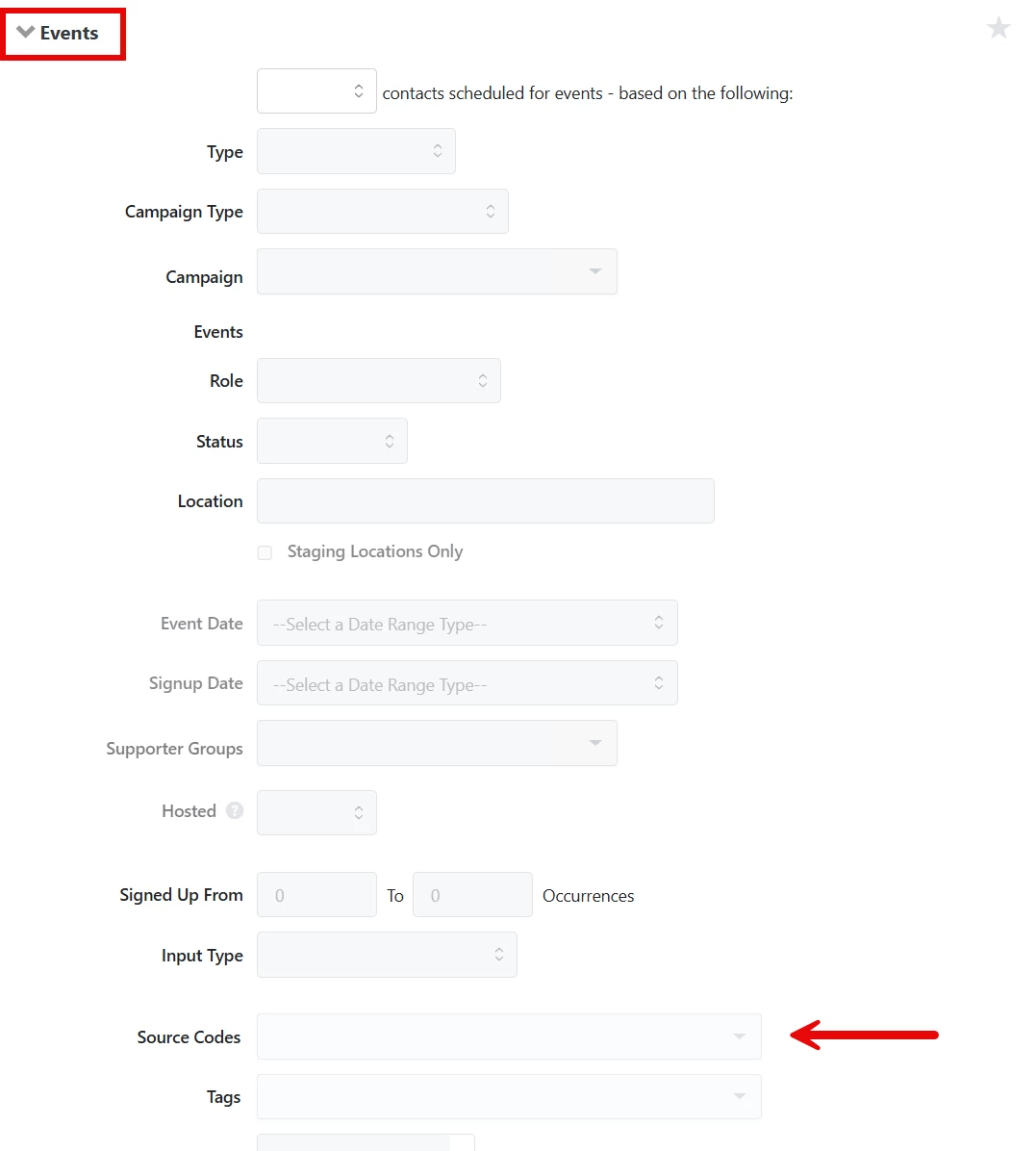
To find all contacts that attended your events because of a particular outreach effort, search on 'Source Codes' from the 'Events' section of 'Create a List'. You can select one or multiple codes from the dropdown menu or use a wildcard character to search a broader range of source codes.
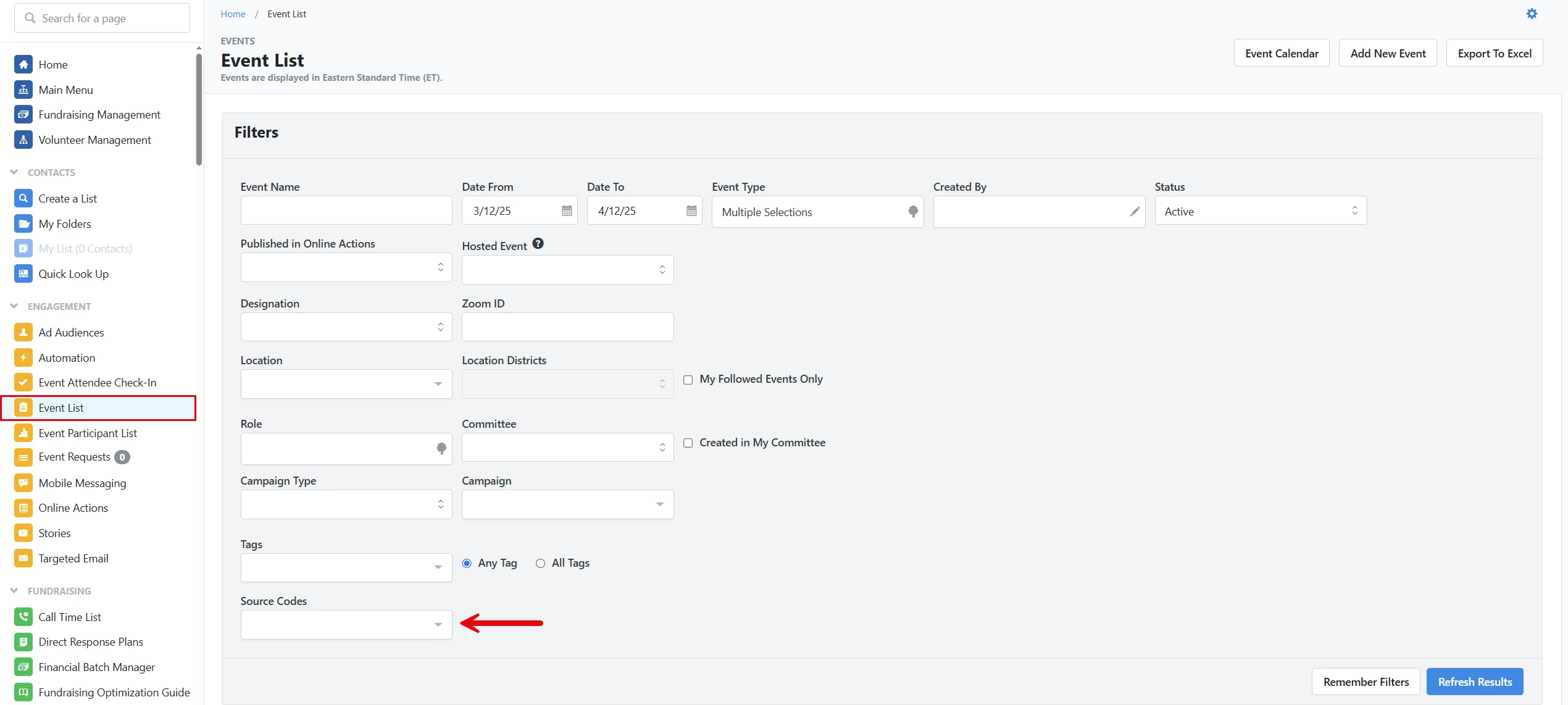
Tip: If you want a list of all the events associated with a particular source code, you can filter the 'Event List' page using one or more source codes.
c) Source codes from 'Online Actions' form submissions
To find all contacts who responded to an 'Online Action' form using the same source code, select 'Source Codes' from the 'Online Forms' section of 'Create a List'.
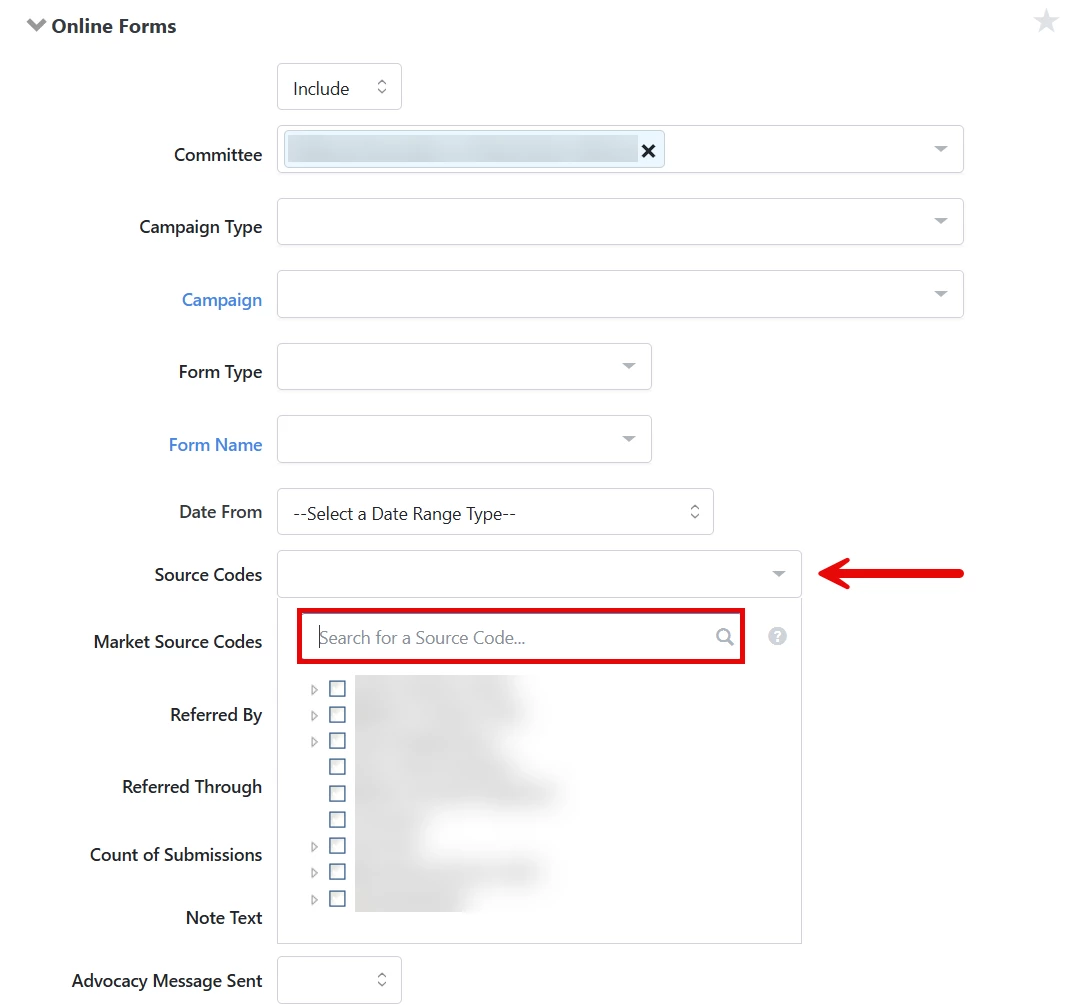
You can select from the dropdown list or manually enter characters to search or add a wildcard to expand your search to related source codes.
Not quite what you were searching for?
- Navigate back to the Source Codes Resource Index.
How do I search on different source code types? | How does search on different source code types work in EveryAction? | Why can't I search on different source code types? | Where do I search on different source code types in EveryAction? | What is search on different source code types in EveryAction? | How to search on different source code types? | Can I search on different source code types in EveryAction?