

How do I create a report of complimentary guests for my event?
If you are offering complimentary tickets to your event, there are a couple of reasons that you may want to pull reports of those specific attendees. For example, if all VIPS receive a free swag bag in addition to complimentary tickets to your event, you may want to make sure that you have a complete list of those guests so you know how many swag bags to prepare.
Below, we'll cover how to create a report on that specific group of attendees.
Step 1: Select the "promo code" filter in Donor Management to generate an initial report on promo code use.
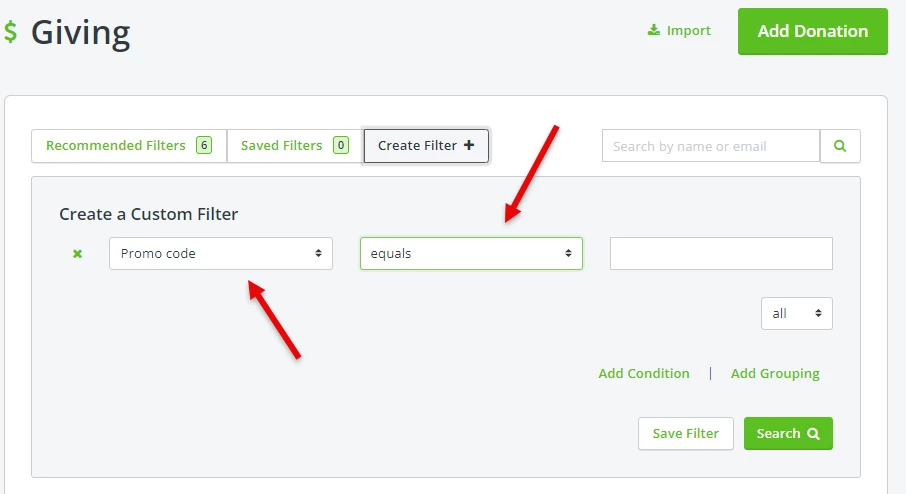
Step 2: Set up the filter to segment out those individuals who used the "complimentary" promo code.
Select "equals" for the second drop-down option within the filter, then enter the promo code associated with complimentary tickets in the third, empty field.

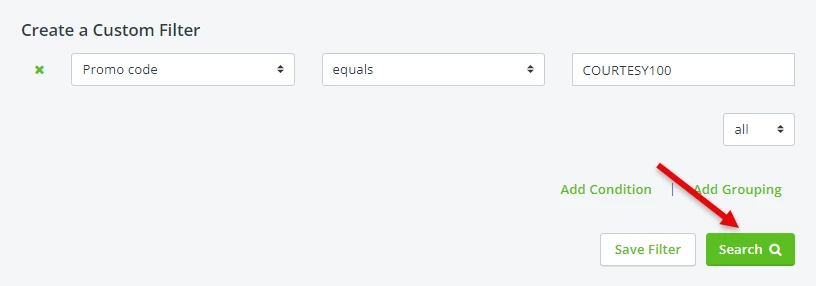
Step 3: Press the "search" tool to load the results.
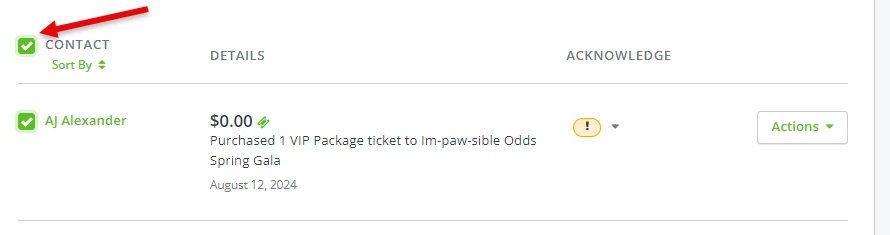
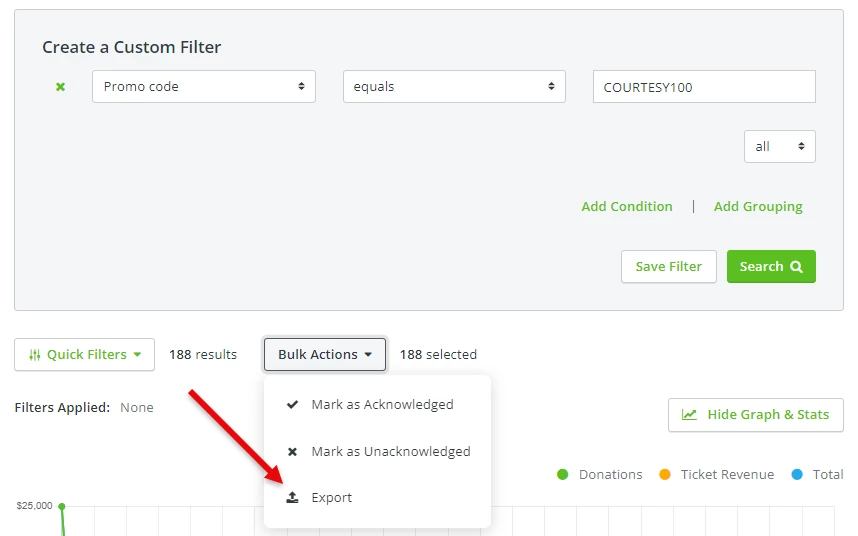
Step 4: Export out your report as needed.
What else do you want to do?
Not what you're looking for?
Go back to the Feature Overview How do I find sponsors for a nonprofit event? | How do I create sponsorship levels for my event? | What should I include in an event sponsorship package? | How do I ask businesses to sponsor my event? | How do I price event sponsorships? | Where can I get a guide for event sponsorships? | How do I secure sponsors for a fundraising event?