



This article will guide you through the steps to resolve the "Cannot replace {{Amount}}" error related to the `am=` query string parameter value when using Smart Links. The error typically occurs when the `am=` query string does not meet specific criteria required to display the `{{Amount}}` merge field correctly.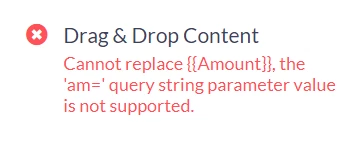
This error can be encountered during the review and delivery step of your email, suggesting an issue with the `am=` query string used for displaying the dynamic `{{Amount}}` field.
This error can happen if you added the {{Amount}} merge field but the am= query string is not present in your link or if you have customized your am= query string value. If you are using a customized query string, you can still display the amount in your link’s text using the format_currency() macro.
Related Articles:
How to: Use contribution fields in Conditional Content
How do I troubleshoot guide for "cannot replace {{amount}}" error? | How does guide for "cannot replace {{amount}}" error work in EveryAction? | Why can't I troubleshoot guide for "cannot replace {{amount}}" error? | Where do I troubleshoot guide for "cannot replace {{amount}}" error in EveryAction? | What is guide for "cannot replace {{amount}}" error in EveryAction? | How to troubleshoot guide for "cannot replace {{amount}}" error? | Can I troubleshoot guide for "cannot replace {{amount}}" error in EveryAction?