

Understanding Impact Measurement
Deed already reports what your people do: the hours they volunteer, the dollars they give, and the events they join.
Impact Measurement adds what changed as a result, such as meals served, trees planted, or people mentored. You define the outcomes your programs produce, attach them to the volunteering and giving that already happens in Deed, and track progress toward company goals that employees can see.
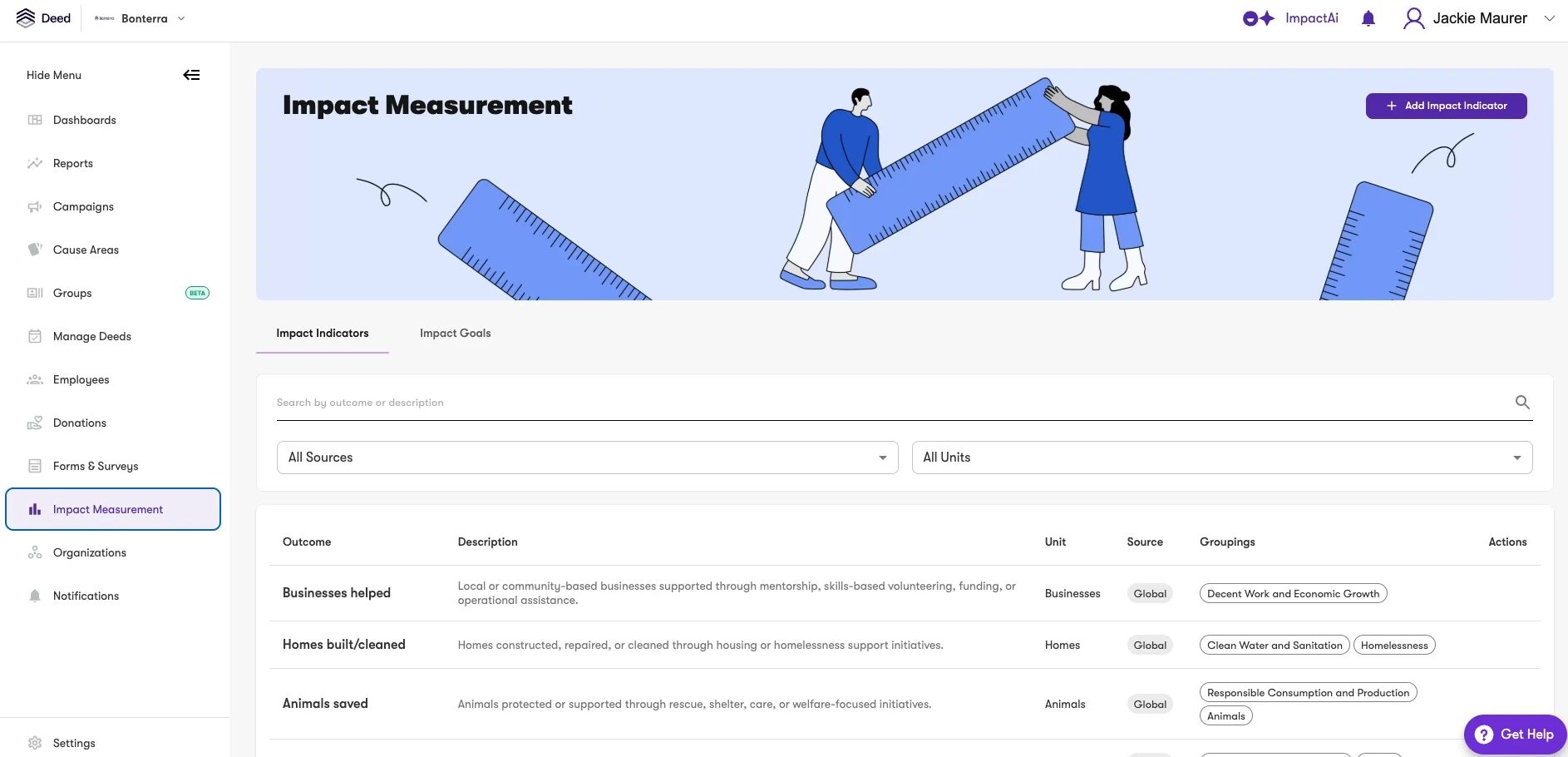
Admins set up Impact Measurement in Organizer under Impact Measurement. The feature is off by default, so contact your Customer Success Manager (CSM) to turn it on for your company.
How it works
Impact Measurement has three building blocks.
Impact Units are the units outcomes are counted in, such as meals or trees. Bonterra manages a shared list of units, so you choose from it but can't add or edit units. If you need a unit that isn't on the list, contact your CSM before you build your indicators.
Impact Indicators are the outcomes you measure, such as Meals Served. Your company creates its own indicators, and each one uses exactly one unit. You attach indicators to the work that produces them:
- Actions: Each completion adds a fixed amount to the indicator's total automatically.
- Volunteer events and projects: You set a target value before the event and enter the realized value, the actual result, afterward. The nonprofit partner running the event can also enter the realized value. Realized values aren't calculated automatically, so someone needs to enter them after each event.
Impact Goals are targets your company works toward over a date range, such as 10,000 meals served this quarter. Each goal has a metric type that you choose when you create it, and you can't change it afterward:
- Indicator goals count progress from one or more Impact Indicators, adding up completed Actions and the realized values entered for events and projects.
- Volunteer Hours goals count approved volunteer hours automatically, with no indicator setup. You can use human resources information system (HRIS) filters, such as location or department, so only certain employees' hours count.
What employees see
Goals aren't featured by default, so employees don't see a goal until an admin features it. Employees see only featured goals that are Active or Completed and that match their own HRIS scope.
Up to two featured goals appear on the employee home screen, and the rest appear on a full Company impact goals page. Each goal shows a progress line, the days remaining, and either how much is left to go or, for Volunteer Hours goals, the employee's own hours once they've logged some.
A Goal reached or Goal exceeded badge appears once the target is met or passed. Admins also see an On Track or At Risk status on the Organizer goals list; employees don't see this status.
Before you start
- Ask your CSM to turn on Impact Measurement for your company.
- Check that the Impact Units you need exist. Contact your CSM to request any that are missing.
- Create your Impact Indicators.
- Link indicators to your Actions, volunteer events, and projects.
- Create your goals, set them to Active, and feature the ones employees should see.
- Keep entering realized values after events and projects, since goal progress depends on them.
Feature Availability
Impact Measurement must be enabled for your company by your CSM.
Metric type can't be changed after you create a goal. Each Action can link to one indicator with one amount. Action completions from before an Action was linked to an indicator don't count, and there's no backfill. Employees can't create, edit, or join goals.
Impact totals stay in Deed Engage and don't appear in other Bonterra products, such as CyberGrants.
What do you need help with?
- How do I create an Impact Indicator?
- How do I link an Action to an Impact Indicator?
- How do I add impact to a volunteer event or project?
- How do I create an Impact Goal?
- How do I choose which Impact Goals employees see?
What is Impact Measurement in Deed Engage? | What is the difference between an Impact Unit and an Impact Indicator? | How is impact different from volunteer hours and donations? | What are Impact Goals in Deed Engage? | What is the difference between an Indicator goal and a Volunteer Hours goal? | Where do employees see Impact Goals in the app? | How do I turn on Impact Measurement in Deed Engage? | Can nonprofit partners report impact? | How do I set up Impact Measurement? | How is progress toward an Impact Goal calculated?