


Universal Address Lookup Subfields in Imports
The Universal Address Lookup field uses some subfield names that don't perfectly match their field names in the Import Tool which can be confusing when importing values to this field.
Form - Universal Address Subfield Names
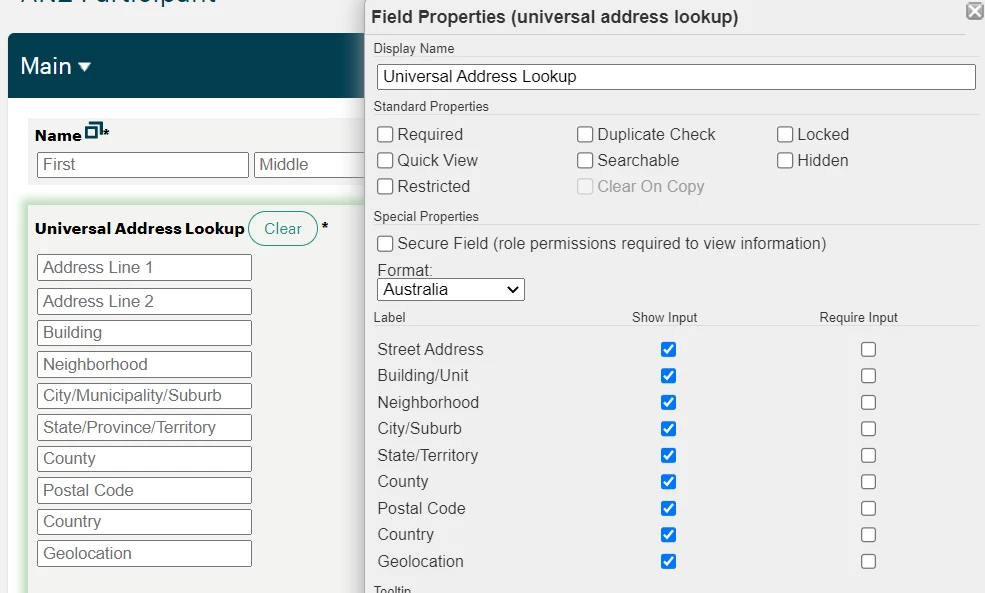
Looking at the image above, we can see the subfield names displayed on the form.
Import Tool - Universal Address Subfield Names
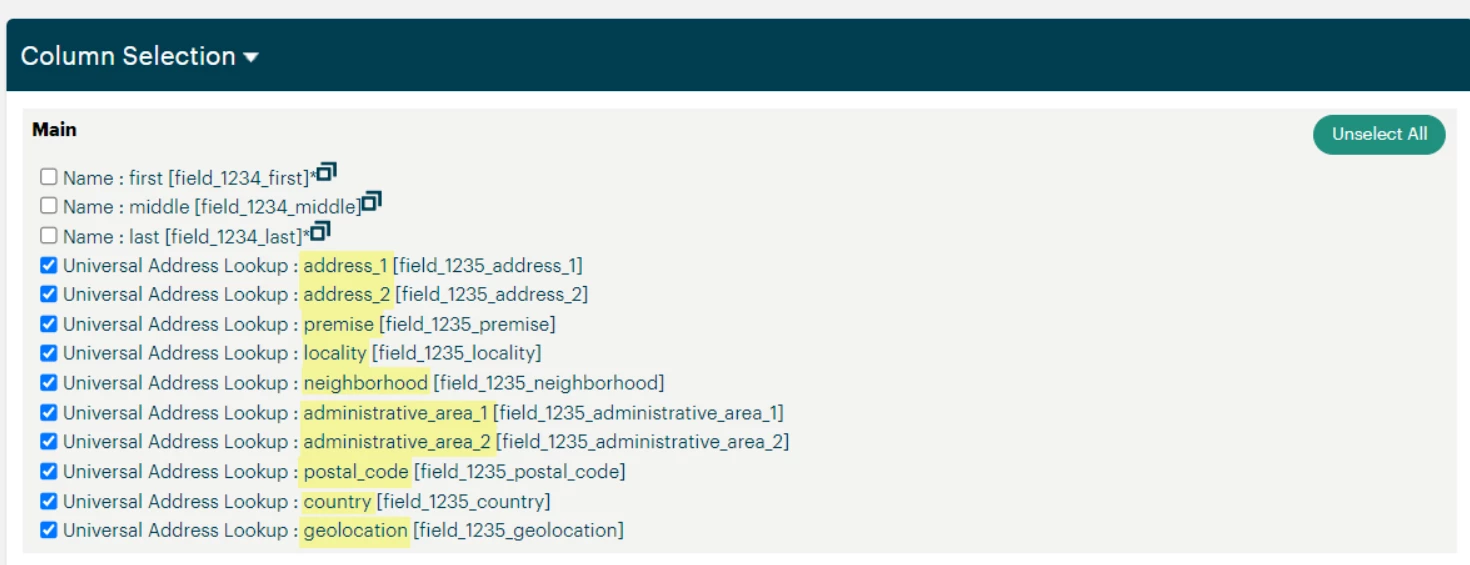
Looking at the image above, we can see some of the subfield names (highlighted in yellow) displayed on the Import Tool are different than what are displayed on the form.
Subfield Mappings
| Form Subfield Name | Import Subfield Name |
| Address Line 1 | address_1 |
| Address Line 2 | address_2 |
| Building | premise |
| Neighborhood | neighborhood |
| City/Municipality/Suburb | locality |
| State/Province/Territory | administrative_area_1 |
| County | administrative_area_2 |
| Postal Code | postal_code |
| Country | country |
| Geolocation | geolocation |
The table above can be used as a reference when importing data to the Universal Address Lookup field.
What else do you need help with?
How do I import data into the Universal Address Lookup field in Apricot? | Why don’t my address fields match in the Apricot Import Tool? | What are the correct column names for Universal Address Lookup imports? | How do I map address subfields when importing into Apricot? | Why is my address import failing in Apricot? | What does administrative_area_1 mean in Apricot imports? | How do I format address columns for a CSV import in Apricot? This article addresses the inconsistencies with the Universal Address Lookup subfield names and the field names displayed by the Import Tool.