

How do I resend an e-mail?
You are tracking the results of your e-mail blast and notice some folks have not yet opened your message - it may have gotten lost in their inbox or maybe they meant to read it and got distracted.
Below are two ways to resend your message, depending on how long it has been since your original e-mail blast was sent.
24-72 Hours after Sending
Step 1: Navigate to 'Email Blasts'
From your 'Donor Management' Dashboard, click 'the 'Communication' tab on the left navigation panel, and click 'Email Blasts' from the newly expanded list.
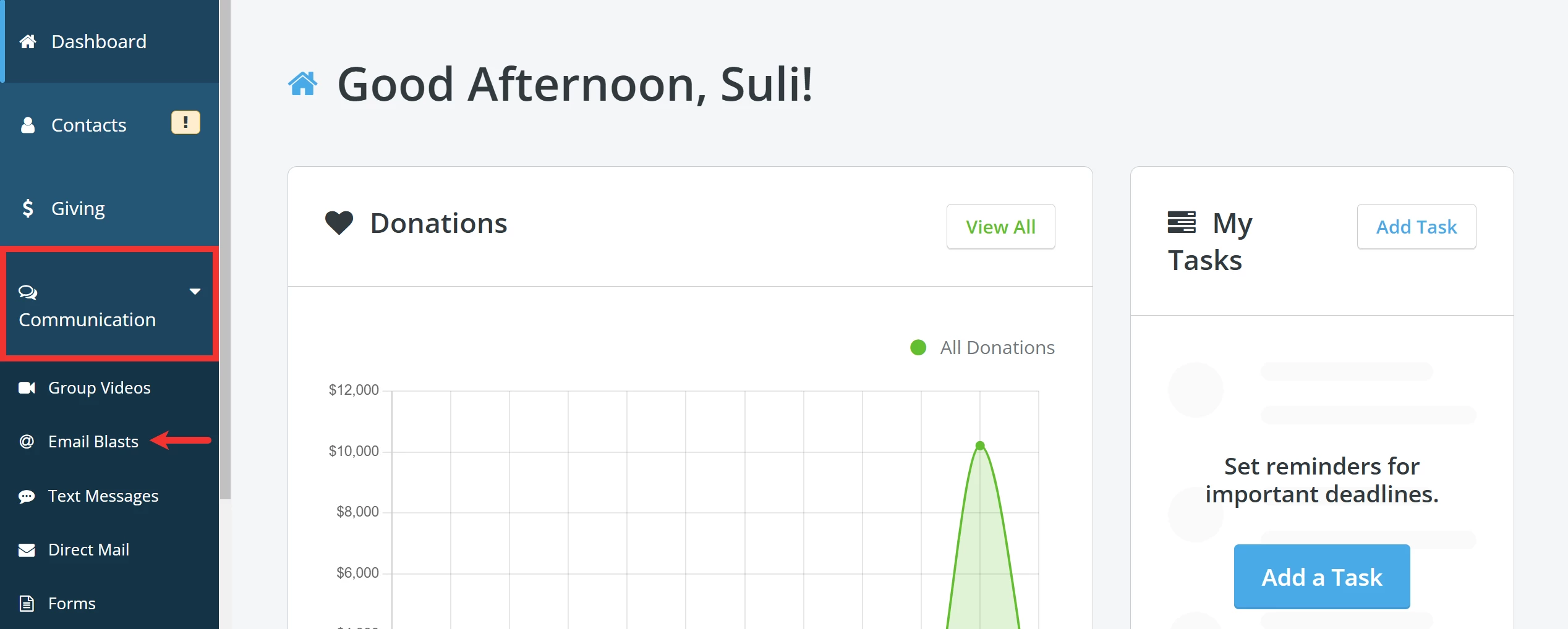
Step 2: Click 'Actions' next to the e-mail you want to resend
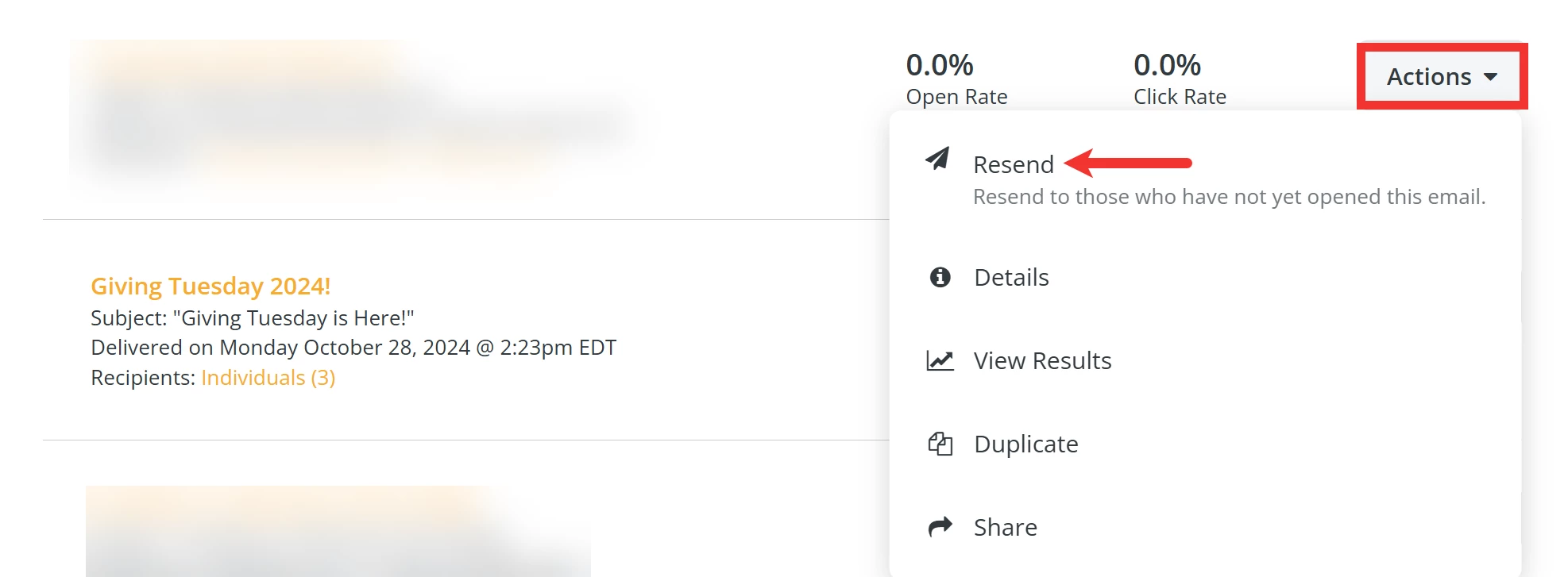
Search the 'Email Blasts' page for the e-mail you want to resend. Then, click the 'Actions' button next to it and select 'Resend' from the drop-down menu.
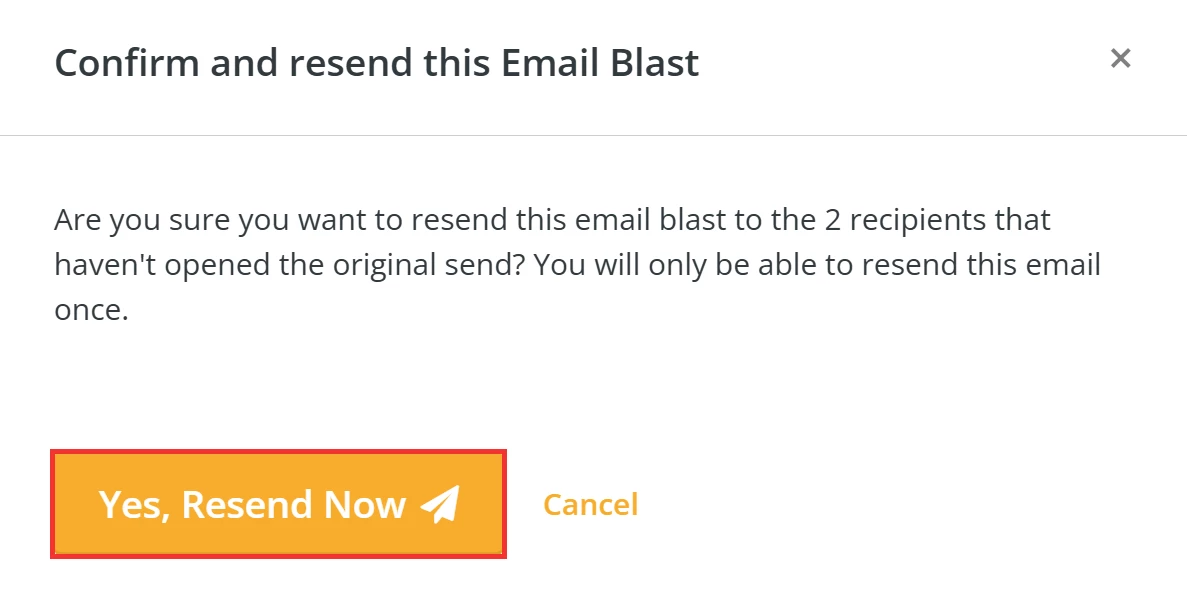
Step 3: Confirm to resend your e-mail!
Finally, click 'Yes, Resend Now' in the pop-up window that appears to resend your e-mail!
Over 72 Hours After Sending
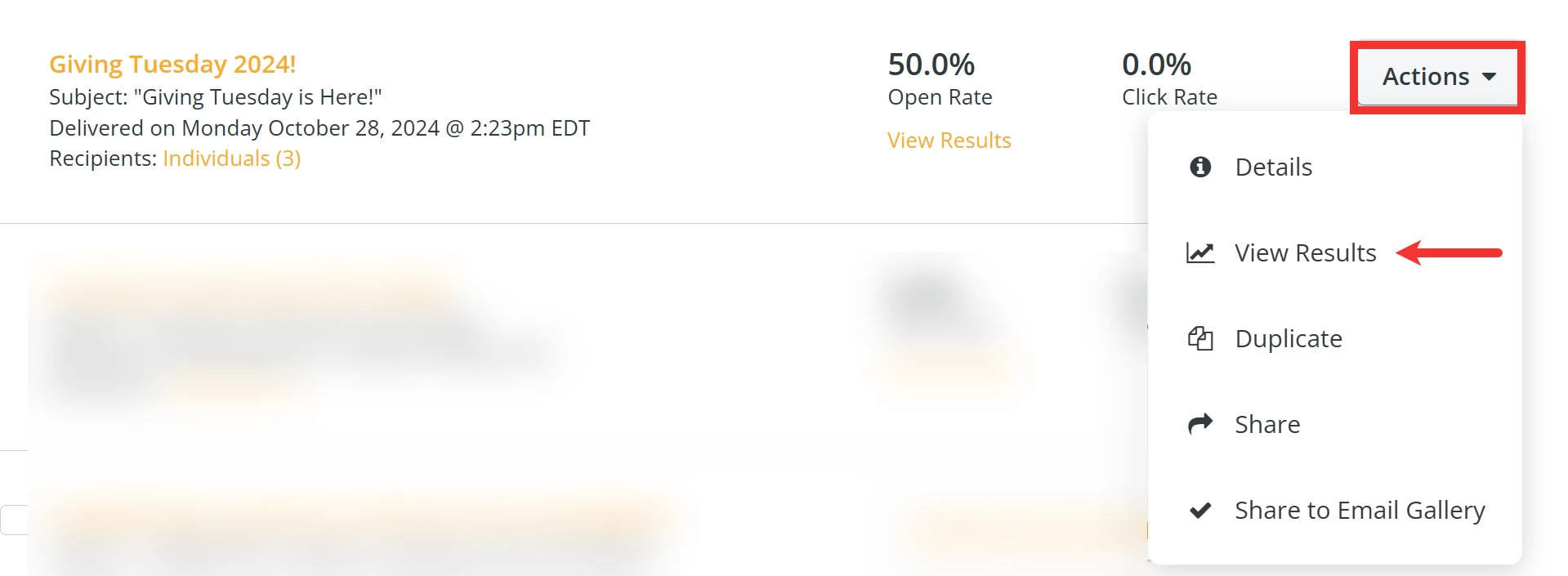
Step 1: 'View Results'
Search your 'Email Blasts' page for the e-mail you want to resend. Then, click the 'Actions' button next to it and select 'View Results' from the drop-down menu.
Step 2: Create a Group
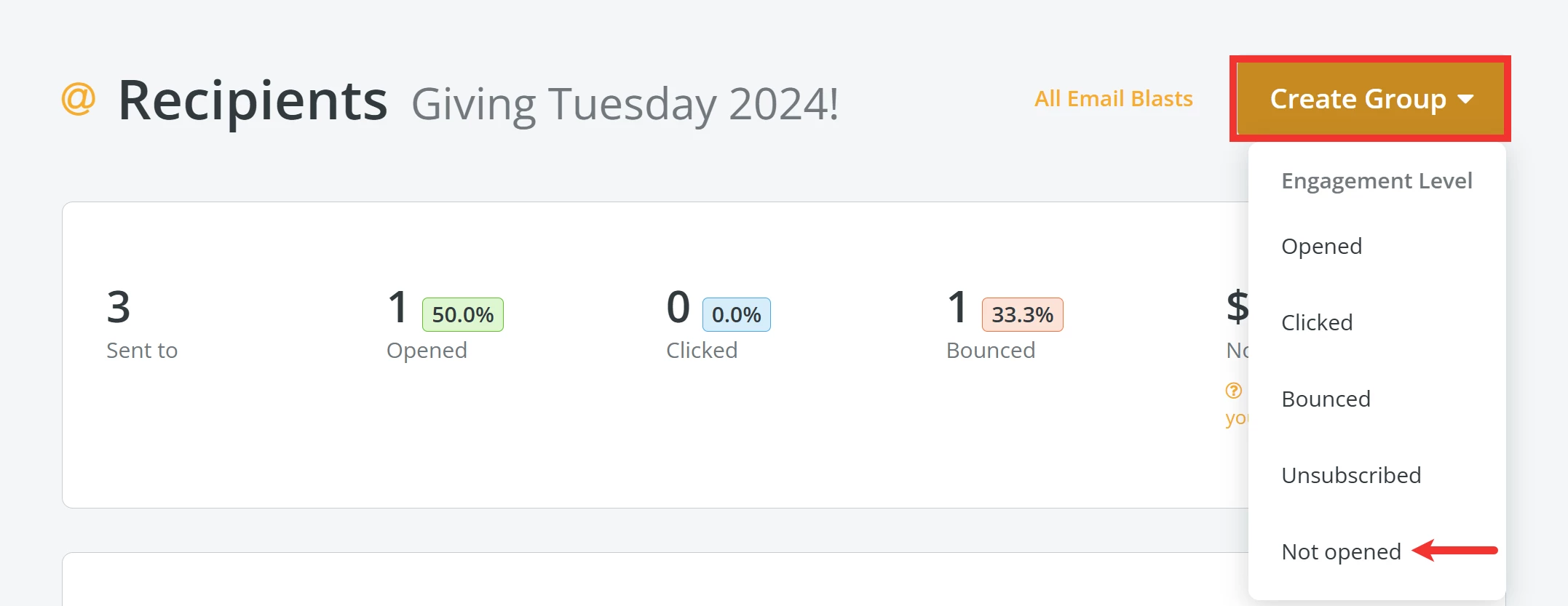
When you are on your e-mail's 'Recipients' page, click the 'Create Group' button in the upper right corner and select 'Not opened' from the drop-down list.
Step 3: Modify your e-mail
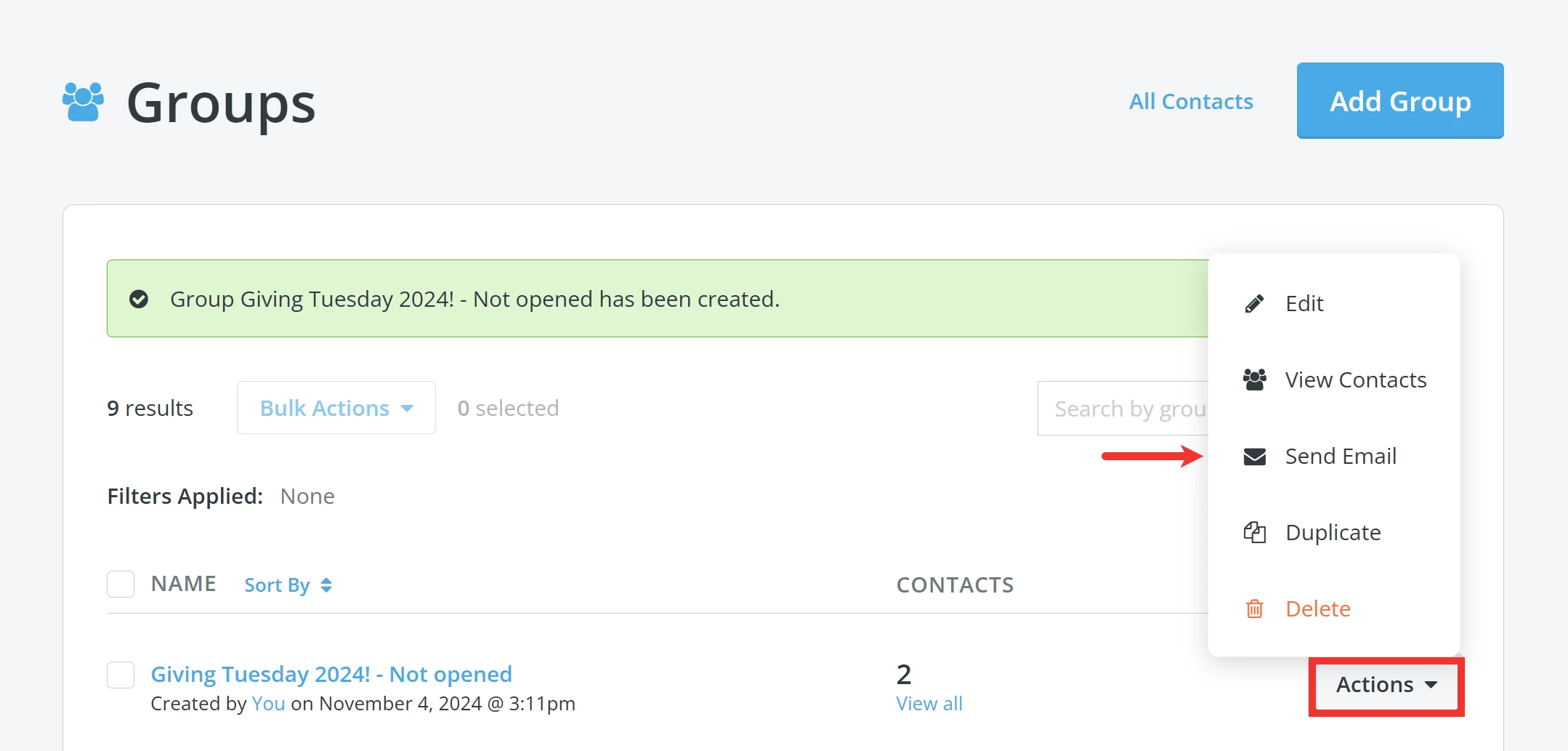
You will be directed to the 'Groups' page under your 'Contacts' and should find a banner towards the top of the screen confirming your new group has been created. Click the 'Actions' button next to the new group and select 'Send Email'.
Step 4: Name your e-mail
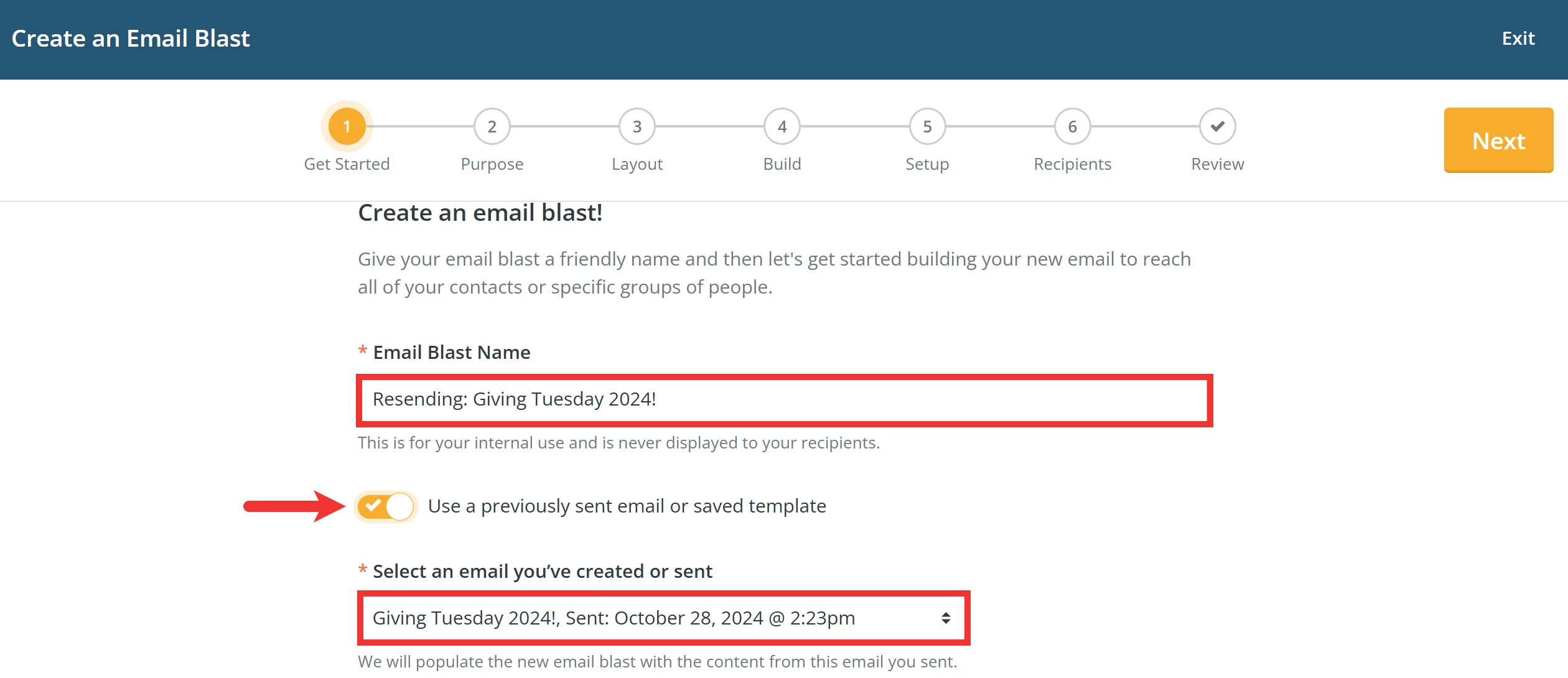
On the next page, enter a new name for your e-mail and switch on the toggle next to 'Use a previously sent email or saved template'.
Note: The 'Email Blast Name' is for your internal use and is never displayed to your recipients.
Use the drop-down under '*Select an email you've created or sent' to select your original e-mail from the list.
Step 5: Complete the remaining steps of the e-mail creation process
Here are a couple of tips while you complete the remaining steps in the process of creating your e-mail:
a) Give your e-mail a new '*Subject Line' to set it apart from the one you sent originally and that will grab your recipient's attention.

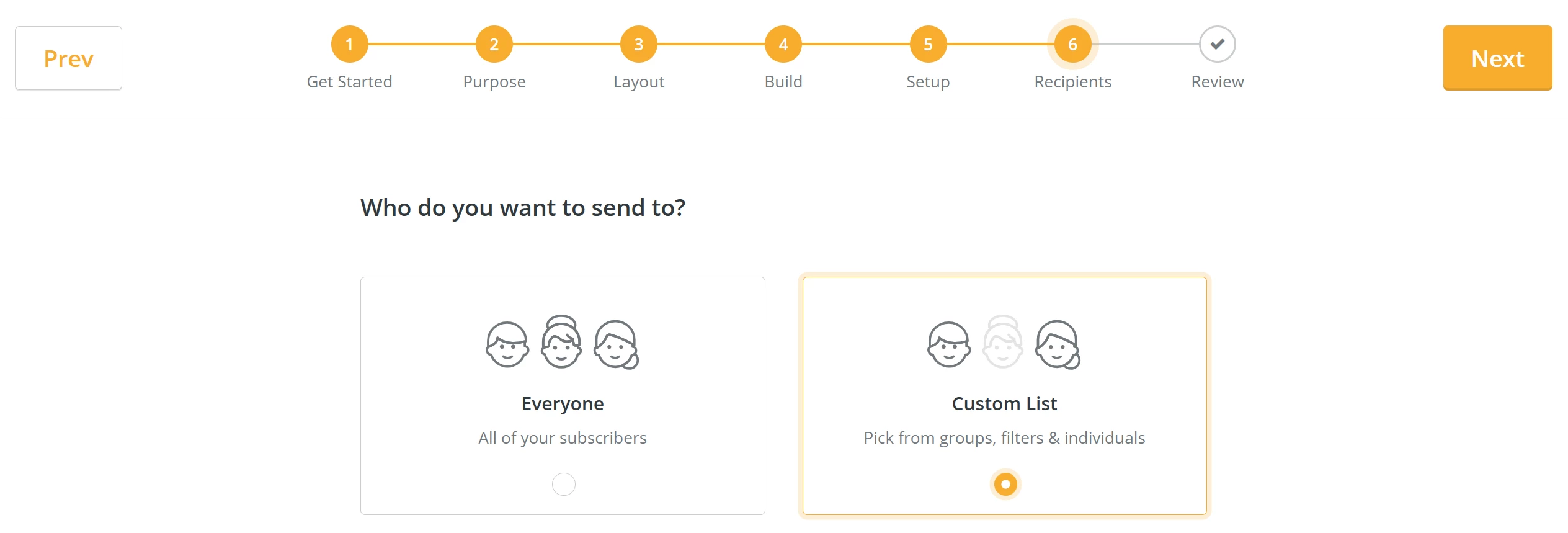
b) You will notice the new group you created already selected under the 'Recipients' step.

Step 6: Finalize and review your e-mail
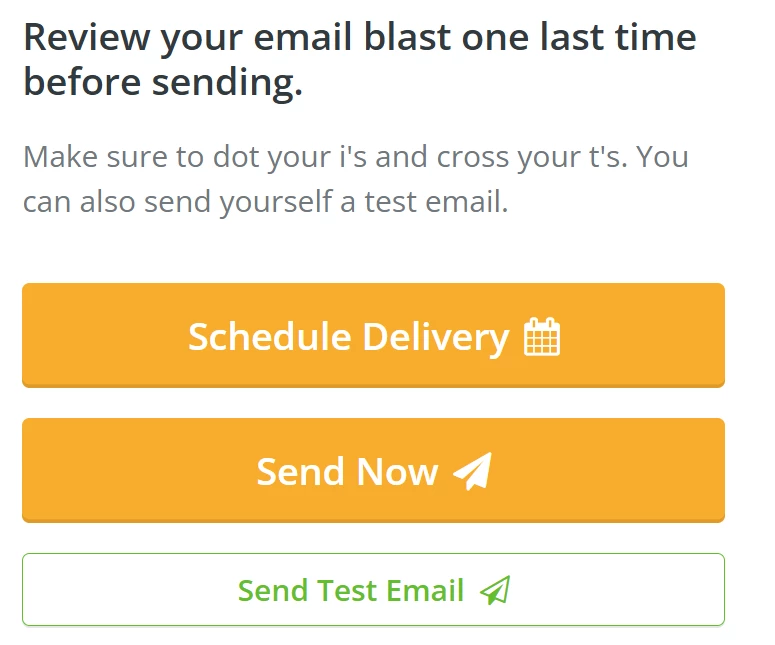
Once you are all set, click 'Schedule Delivery' or 'Send Now'.
Tip: As always, you can send yourself (or a colleague) a test e-mail to confirm everything appears as expected on the recipient's end.
What else do you need help with?
How do I correct a mistake in an e-mail blast?
How do I share an e-mail blast with external recipients?
How do I track external e-mail communications?
Not quite what you were searching for?
Navigate back to the Donor Management Index.
How do I resend an email blast in Network for Good? | Why can’t I resend an email after 72 hours? | How do I resend an email to people who didn’t open it? | How do I send a follow-up email to non-openers? | Can I resend the same email blast to the same list? | How do I create a group of contacts who didn’t open my email? | How do I resend a previously sent email in Network for Good?
How do I run and customize the attributions and soft credits report? | How does run and customize the attributions and soft credits report work in EveryAction? | Why can't I run and customize the attributions and soft credits report? | Where do I run and customize the attributions and soft credits report in EveryAction? | What is run and customize the attributions and soft credits report in EveryAction? | How to run and customize the attributions and soft credits report? | Can I run and customize the attributions and soft credits report in EveryAction?