


How to: Review, Approve, and Deny Event Requests
Reviewing Event Requests
Event Requests are submissions from Event Host Forms, which are part of the Hosted Events feature. See more information about Hosted Events.
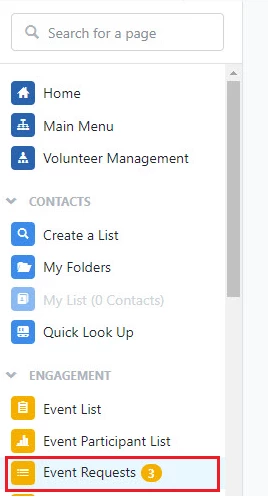
When Event Host request submissions come in, you can view them by clicking on Event Requests in Sidebar (or under 'Events' on the Main Menu).
From the request page, you will see the information about the potential host and the event. You can also click More under the details and description to see any additional information.
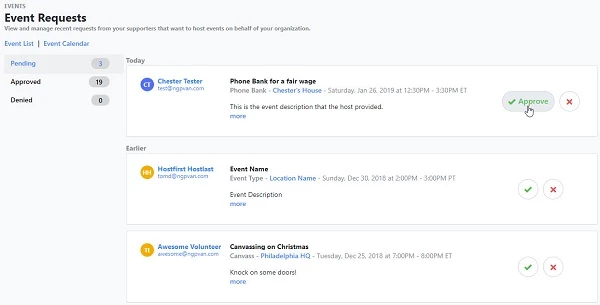
Approving Requests
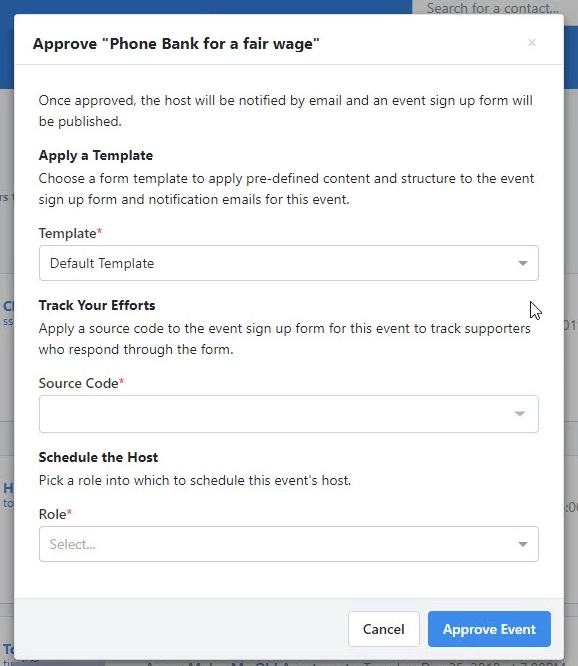
Clicking the Approve button will cause a popup to appear, where you must select which template to use for the Event Signup Form (which includes settings for notification emails to registrants).
From the Track Your Efforts section, you can select a Source Code.
The Role field does not affect or replace the host status. It is a separate field for Event signups on a contact record (and is not specific to Hosted Events).
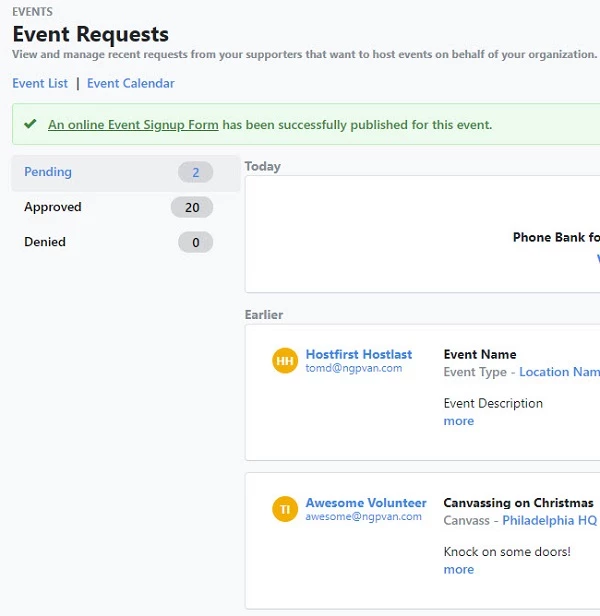
Clicking Approve Event will return you back to the Event Requests page, with a notification that the Event Signup Form has been created.
Clicking View Event Details will bring you to the Event Details page with another notification about the form, which can be accessed from the Online Signup Form section.
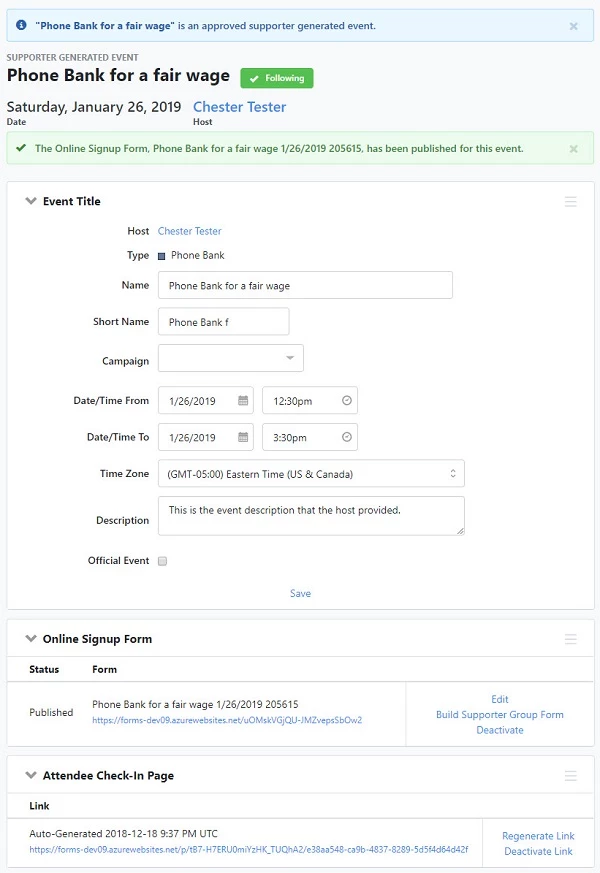
When an event request has been approved, it will trigger the following:
- An Event will be created in the system
- An Event Signup Form will be published in Online Actions – this form will be tied to the Event
- The Event will be applied to the host’s contact record in the Events section
- If the Event request approval notification has been enabled on the Event Host Form, then the host will receive an email containing a link to the Event Signup Form, which can be distributed among invitees, and a link to the check-in page, which should NOT be shared and is where they can mark invitees as ‘Attended’ or ‘Did Not Attend.’
Denying Requests
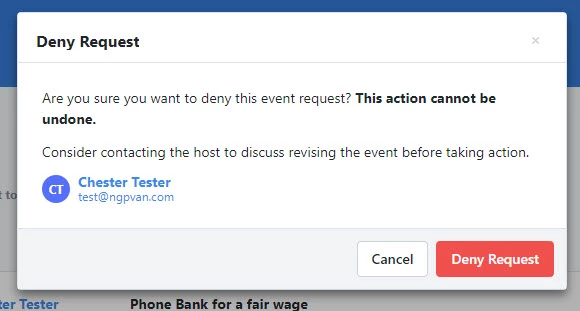
If you click the X button to deny a request, a confirmation popup will appear, prompting you to cancel or click Deny Request.
Note that denying the request will NOT trigger an email to the host, and the action cannot be undone.
Before denying a request, you may want to communicate with the host to see if changes can be made so the event can take place.
How do I how to: review, approve, and deny event requests? | How does how to: review, approve, and deny event requests work in EveryAction? | Why can't I how to: review, approve, and deny event requests? | Where do I how to: review, approve, and deny event requests in EveryAction? | What is how to: review, approve, and deny event requests in EveryAction? | How to how to: review, approve, and deny event requests? | Can I how to: review, approve, and deny event requests in EveryAction?