

How do I edit my Peer-to-Peer campaign?
You can edit your Peer-to-Peer (P2P) campaign anytime - just follow the steps outlined in the article below!
Step 1: Navigate to your 'Fundraising Pages'
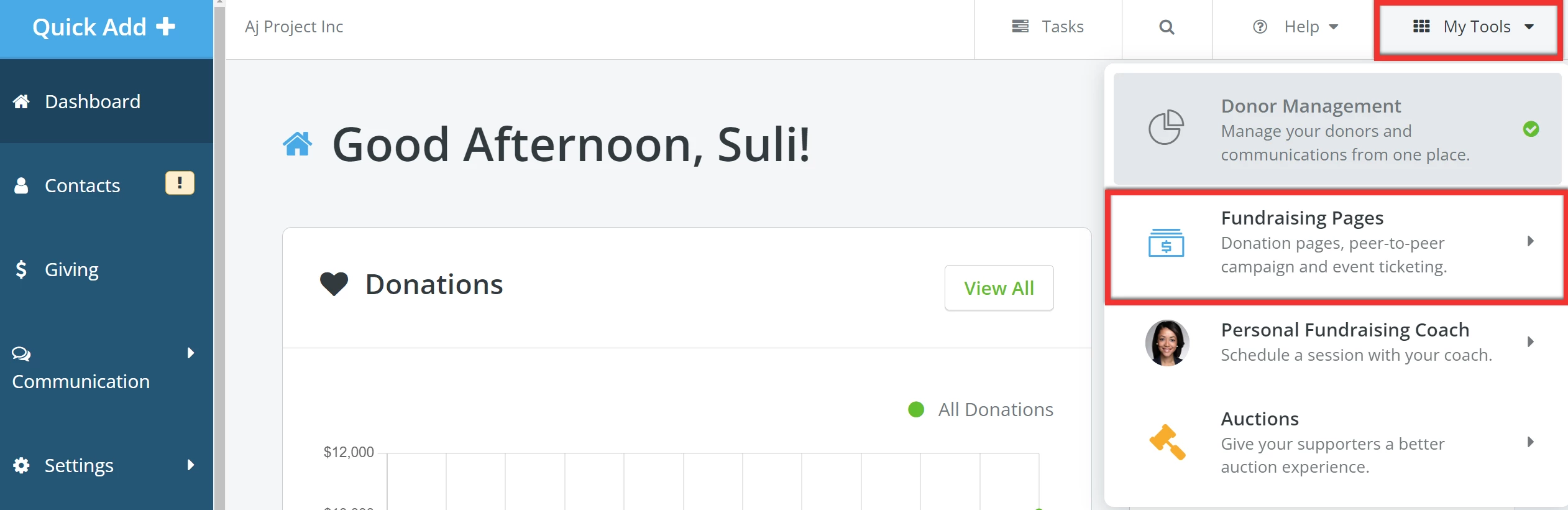
From your 'Donor Management' Dashboard, click 'My Tools' in the top right corner of the page and select 'Fundraising Pages' from the drop-down list.
Step 2: Click to 'Manage' your P2P campaign
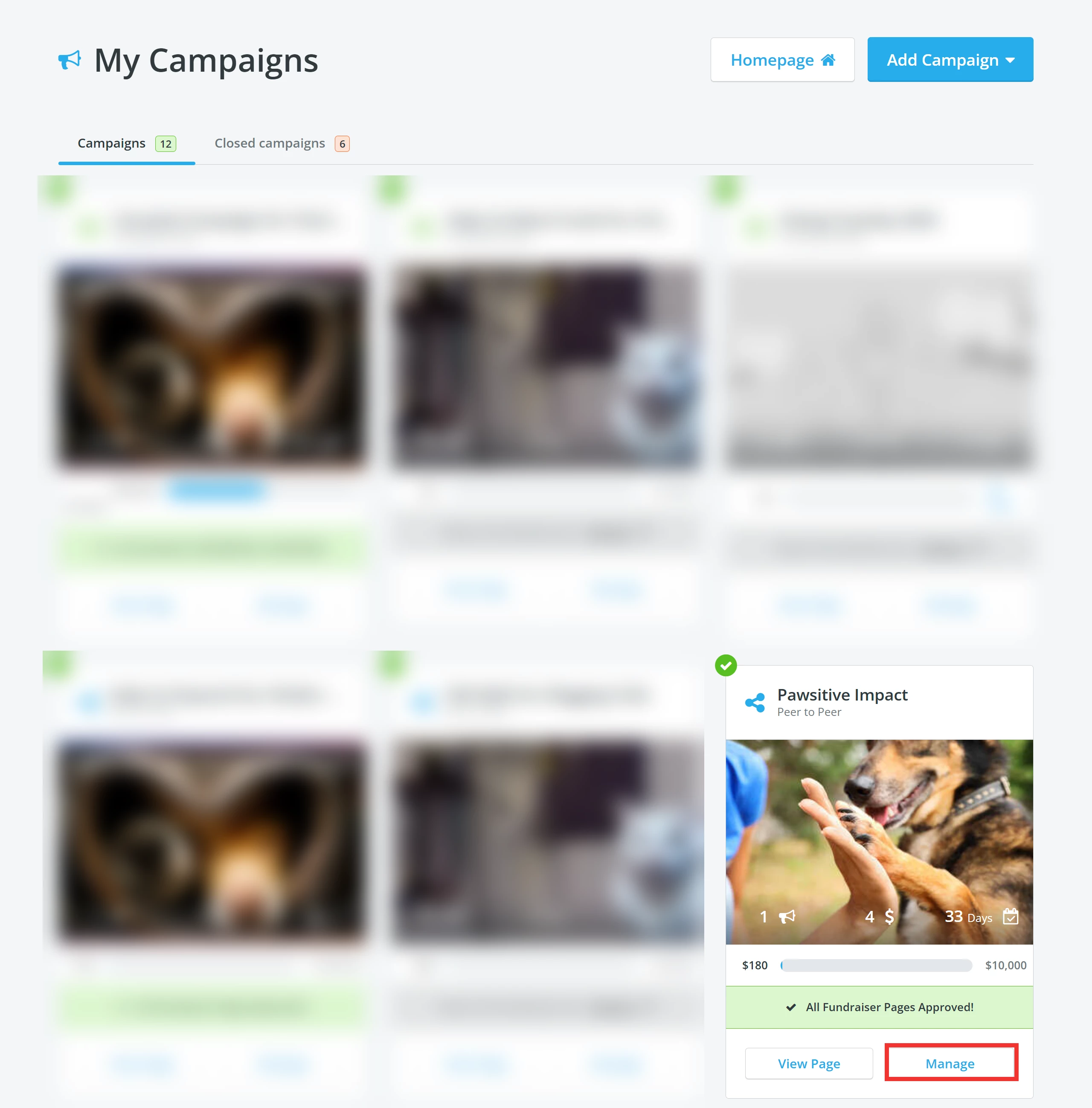
You will be directed to your 'My Campaigns' page. Click the 'Manage' button in the P2P campaign's tile you want to edit.
Step 3: Click 'Edit'
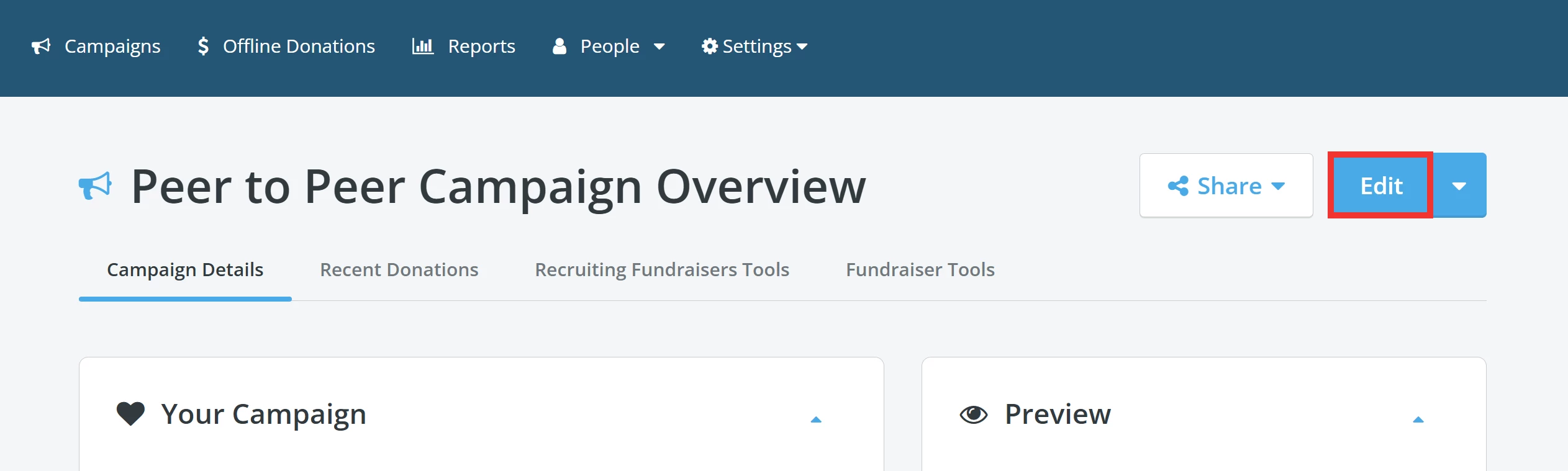
Clicking 'Manage' will bring you to your campaign's overview, where you can click the 'Edit' button in the upper right corner to edit your page.
Step 4: Edit your campaign
From this page, you can edit the following:
-
Campaign Name
-
Campaign Story
-
Page Content
-
Thank You Message for Receipt
-
Campaign Settings
-
Donation Settings
-
Donor Scroll Settings
-
Fundraiser Settings
-
Contact Person
-
Branding
Step 5: Save & Exit
Once you have finished making your updates, click the 'Save & Exit' in the upper right corner of the page.

What else do you need help with?
How do I set my Peer-to-Peer campaign's fundraising goal?
How do I set my Peer-to-Peer campaign's length?
How do I outline my Peer-to-Peer campaign's impact?
How do I recruit Peer-to-Peer Fundraisers?
How do I set my Peer-to-Peer Fundraisers up for success?
Not quite what you were searching for?
Navigate back to the Feature Overview.
How do I mark a phone number as preferred? | How does mark a phone number as preferred work in EveryAction? | Why can't I mark a phone number as preferred? | Where do I mark a phone number as preferred in EveryAction? | What is mark a phone number as preferred in EveryAction? | How to mark a phone number as preferred? | Can I mark a phone number as preferred in EveryAction?