

How do I recruit Peer-to-Peer Fundraisers?
When recruiting Peer-to-Peer (P2P) Fundraisers, consider reaching out to those in your network who are the most actively involved with your organization and have the most influence in their networks.
The steps outlined below will help guide you through this process using the campaign creator!
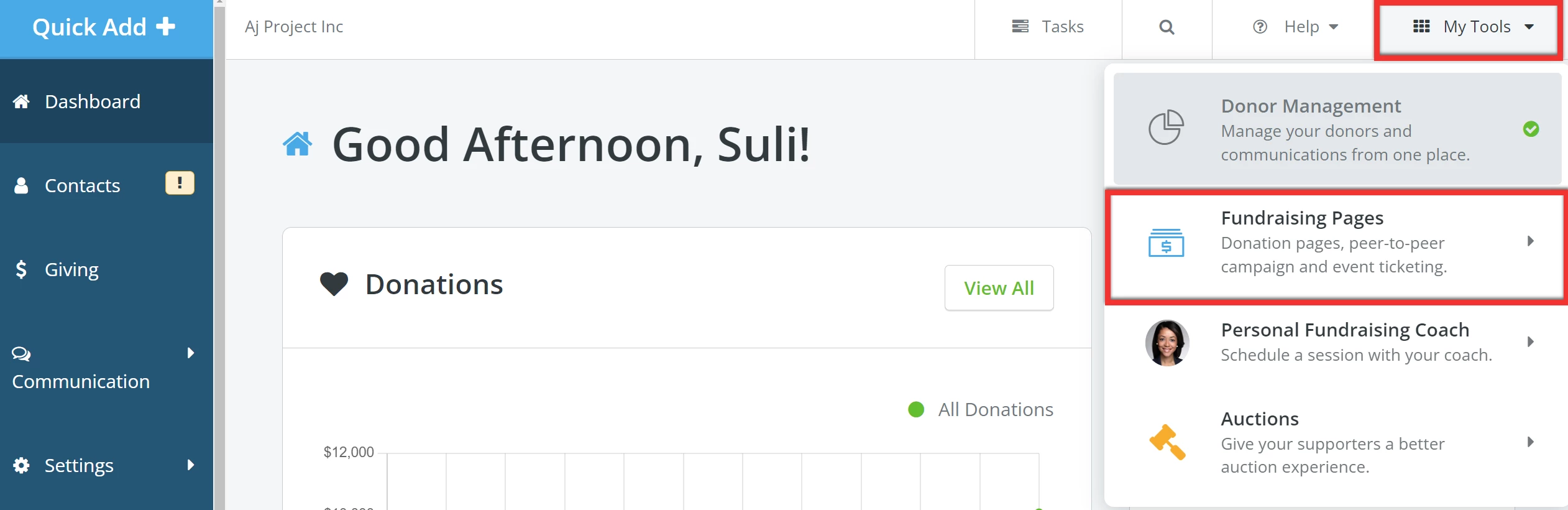
Step 1: Navigate to your 'Fundraising Pages'
From your 'Donor Management' Dashboard, click 'My Tools' in the top left corner of the page and select 'Fundraising Pages' from the drop-down list.
Step 2: Add a campaign
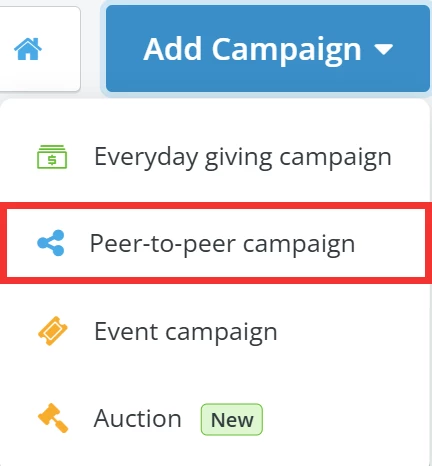
When directed to your 'My Campaigns' page, click the 'Add Campaign' button to the upper left and select 'Peer-to-peer campaign' from the list of options in the drop-down.
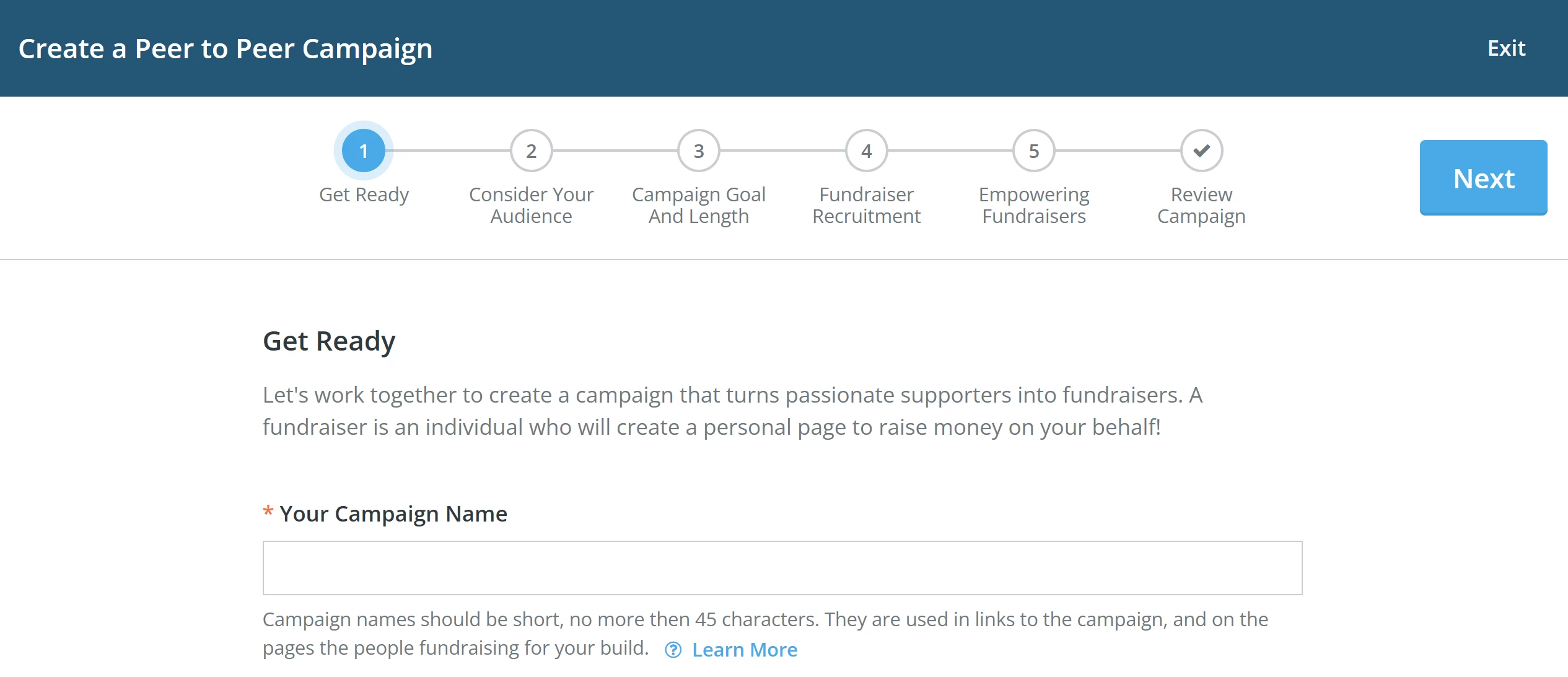
Step 3: Create your P2P Campaign
Start following the steps in the campaign creator to build your page!
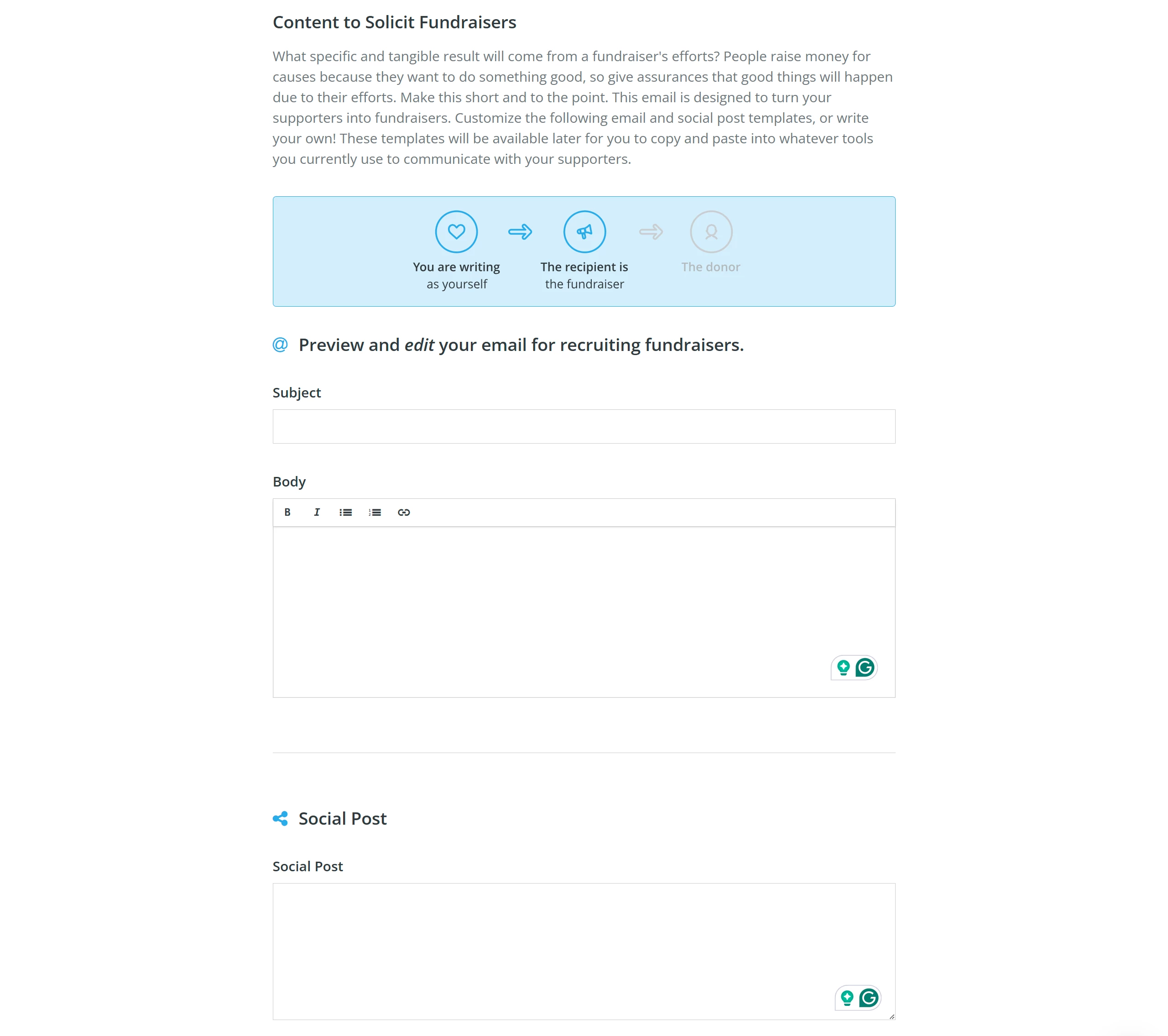
Step 4: Create an e-mail invitation to recruit fundraisers
Step 4 of the campaign creator allows you to craft a short message or social post, inviting your supporters to sign up as P2P Fundraisers.
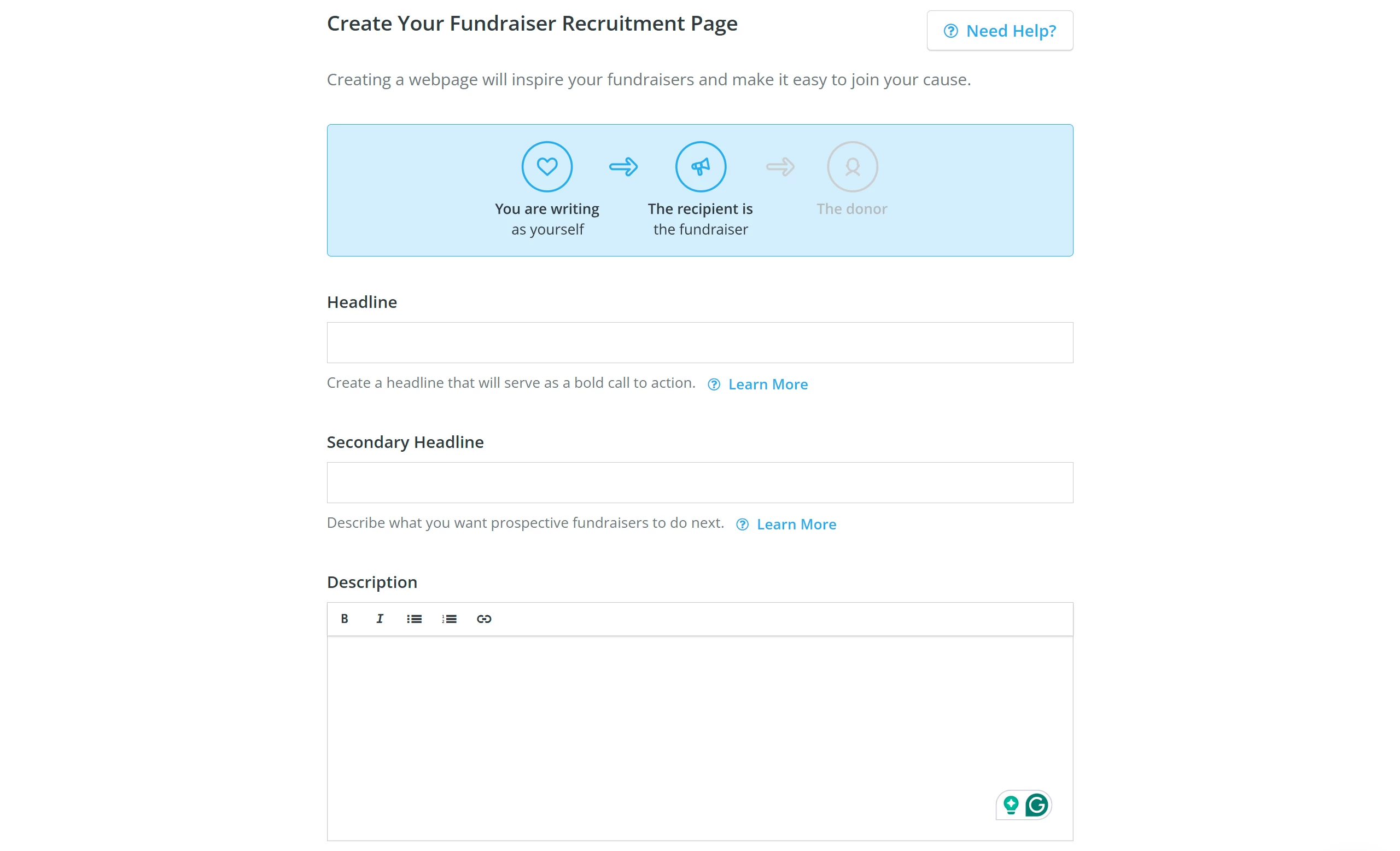
Step 5: Create your recruitment page
Choose a headline and a description to move your fundraisers and call them to action!
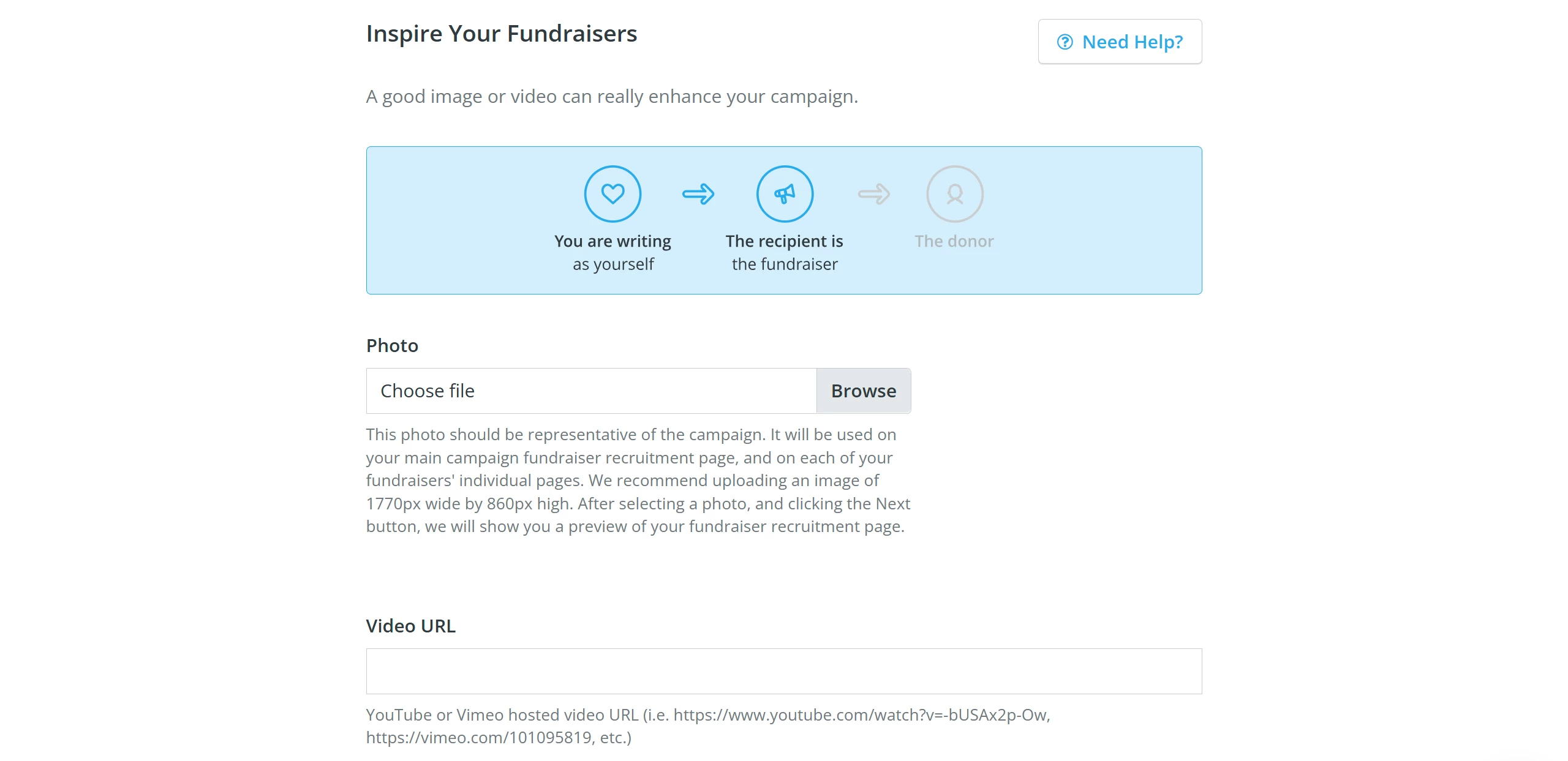
Step 6: Inspire your fundraisers
Consider uploading a photo or video to inspire your fundraisers - a photo of those who will benefit from funds raised during your campaign or maybe a video of your team sharing why their support means so much.
What else do you need help with?
- How do I set my Peer-to-Peer campaign's fundraising goal?
- How do I set my Peer-to-Peer campaign's length?
- How do I outline my Peer-to-Peer campaign's impact?
- How do I set my Peer-to-Peer Fundraisers up for success?
- How do I edit my Peer-to-Peer campaign?
Not quite what you were searching for?
Navigate back to the Feature Overview.