

How do I set my Peer-to-Peer campaign's length?
When setting up your Peer-to-Peer (P2P) campaign, we recommend setting an 'End Date'. Donors are likelier to give if there is a sense of urgency or a scheduled deadline.
Step 1: Navigate to your 'Fundraising Pages'
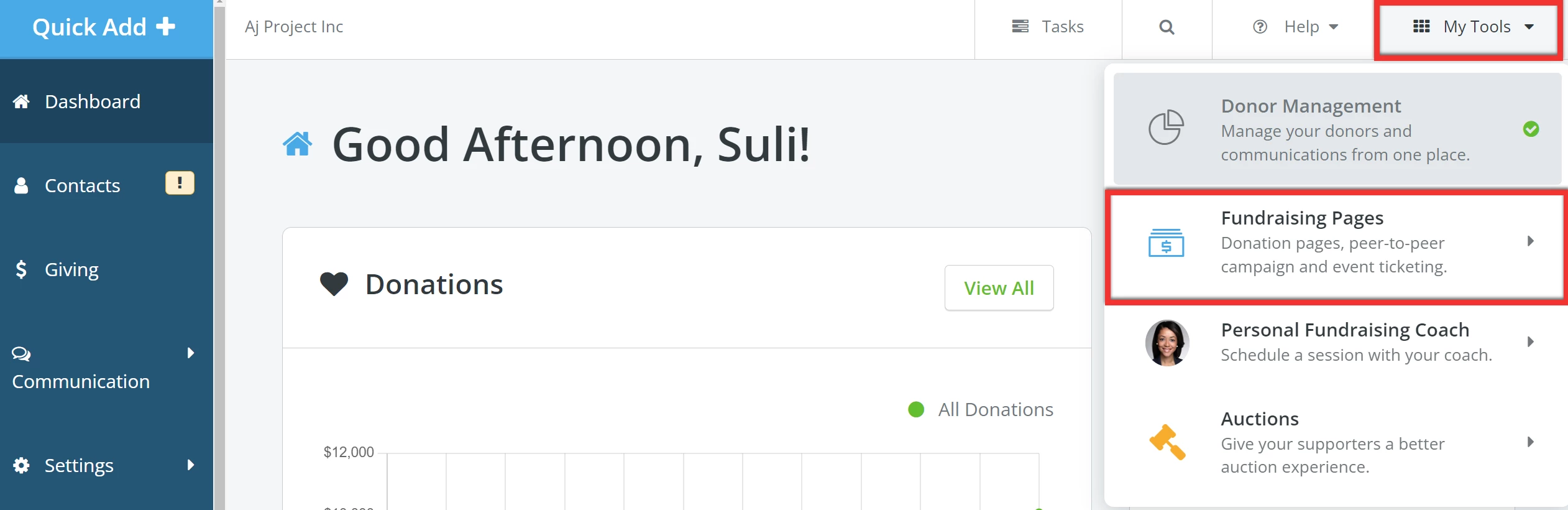
From your 'Donor Management' Dashboard, click 'My Tools' in the top left corner of the page and select 'Fundraising Pages' from the drop-down list.
Step 2: Add a campaign
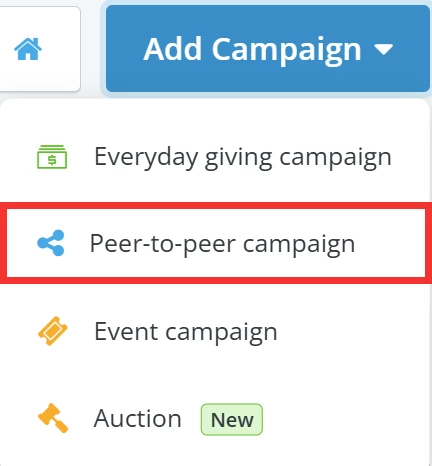
When directed to your 'My Campaigns' page, click the 'Add Campaign' button to the upper left and select 'Peer-to-peer campaign' from the list of options in the drop-down.
Step 3: Create your P2P Campaign
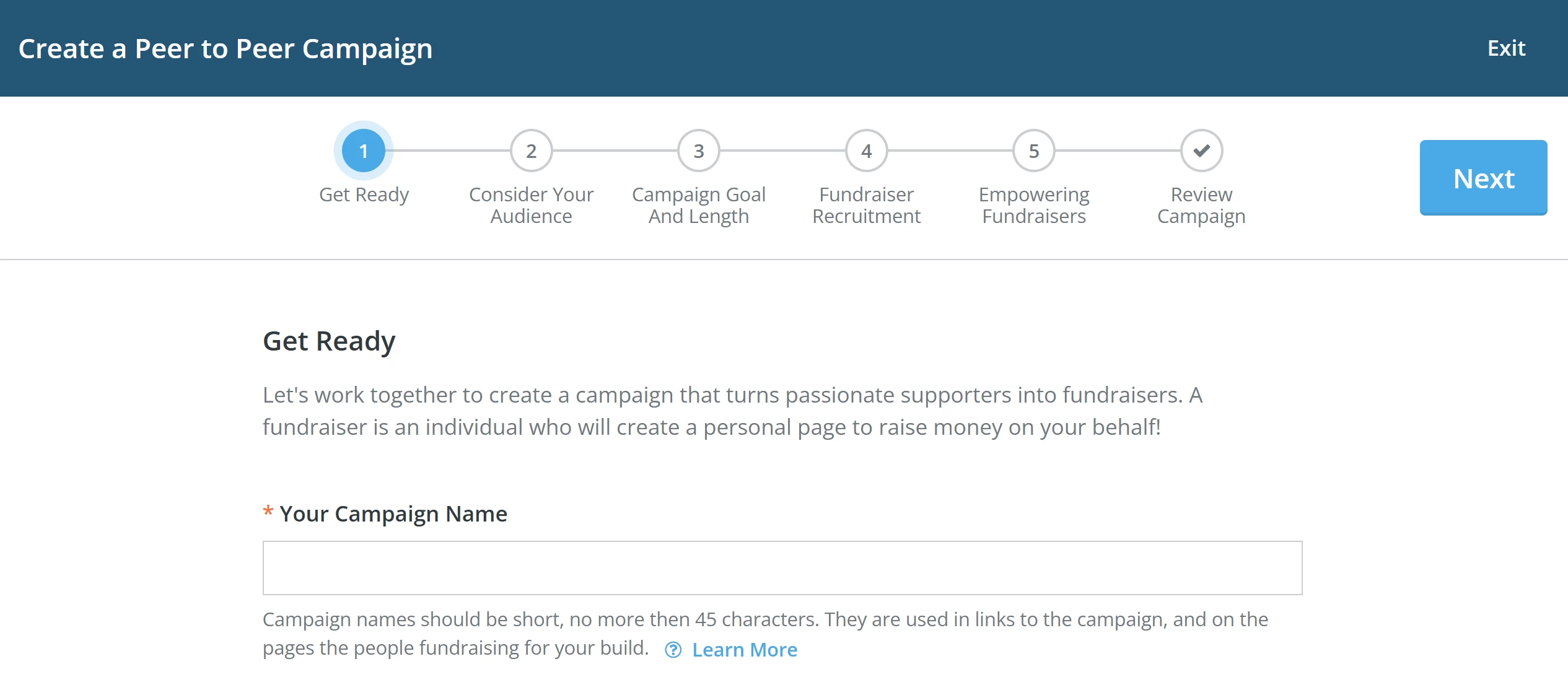
Start following the steps in the campaign creator to build your page!
Step 4: Set your 'Campaign Length'
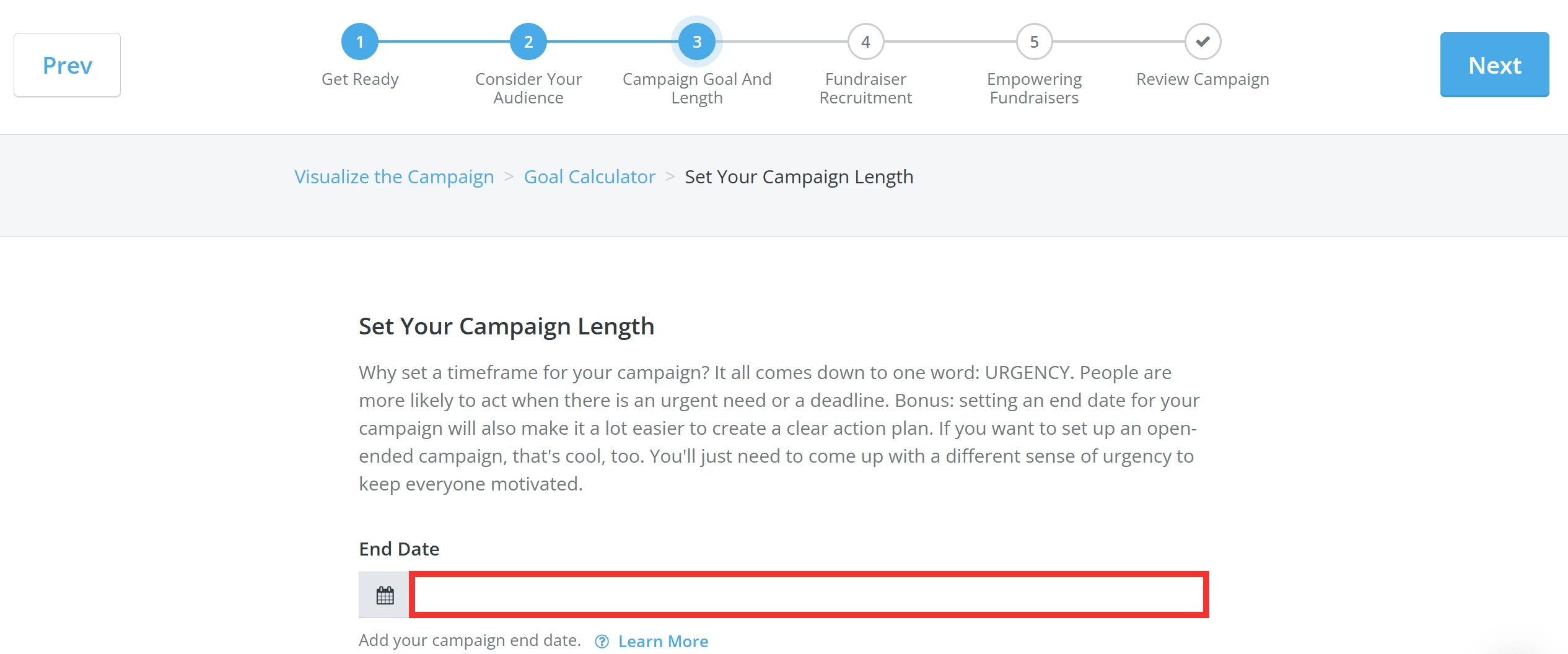
You can set your campaign's length in Step 3 of the campaign creator. Click the field next to the calendar icon to set your desired 'End Date'.
Note: You can edit anytime by following the instructions in this related article (link to How do I edit my Peer-to-Peer campaign?).
What else do you need help with?
- How do I set my Peer-to-Peer campaign's fundraising goal?
- How do I outline my Peer-to-Peer campaign's impact?
- How do I recruit Peer-to-Peer Fundraisers?
- How do I set my Peer-to-Peer Fundraisers up for success?
- How do I edit my Peer-to-Peer campaign?
Not quite what you were searching for?
Navigate back to the Feature Overview.