

How do I outline my Peer-to-Peer campaign's impact?
Donors will be more likely to contribute to your Peer-to-Peer (P2P) campaign if they know exactly how their gifts will have an impact!
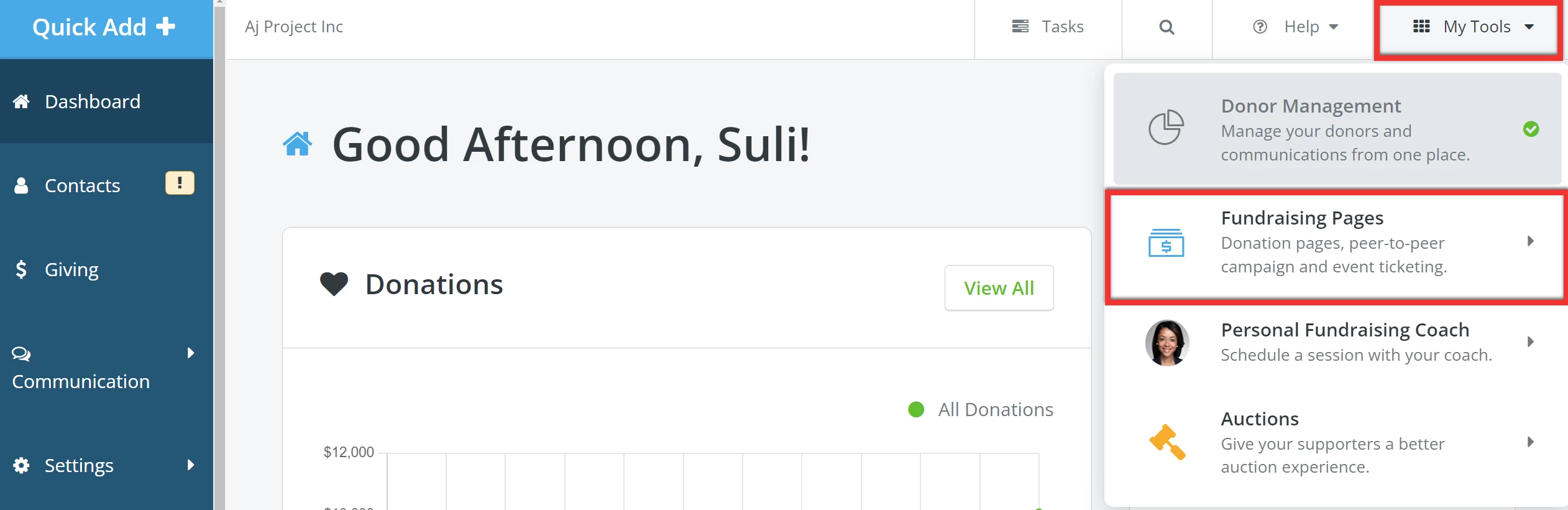
Step 1: Navigate to your 'Fundraising Pages'
From your 'Donor Management' Dashboard, click 'My Tools' in the top left corner of the page and select 'Fundraising Pages' from the drop-down list.
Step 2: Add a campaign
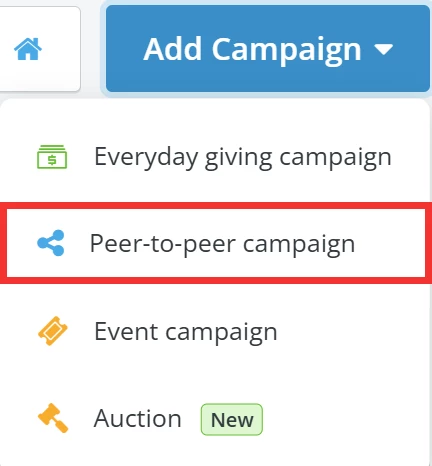
When directed to your 'My Campaigns' page, click the 'Add Campaign' button to the upper left and select 'Peer-to-peer campaign' from the list of options in the drop-down.
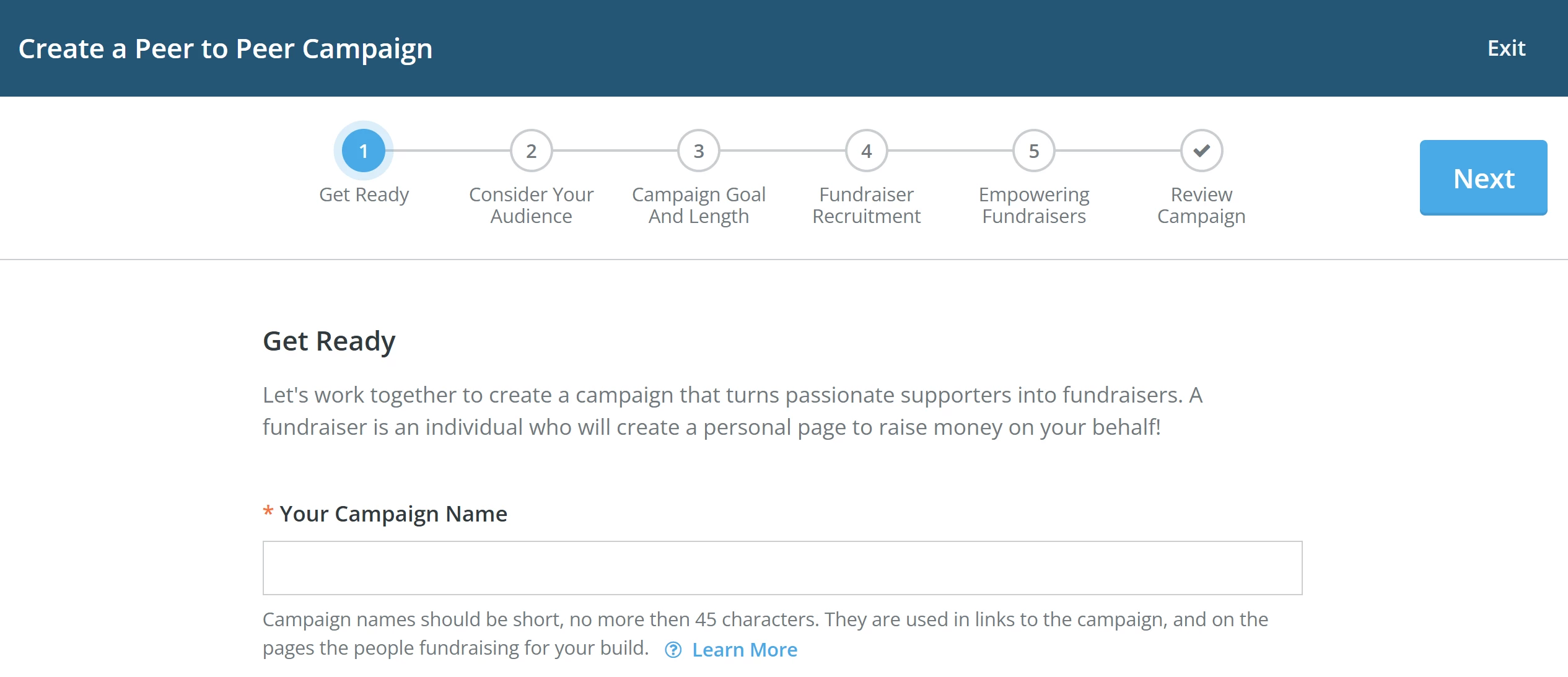
Step 3: Create your P2P Campaign
Start following the steps in the campaign creator to build your page!
Step 4: Enter details about your campaign's impact
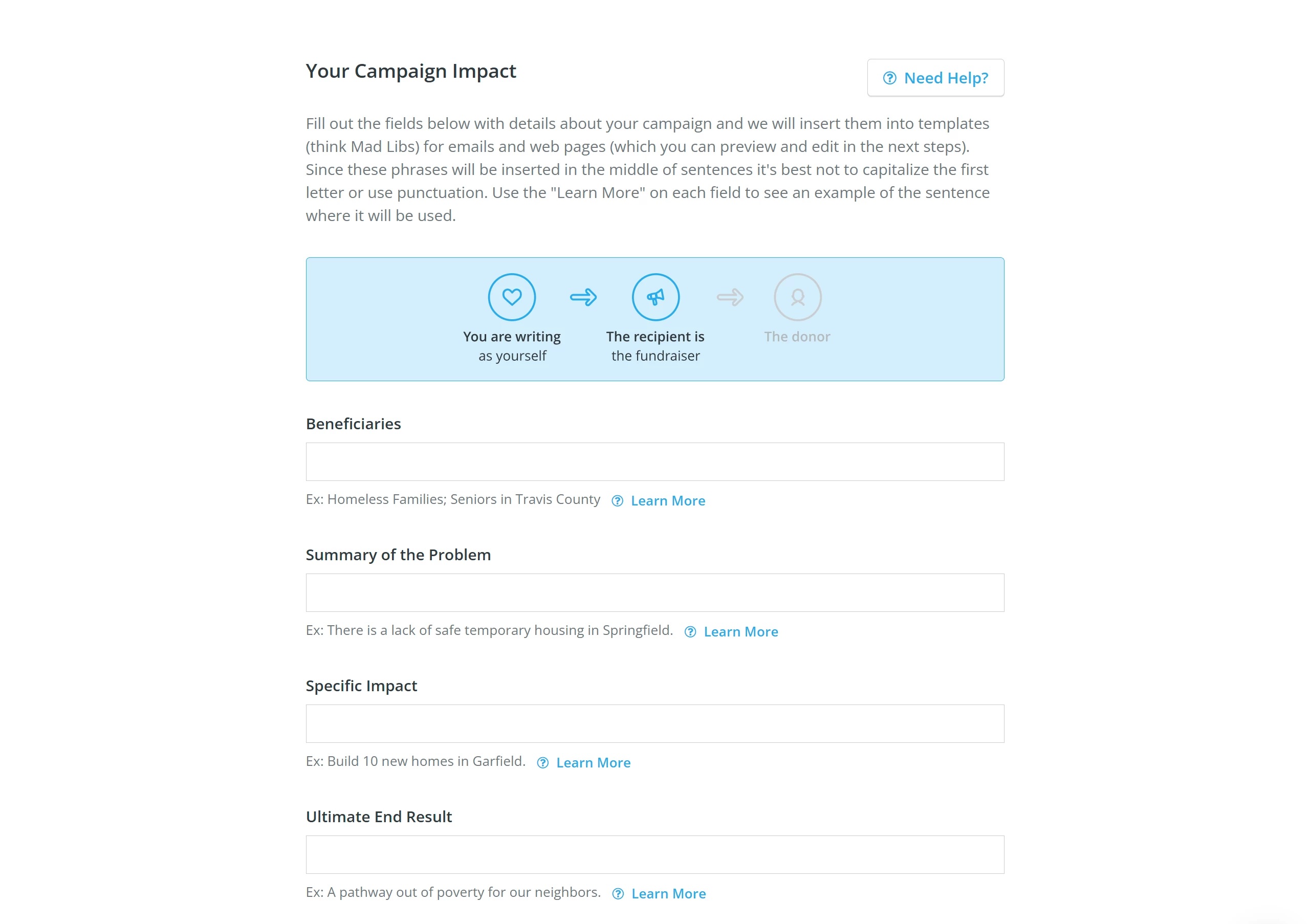
The details you provide in Step 4 of the campaign creator will be inserted into templates for e-mails and web pages, giving your fundraisers and donors a better understanding of the goal of your campaign!
a) Beneficiaries - Who will benefit from my donation?
b) Summary of the Problem - Why did you create this campaign?
c) Specific Impact - What will my donation be used for? How will it impact the beneficiaries?
d) Ultimate End Result - What is the campaign's overall goal? What are you working towards?
What else do you need help with?
How do I set my Peer-to-Peer campaign's fundraising goal?
How do I set my Peer-to-Peer campaign's length?
How do I recruit Peer-to-Peer Fundraisers?
How do I set my Peer-to-Peer Fundraisers up for success?
How do I edit my Peer-to-Peer campaign?
Not quite what you were searching for?
Navigate back to the Feature Overview.