

How do I collect payment for a sponsorship with cash or a check?
Some sponsors may want to pay for their sponsorships with either cash, check, or another alternative payment method not supported by your Event page's payment processors.
In situations such as this, you can follow the steps below to add a sponsorship for your event manually.
Step 1: Click on "Ticket & Sponsorships" under your event's Overview page.

Step 2: Locate the "sponsorships" section and the level of sponsorship that the purchase falls under.
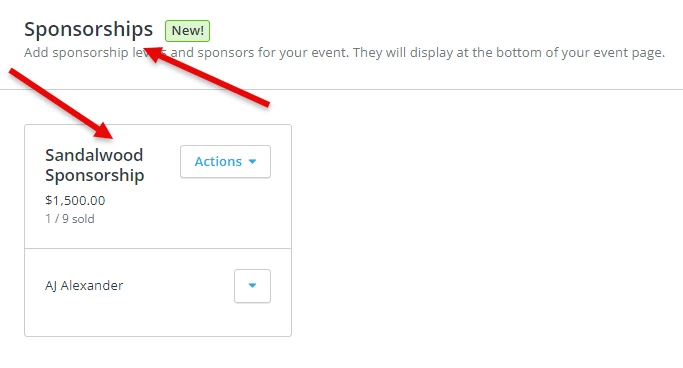
Step 3: Click on the "Actions" button next to the name of the sponsorship, and select "Add Sponsor."
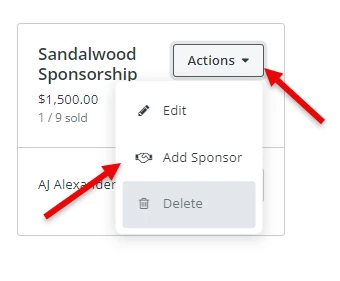
Step 4: Select the attendee who is making the offline sponsorship purchase.
On this screen, you'll first be prompted to select the attendee (listed as a "donor") who is making the purchase.

If the individual who is making the purchase is already listed as a donor in your platform (i.e. has made a donation or purchased a ticket previously) you should be able to just begin typing their name or email address, and select their name from the drop-down options that will automatically appear.
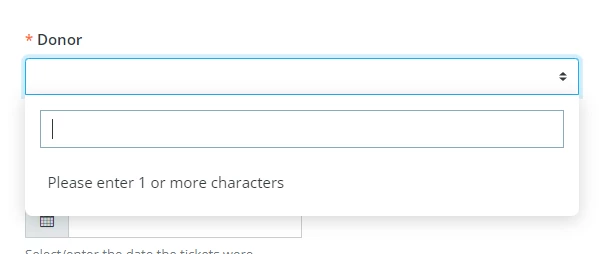
If this is a new donor or attendee, you'll want to click on the link underneath the "donor" field, and a new pop-up window will appear asking you to fill in some details about that new donor.

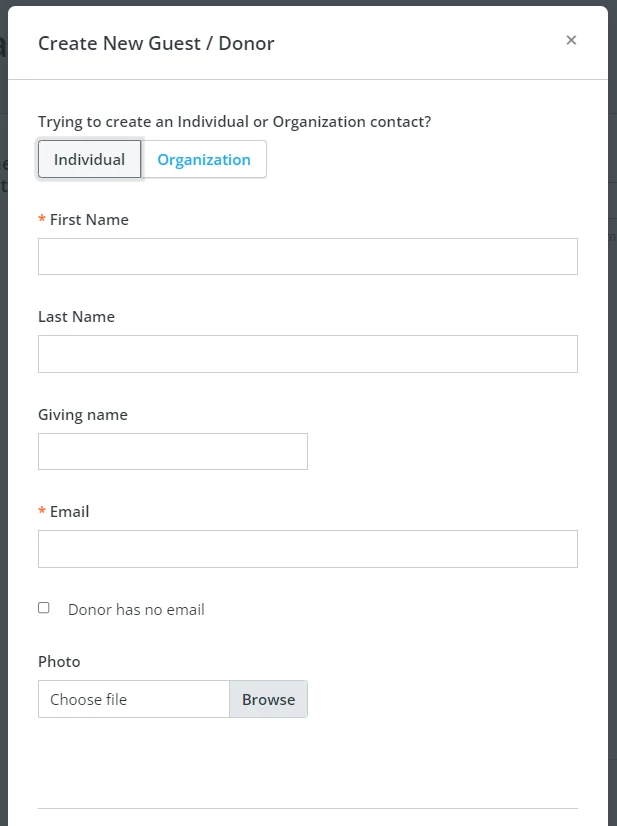
The only necessary or required fields are the donor's first name and email address, but we strongly encourage you to include all details you have, to avoid any possible duplicates (and to make future communications easier!).
Step 5: Add additional information about the ticket purchase.
Once you've selected or added a donor to associate the purchase with, you'll want to then fill in the other necessary fields on the screen.
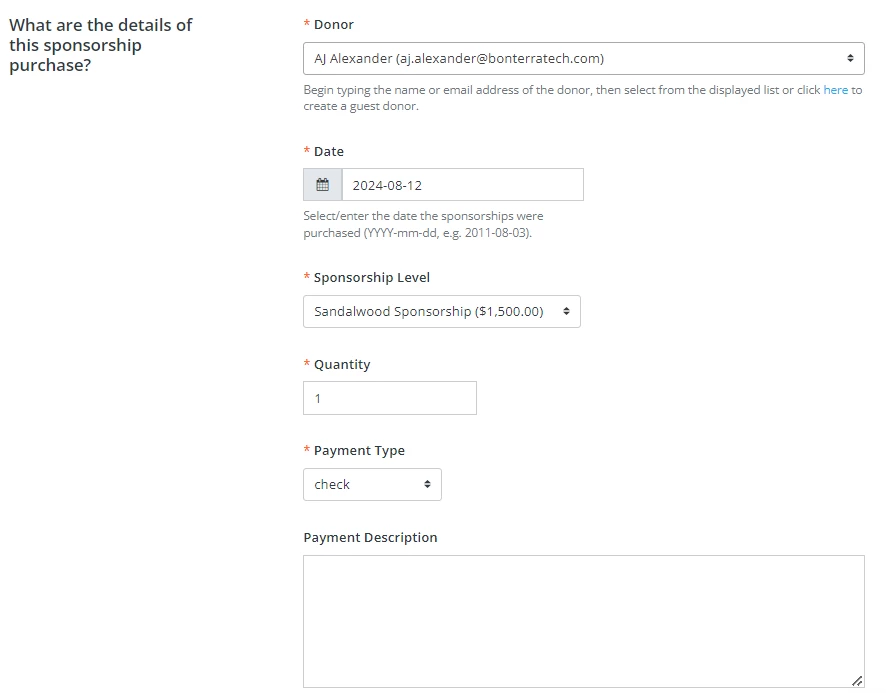
You will be required to add the date of the purchase, the type of ticket being purchased, the quantity of tickets, and the payment type (such as cash or check).
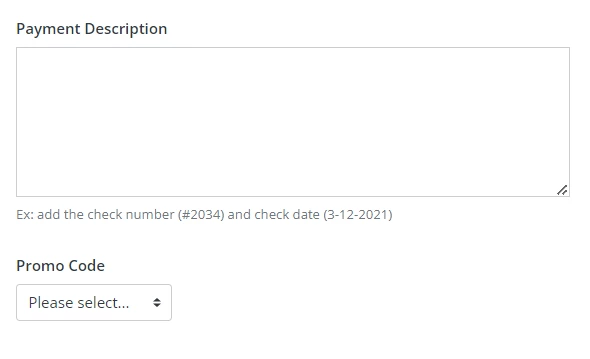
You'll also have the option on this screen to add a brief description of the payment (such as a check number)
Step 6: Click "Save & Exit" at the top of the screen.
Once you've entered all of the details of the purchase, you can click the "Save & Exit" button to add the offline ticket purchase.

You should then see a confirmation email at the top of your screen indicating the ticket purchase has been added.

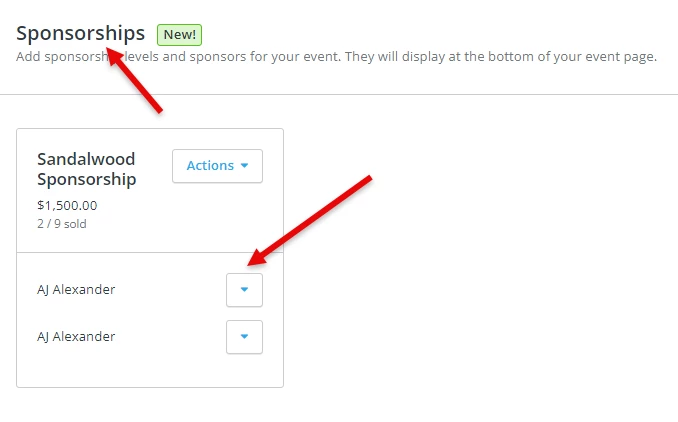
You should also see your offline ticket purchase now listed under the corresponding sponsorship level as well.
What else do you want to do?
Not what you're looking for?
Go back to the Feature Overview. How do I add sponsorships to my event in Network for Good? | How do event sponsorships work in Network for Good? | Can sponsors purchase packages online through my event page? | How do I track sponsorship revenue in Donor Management? | How do I offer sponsor logos on my event page? | How do I add complimentary tickets for sponsors? | What’s the difference between a ticket and a sponsorship?