


Getting In-Product Support in Apricot
As of May 27, 2026, Apricot’s in-product support experience has changed. This article covers how the new support solution works and how to access the Bonterra support portal.
How to use in-product support
After logging into Apricot, look for the question mark icon in the lower-right corner of your screen. Click it to open the Resource Center, then select Contact Support.
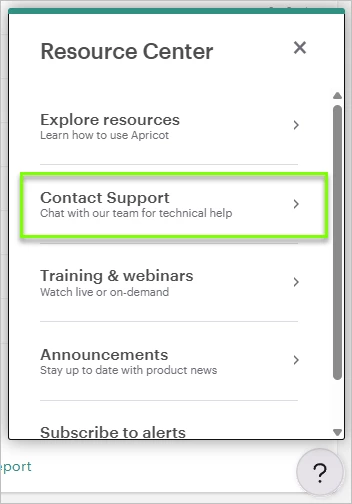
From there you’ll see two options:
- Chat with Support — type your question in plain language and the chat will respond with answers sourced from Apricot’s help center. It works best for how-to, navigation, and workflow questions about Apricot.
- Browse Help Articles — goes directly to the Apricot help center.
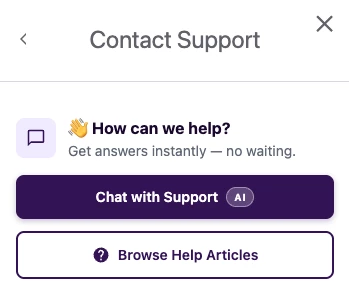
If you still need help after reviewing the chat response, you can request to connect with a support agent and the chat will connect you directly.
A new home for your support tickets
Please note: We’re currently in a transition period and your support cases may be spread across two portals. We recommend checking both to get a full view of your support history and open requests. We’re actively working to consolidate everything into a single location and will update this guidance once that’s complete.
Accessing the portals
- New portal: bonterra.zendesk.com
- Previous portal: help.bonterratech.com/help/s/cases
Support requests submitted through the in-product chat are now tracked in the Bonterra support portal at bonterra.zendesk.com. This is where you can view any cases you create going forward.
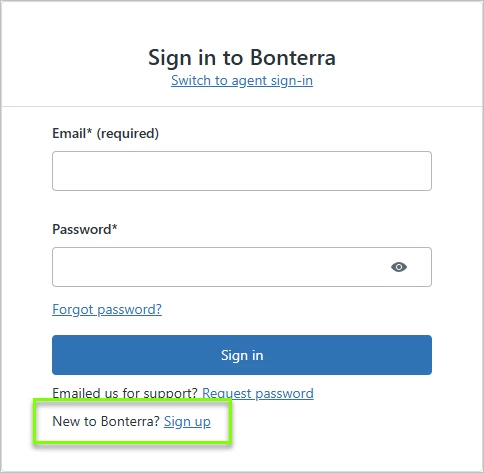
If this is your first time accessing the portal, click Sign up and use the email address associated with your Apricot account to create your login.
Once logged in, click your user badge and select Requests to view open and past tickets. From within any ticket you can review the full conversation thread, check the current status, and create a follow-up request if your issue wasn't fully resolved.
Note: Past support history from before May 27, 2026 will soon be available in the portal as well.
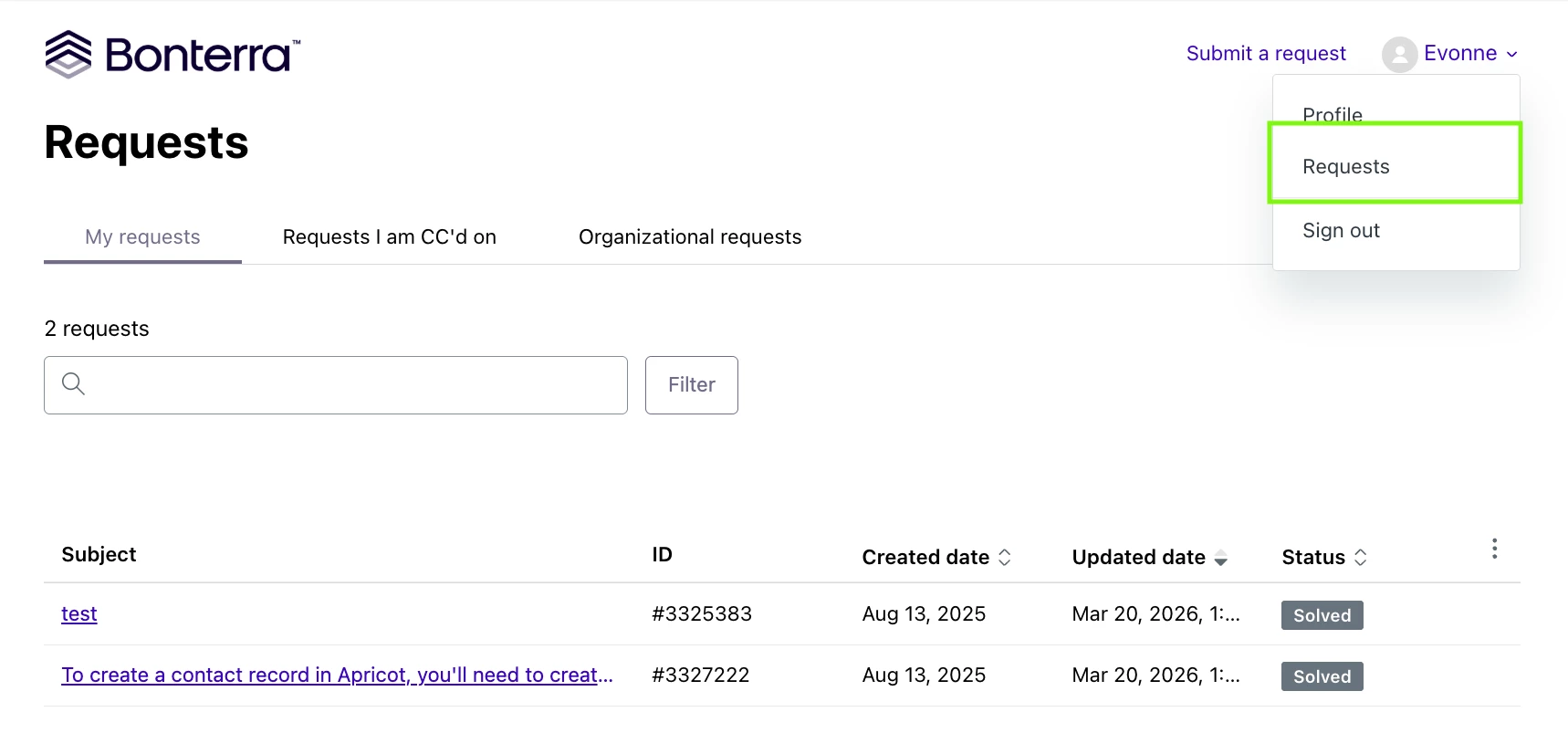
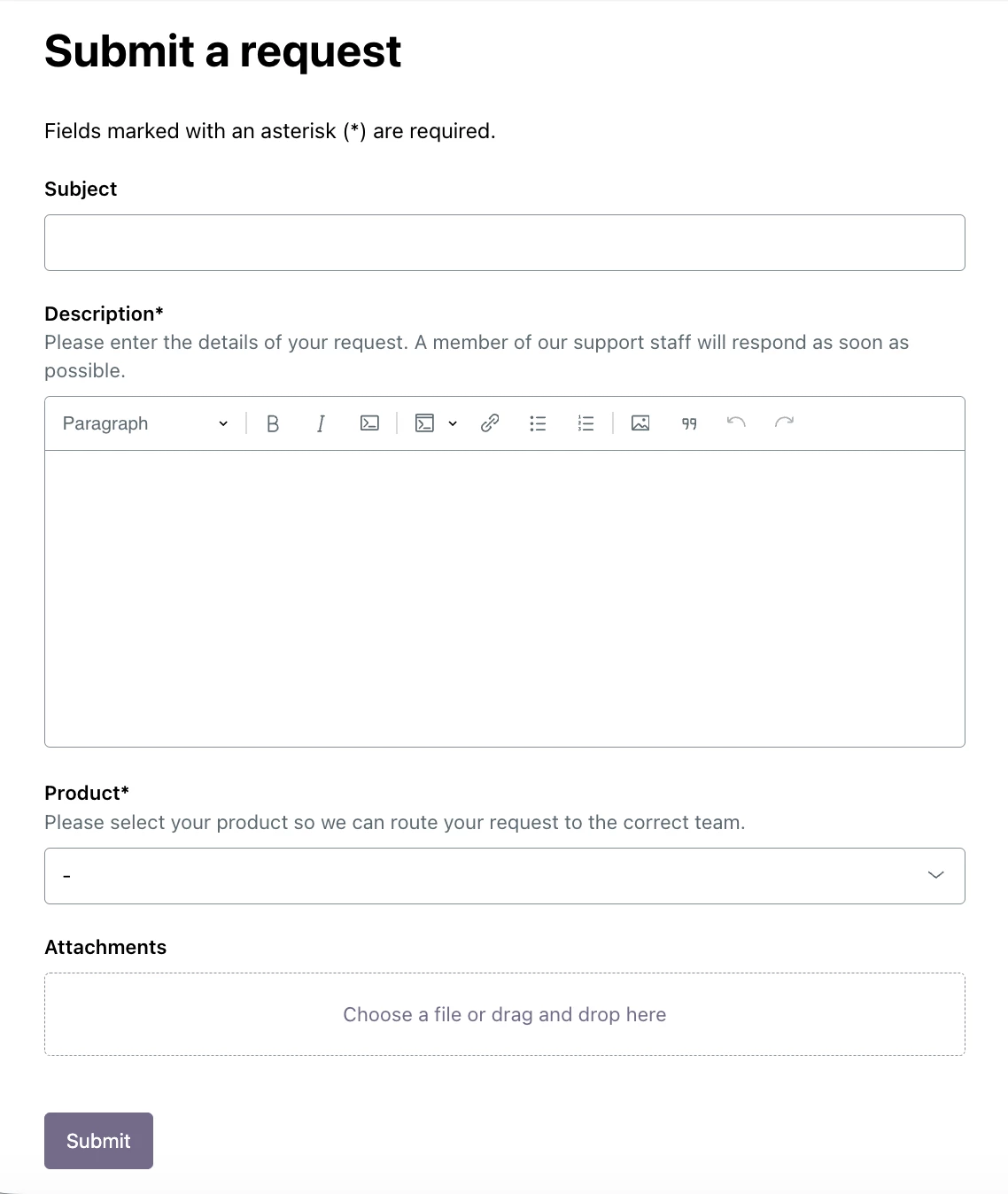
You can also submit a support request directly from the portal by clicking Submit a Request and completing the form with details about your issue — the more context you provide, the faster the team can help. For more information, see the Support Portal article.
Have additional questions? Reach out to Support through the in-product support solution or by emailing apricot@bonterratech.com.