


How do I enable SPICE acceleration on datasets?
SPICE (Super-fast, Parallel, In-memory Calculation Engine) acceleration improves performance for supported Impact Hub datasets by processing data in memory rather than querying it live. This article walks through enabling SPICE on a system-generated dataset, verifying the change, and understanding how child datasets and reports are affected.
Before you begin
Keep these things in mind before enabling SPICE:
- You can only enable SPICE on system-generated datasets — not on custom child datasets.
- You must be signed in as an Impact Hub Author or Author Pro user to enable or disable SPICE.
- SPICE uses available credits shown on the dataset details page. Confirm you have at least one credit available before starting.
- When SPICE is enabled on a parent dataset, child datasets inherit that acceleration automatically.
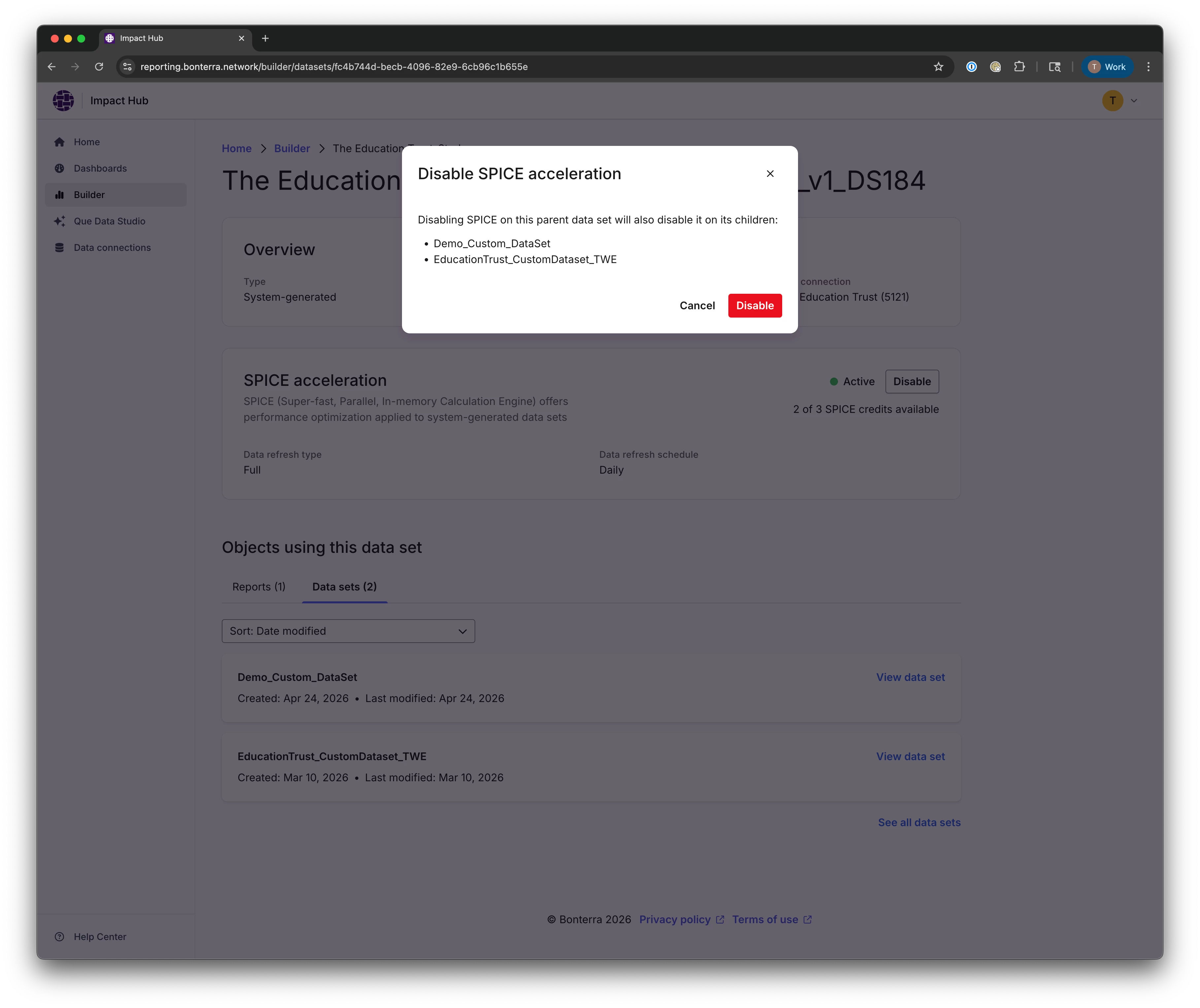
- If you disable SPICE on a parent dataset that has child datasets, you'll see a warning listing all affected child datasets before you confirm.
How to enable SPICE acceleration
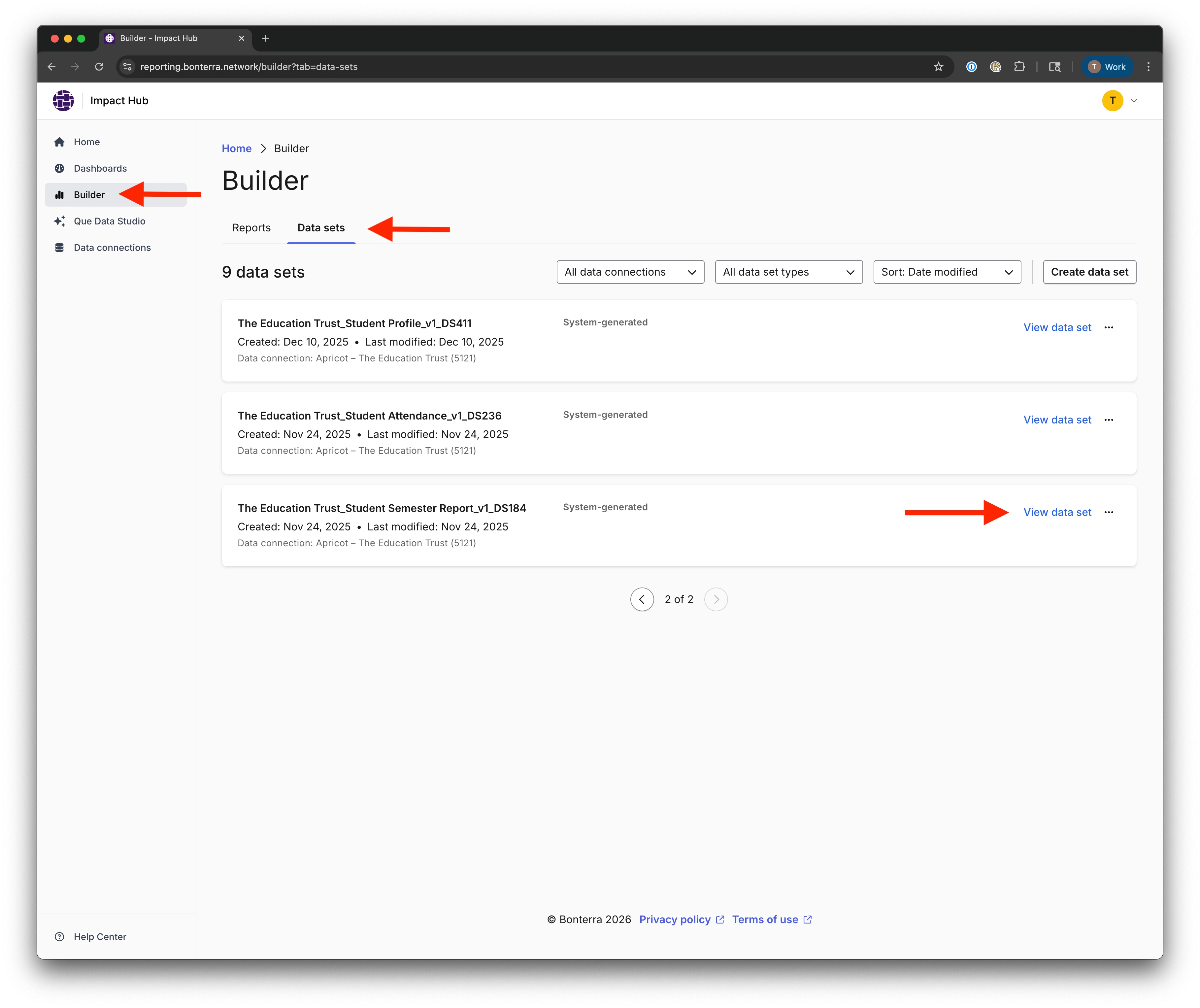
Step 1: Open the system-generated dataset in Builder
- Go to Builder.
- Open the Data sets tab.
- Find the system-generated dataset you want to update and select View data set.
Step 2: Confirm SPICE is available for this dataset
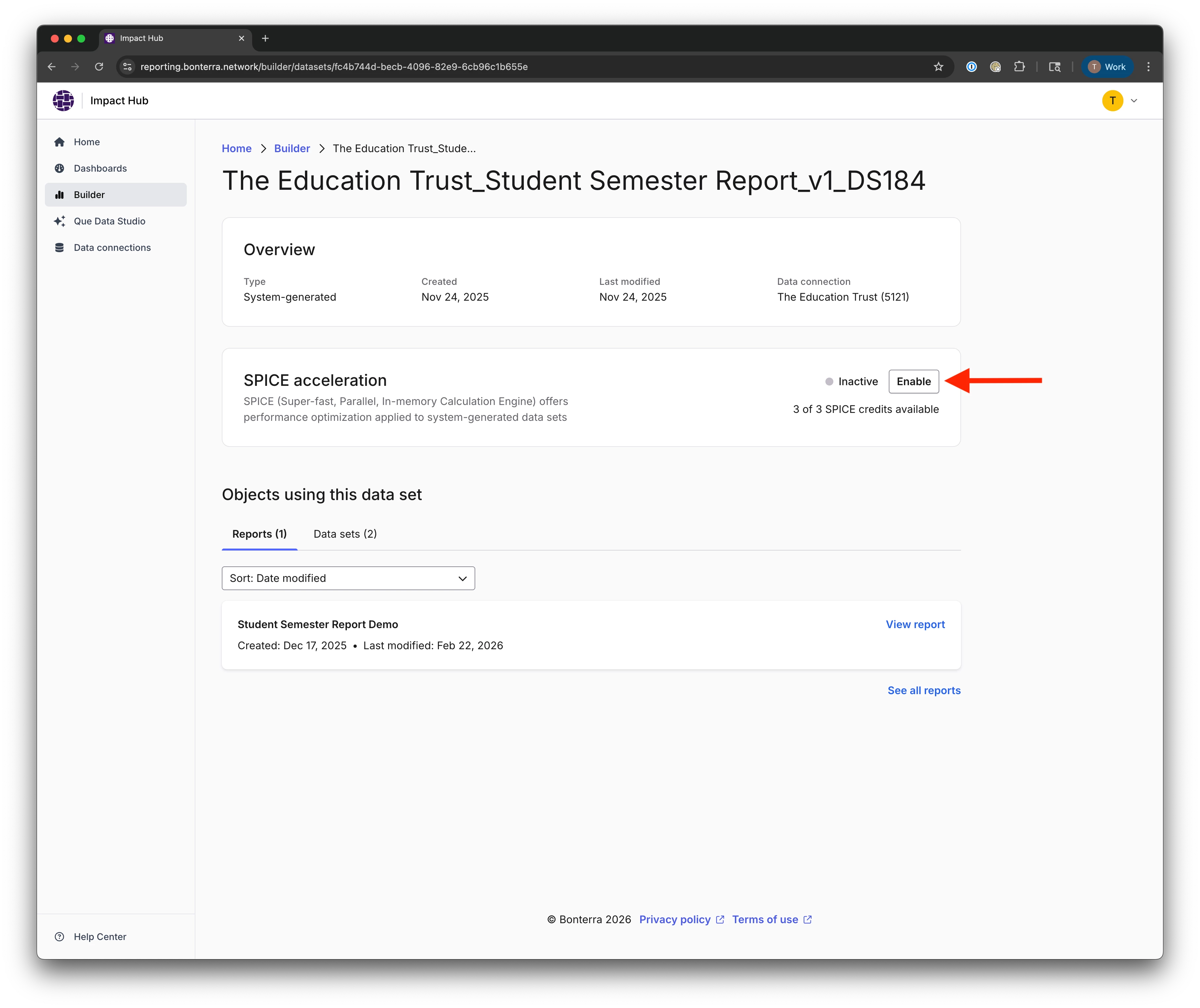
On the dataset details page:
- Confirm Type is System-generated.
- In the SPICE acceleration section, review the current status and available SPICE credits.
- Select Enable.
Step 3: Verify SPICE is enabled successfully
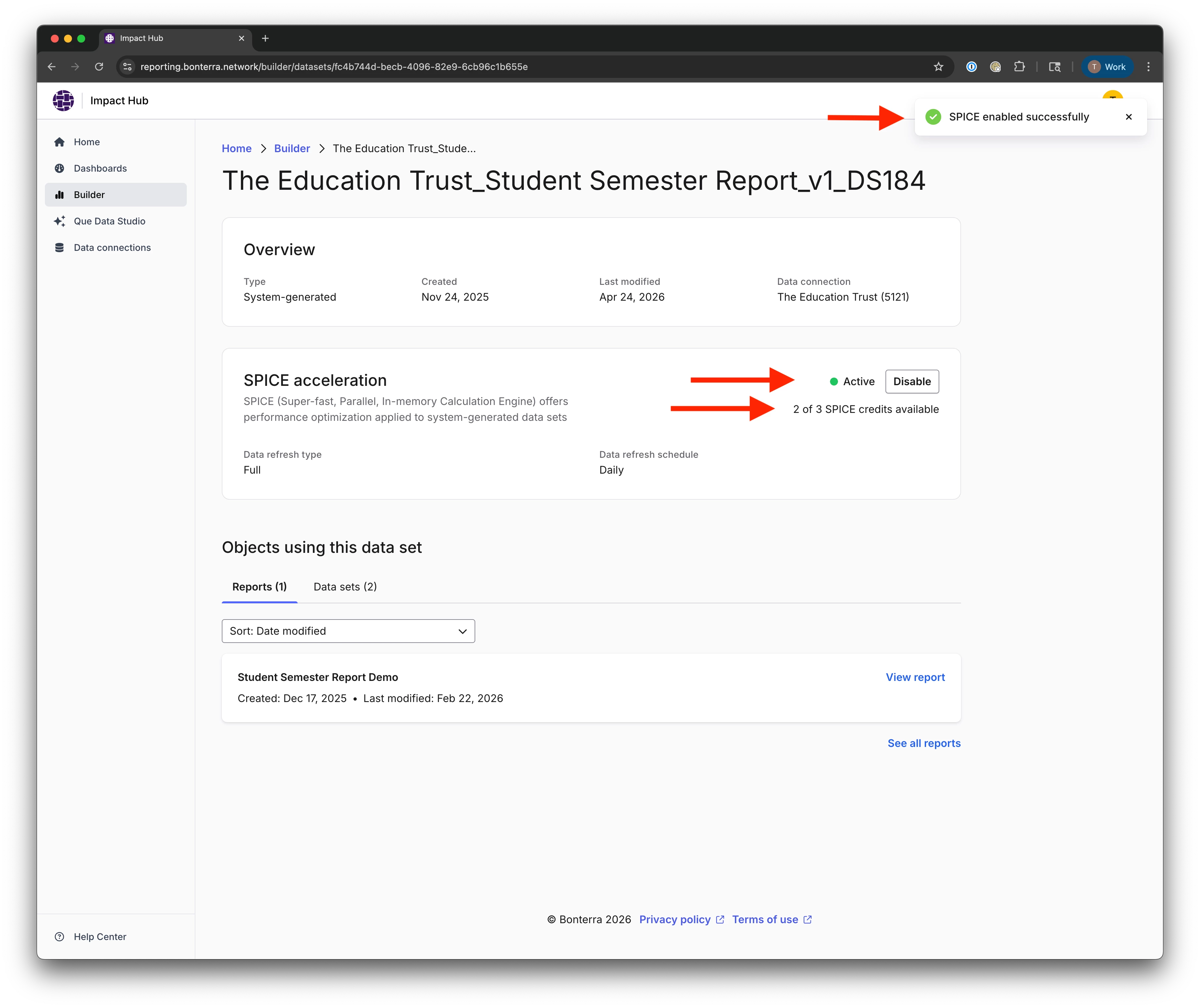
After enabling SPICE, confirm all of the following on the dataset details page:
- A success notification appears.
- SPICE status changes to Active.
- Available SPICE credits decrease by one (for example, from 3 of 3 to 2 of 3).
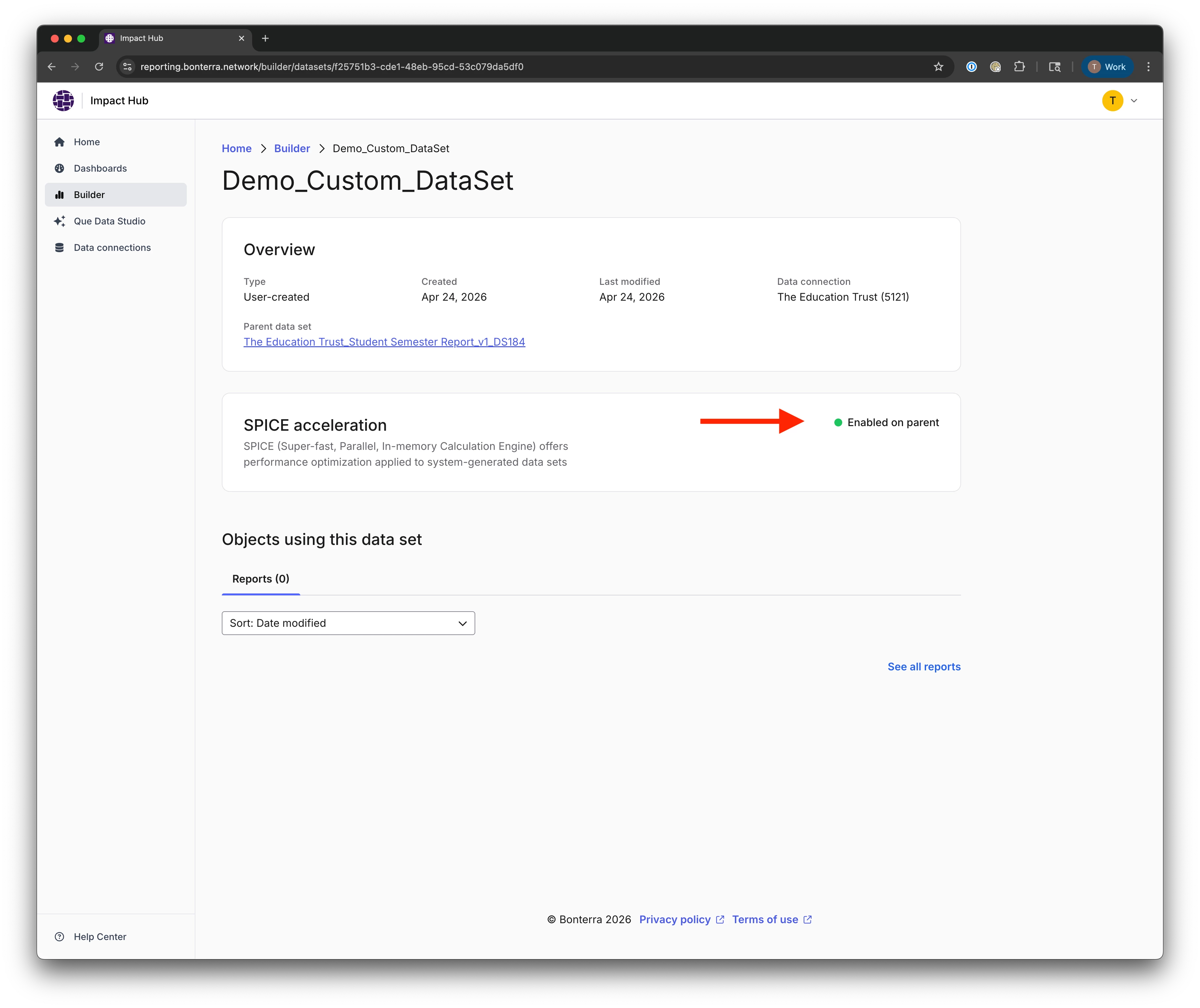
Step 4: Confirm child datasets inherit SPICE from the parent
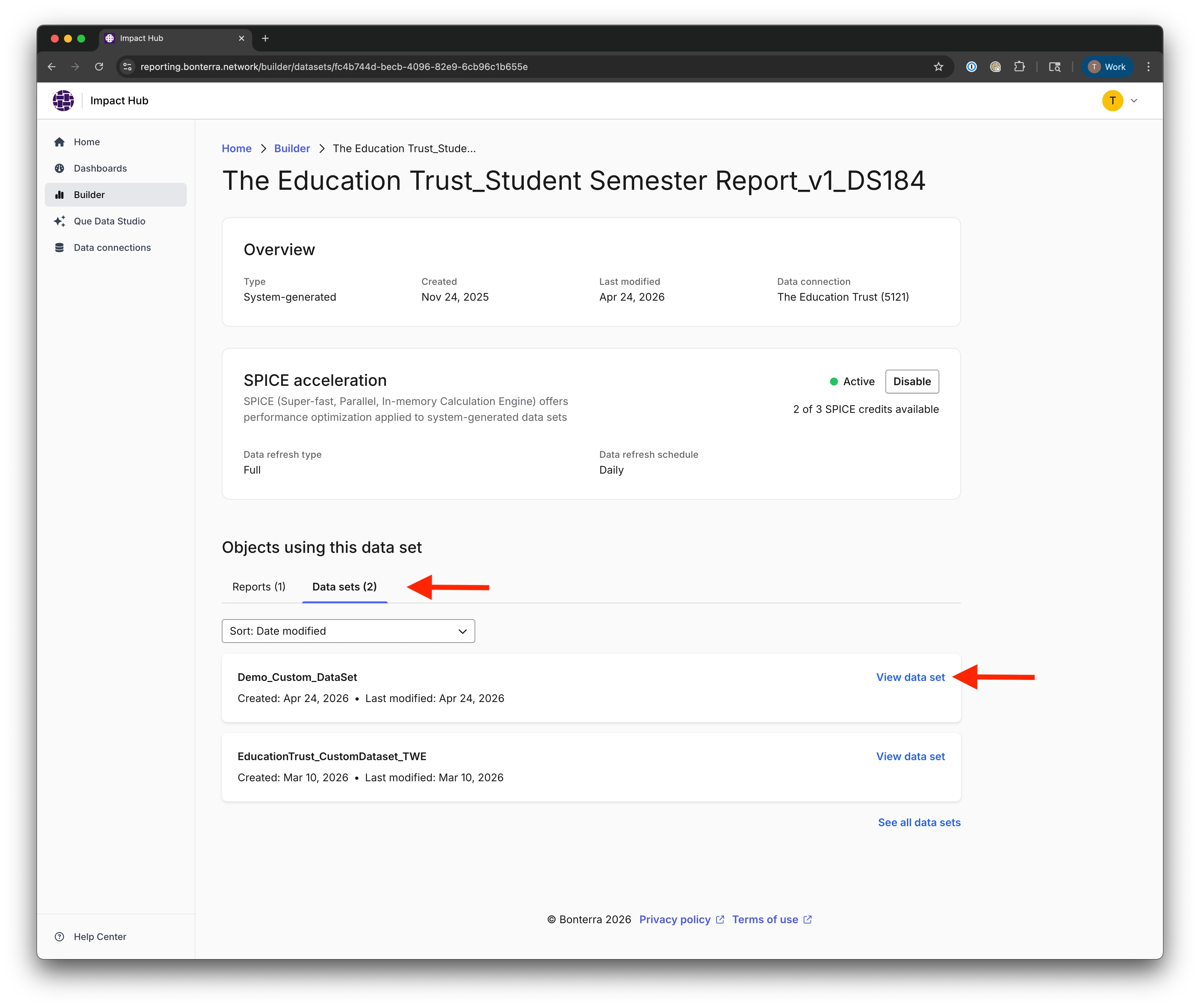
- In Objects using this data set, open the Data sets tab.
- Select a child dataset.
- On the child dataset details page, confirm SPICE shows Enabled on parent.
Step 5: Confirm SPICE appears in reports using the dataset
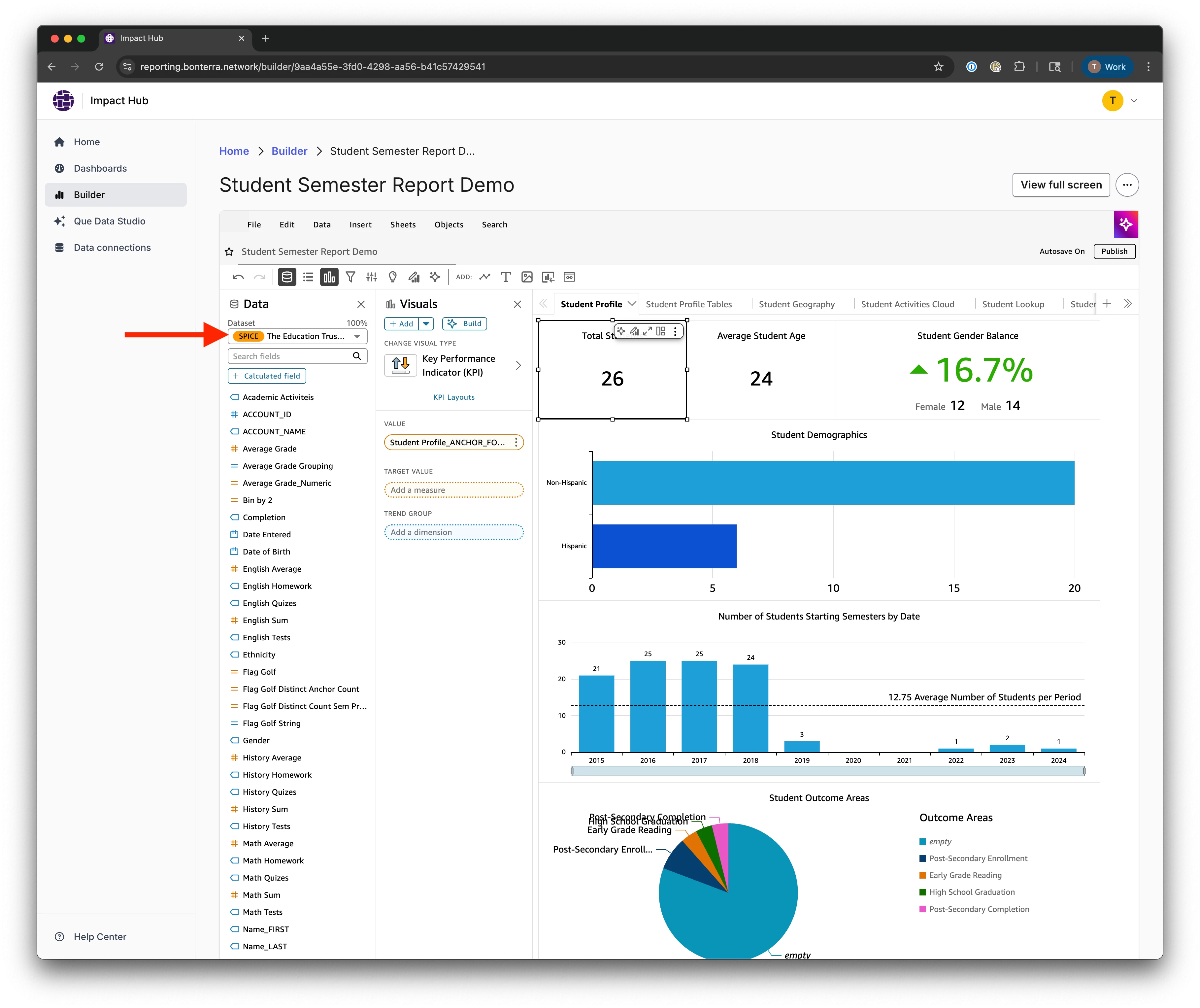
- Open a report that uses the SPICE-enabled dataset.
- In the dataset selector in Builder, confirm the dataset is marked with a SPICE indicator.
Step 6: Understand the warning when disabling SPICE on a parent dataset
If you need to disable SPICE on a parent dataset:
- On the parent dataset details page, select Disable.
- Review the confirmation modal.
- The warning lists all child datasets that will also lose inherited SPICE if you proceed. Review the list before confirming.
Troubleshooting
Before you enable SPICE, confirm the following:
- Are you signed in as an Author or Author Pro user? SPICE can only be enabled by Authors and Author Pros.
- Is the dataset type System-generated? SPICE cannot be enabled directly on custom child datasets.
- Do you have at least one SPICE credit available? Check the dataset details page before proceeding.
- Are you enabling SPICE on the parent dataset? Child datasets inherit SPICE from the parent — you can't enable it on a child dataset directly.
If something doesn't look right after enabling:
- Does the dataset show Active in the SPICE acceleration section? If not, try refreshing the page and checking again.
- Did available SPICE credits decrease after enabling? If the credit count didn't change, the change may not have saved — try again.
- Does the report dataset selector show the SPICE indicator? If not, try refreshing the report in Builder.
- Do child datasets display Enabled on parent? If a child dataset doesn't reflect the inherited status, open the parent dataset to confirm SPICE is still active.
- When disabling SPICE on a parent dataset, does the warning modal list impacted child datasets? If the modal doesn't appear, check whether the dataset has any child datasets in the Objects using this data set section.
What else do you need help with?
How do I enable SPICE acceleration on an Impact Hub dataset? | What is SPICE acceleration in Impact Hub? | Why can't I enable SPICE on my Impact Hub dataset? | Do I need special permissions to enable SPICE in Impact Hub? | How do SPICE credits work in Impact Hub? | Do child datasets automatically inherit SPICE acceleration in Impact Hub? | What happens to child datasets if I disable SPICE on a parent dataset in Impact Hub?
How do I use the moves management report? | How does use the moves management report work in EveryAction? | Why can't I use the moves management report? | Where do I use the moves management report in EveryAction? | What is use the moves management report in EveryAction? | How to use the moves management report? | Can I use the moves management report in EveryAction?