

What is Deed Grants, and who uses it?
Bonterra Deed Grants - Overview
Learn about what Deed Grants is and who uses it.
Deed Grants is our administrative interface for managing grantmaking activities. It provides a streamlined, centralized platform for Admins and Reviewers to manage applications, collaborate on reviews, and make funding decisions.
Key features:
- Grant creation and publishing
- Committee review workflows
- Application tracking and status updates
- AI-powered nonprofit matching, and application evaluation
- Communication tools for applicants and reviewers
- There are standard emails that are triggered by actions within the system.
- View and request impact reports for approved applicants.
- Track committed and completed payments for approved grantees against a budget.
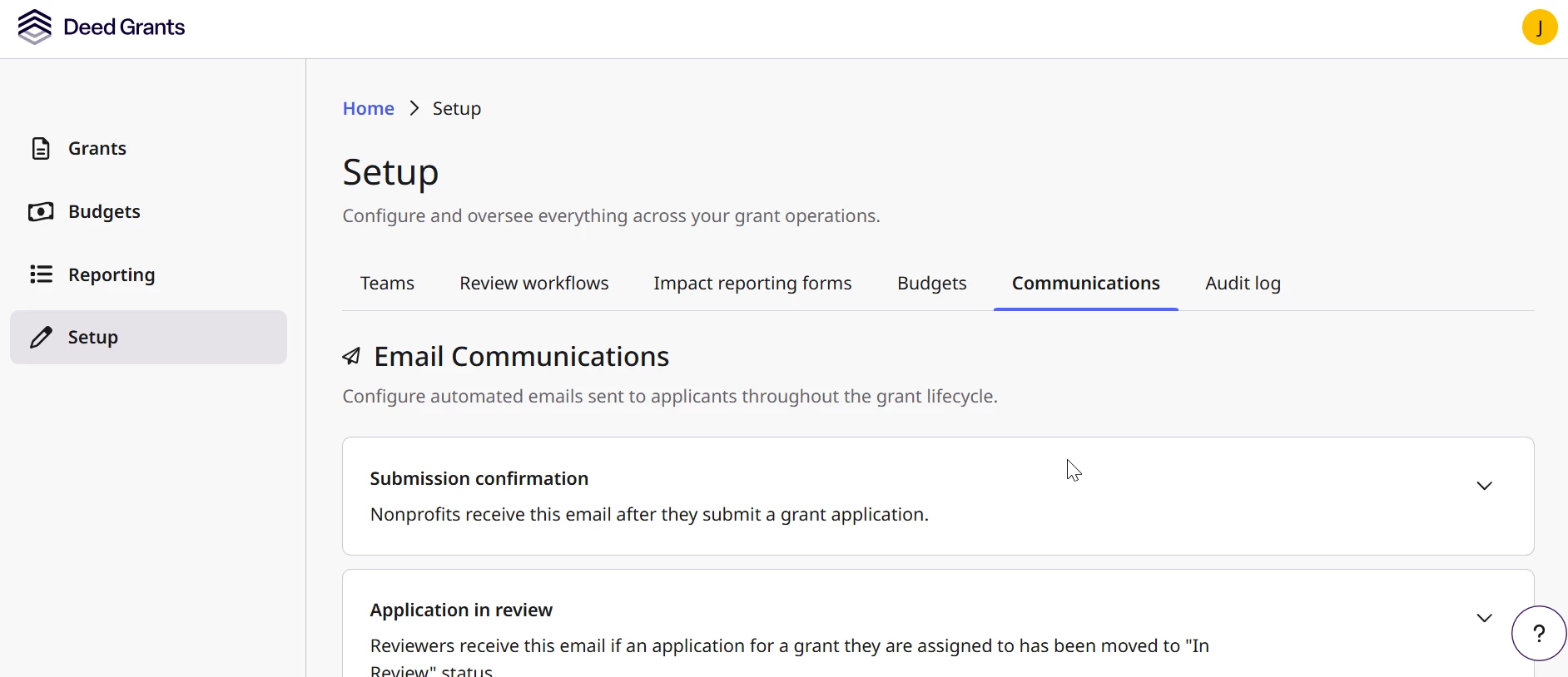
Team member management:
Managing team member access in Deed Grants is essential for all program users to have a seamless experience. Team Members (users) are managed on the Teams tab under Setup.
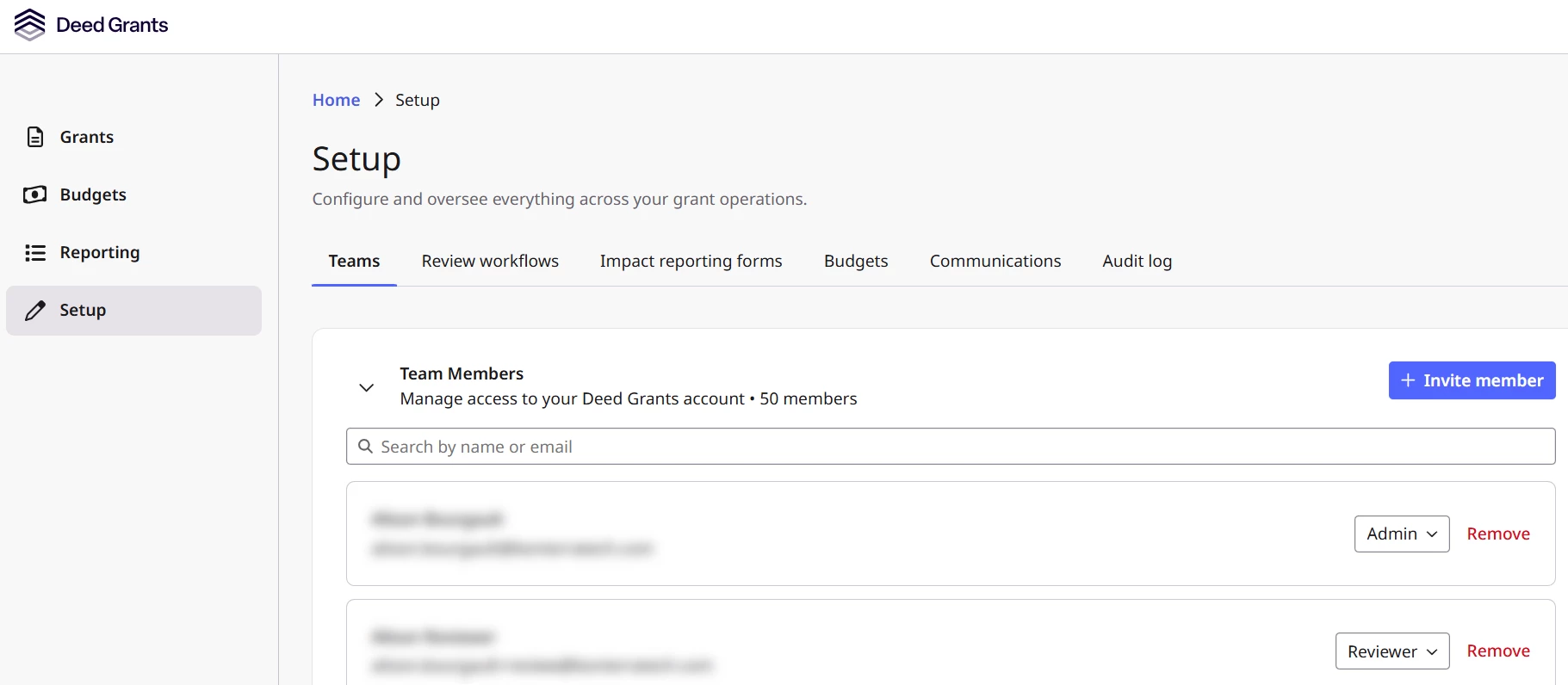
Each customer account can have an unlimited number of Team Members, for both Admin and Reviewer roles. Team members cannot change their own role.
Member Role: | Description: |
| Admin | Admins have full access to Deed Grants, including grant management, committee review results, all applications, and grant review workflows. |
| Reviewer | Reviewers have limited access. They will only see grants and applications they have been assigned to for committee review. Reviewers do not have access to applicant contact information or unassigned content. |
Customers can invite members from the Teams page. Invited members will receive an email notification.
Nonprofit end-user login:
-
Before nonprofit users can log in and apply for a grant, they must be registered in the Nonprofit Hub and connected to a verified organization profile.
Organization profile:
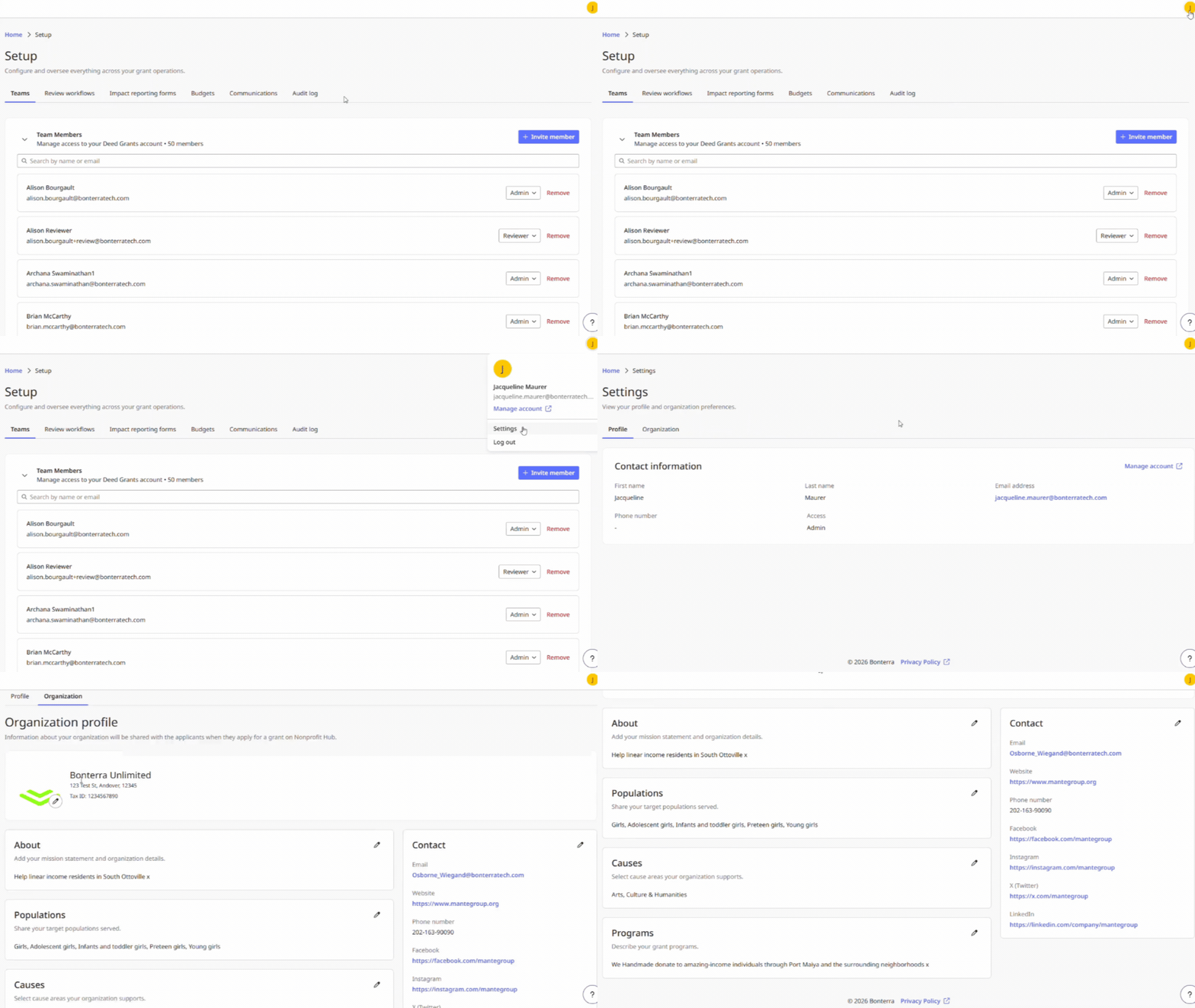
Details of the organization profile will be displayed to team members in Deed Grants on the Organization tab under Settings, accessible via the avatar menu in the top right corner. Organizations are recommended to ensure accuracy for better nonprofit recognition.
Note: You can share the nonprofit-facing Help Center article How do I apply for a Deed Grants opportunity through the Nonprofit Hub? to walk nonprofit users through the entire grant application process, from registering in the Nonprofit Hub to applying for a grant.
What else do you need support with?
- How do I sign in to Deed Grants?
- How do I create and publish a grant?
- How does AI take grantmaking to the next level in Deed Grants?
- What is the Deed Grants nonprofit experience?
- What are the statuses used in Deed Grants?
- How do I set up and manage the Review Workflow for applications?