

How do Verified Owners manage Member permissions?
As an Owner in the Bonterra Nonprofit Hub, you can grant and revoke permission add-ons for individual Members, extending their access beyond the default read-only level. The following steps will guide you through granting an add-on, revoking an add-on, and what each change means for the Member.
Only Owners can manage member permissions. If you are a Member and need elevated access, contact your organization's Owner.
Step 1: Sign In and Navigate to the Users Section
Log in to the Nonprofit Hub using your owner account credentials.
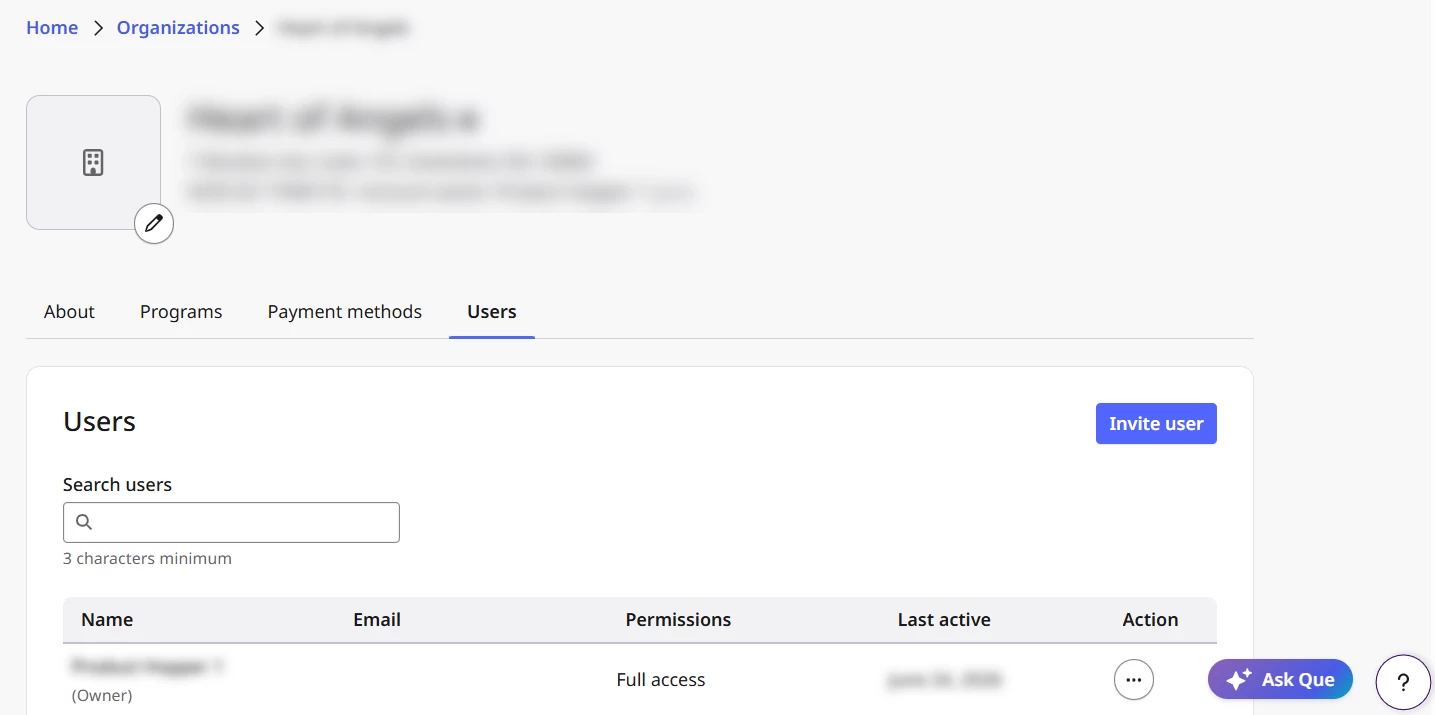
From the left-hand navigation, select Organizations and then select your organization's name to open its profile. Select the Users tab to view all users currently associated with your organization.
Step 2: Locate the Member
Find the Member whose permissions you want to update. You can search by name using the search field in the Users section, or scroll through the member list to locate them.
Step 3: Open the Member's Permission Settings
Select the ellipsis (…) next to the Member's name under the Action column to open their available actions. Select edit to manage their permissions.
Step 4: Grant a Permission
Review the available permissions and select those that you want to grant. Confirm your selection by selecting “Save changes.”
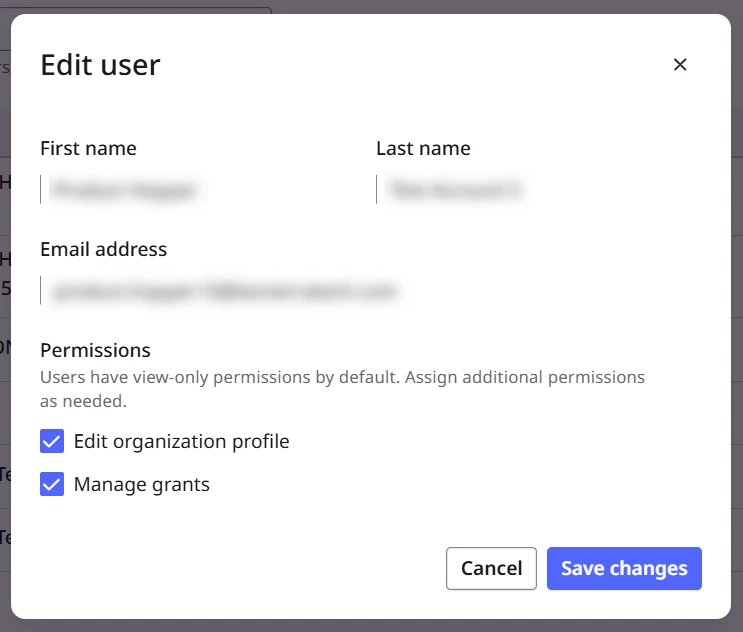
The change takes effect immediately — no additional save or publishing step is required. The Member will be able to use their new access as soon as the add-on is applied.
Step 5: Revoke a Permission
To remove a permission, return to the edit page for the specific Member and uncheck to remove a selected permission. Confirm the revocation by selecting “Save changes.” The change takes effect immediately.
Note: If you are revoking a permission from a Member who joined through the FrontDoor integration or any other Bonterra product integration, this removes their ability to edit organization profile information. The Nonprofit Hub account Owner can reverse this action at any time through the user profile.
What else do you need help with?
- What are the Bonterra Nonprofit Hub user roles?
- What are the Bonterra Nonprofit Hub User Permissions?
- How do Verified Owners manage users in the Bonterra Nonprofit Hub?
- How do Verified Owners add secondary users to an organization in the Bonterra Nonprofit Hub?
- How do Verified Owners transfer ownership through the Nonprofit Hub?
- How do I transfer ownership if the Verified Owner has left the organization?
Not what you’re looking for? Navigate to Organization Profile: Users