

How do I create a Peer-to-Peer Fundraising Page?
Peer-to-Peer (P2P) Fundraising is an excellent way for your supporters to get involved, share with their networks why they are passionate about your organization's mission, and bolster support for your fundraising efforts.
The steps outlined below will help you get started if you plan on recruiting fundraisers to spread the word about your campaign!
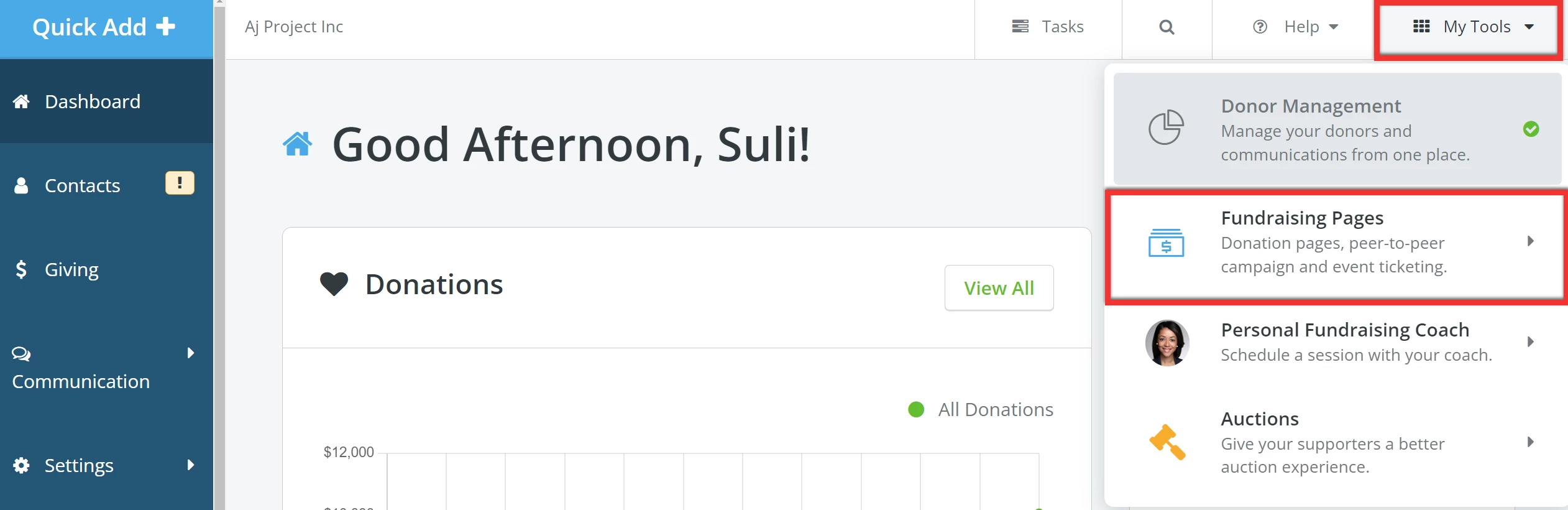
Step 1: Navigate to your 'Fundraising Pages'
From your 'Donor Management' Dashboard, click 'My Tools' in the top left corner of the page and select 'Fundraising Pages' from the drop-down list.
Step 2: Add a campaign
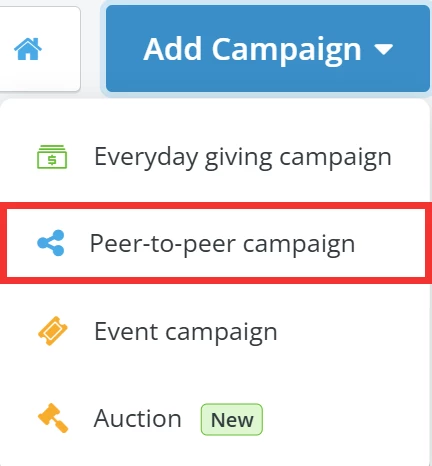
When directed to your 'My Campaigns' page, click the 'Add Campaign' button to the upper left and select 'Peer-to-peer campaign' from the list of options in the drop-down.
Step 3: Create your P2P Campaign
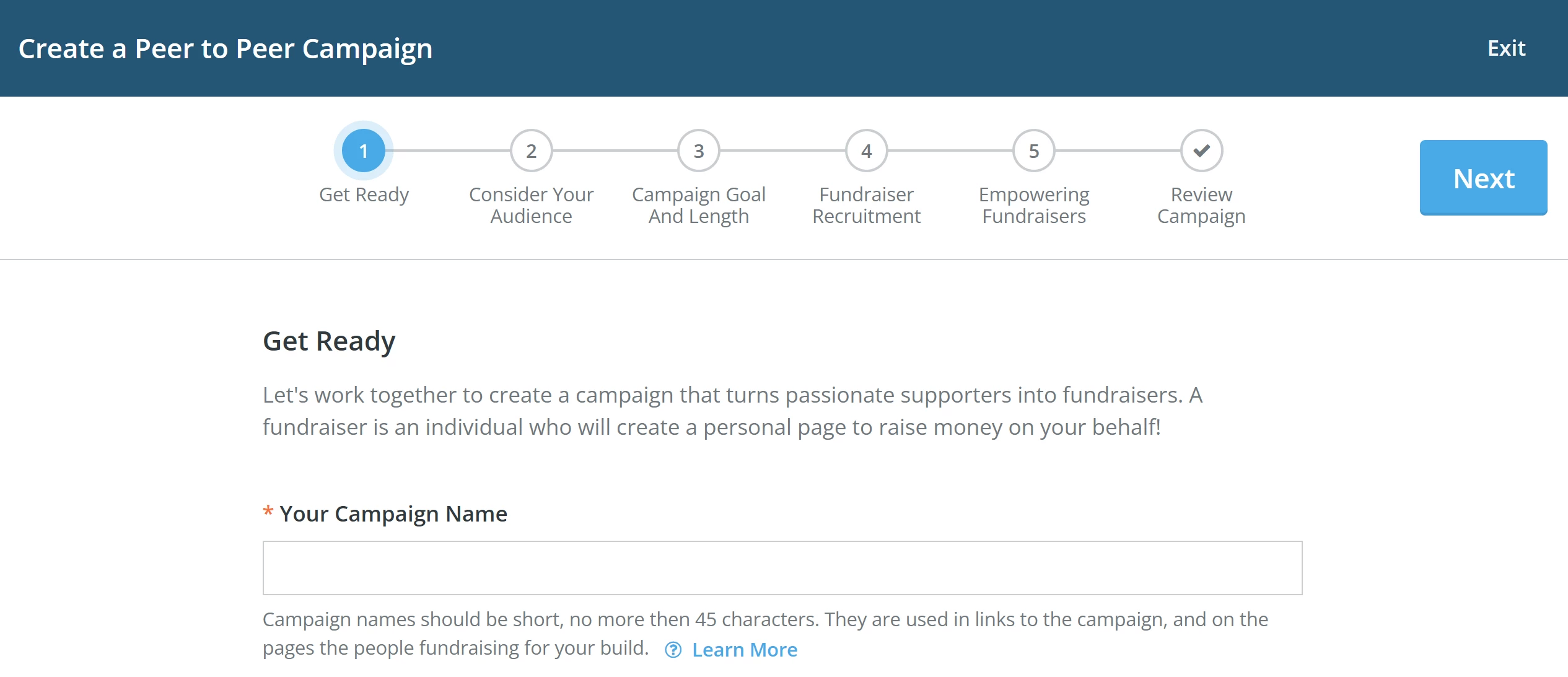
Choose a name for your campaign and start building your page, following each step of the campaign creator.
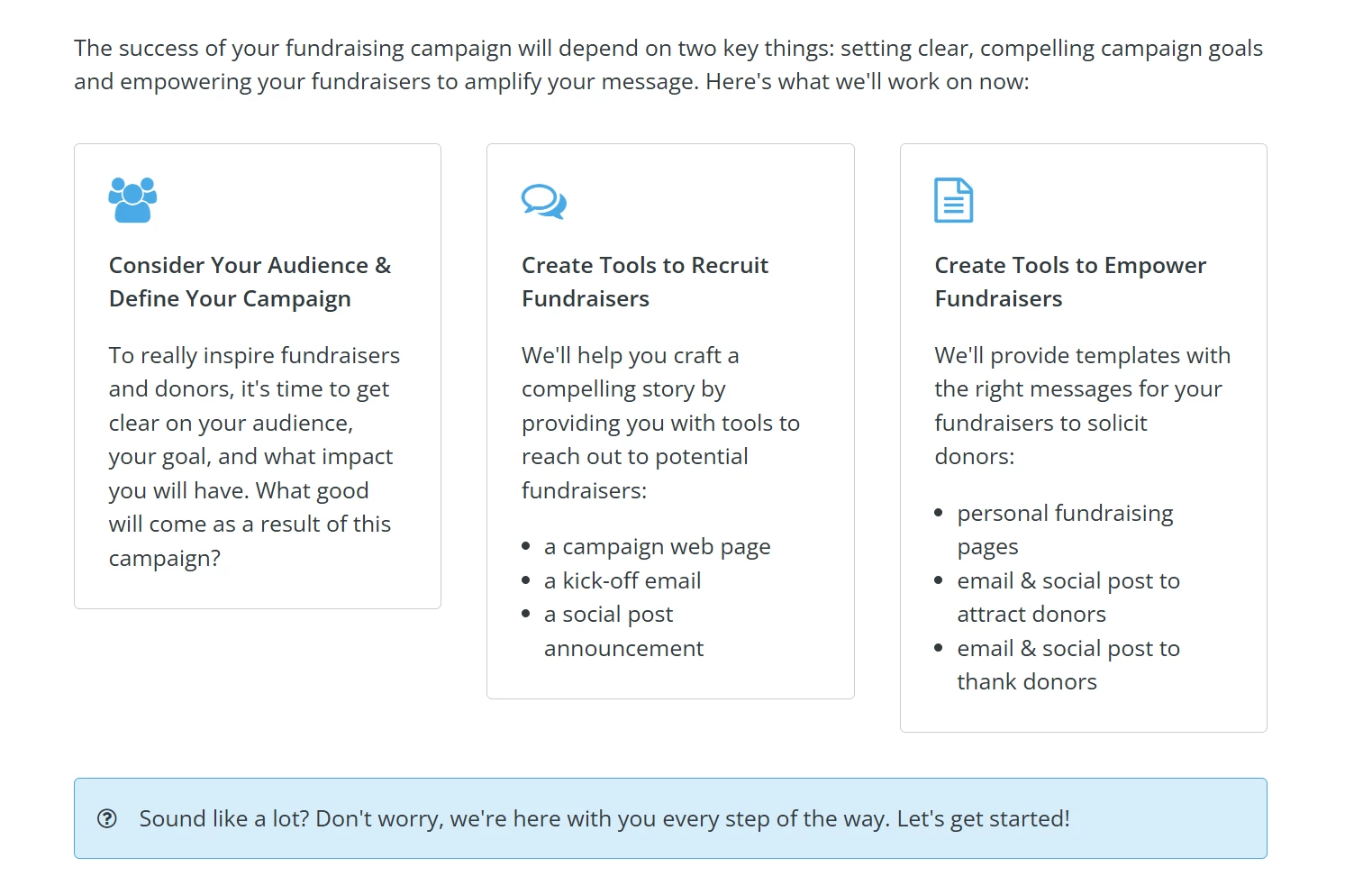
You will find prompts and tips (like the ones below) on each page to help guide you through this process.
For a more detailed guide on how to build an effective P2P campaign, check out this related article!
What else do you need help with?
- How do I set my Peer-to-Peer campaign's fundraising goal?
- How do I set my Peer-to-Peer campaign's length?
- How do I outline my Peer-to-Peer campaign's impact?
- How do I recruit Peer-to-Peer Fundraisers?
- How do I set my Peer-to-Peer Fundraisers up for success?
- How do I guide my Peer-to-Peer Fundraisers in creating their fundraising page?
- How do my Peer-to-Peer Fundraisers share their pages?
- How do I add an offline donation to a Peer-to-Peer Fundraiser's page?
- How do I edit my Peer-to-Peer campaign?
Not quite what you were searching for?
Navigate back to the Feature Overview.
Looking for training?
Explore this feature at your own pace - join a live training session or watch a recorded webinar by clicking the link below.